A new customer signs up alone, and the national register checks its tax ID
The company fills in a form, and the store pulls its data from the register by tax ID. The application creates the company, the applicant’s account, the price group and the account manager in one go. Customer service only accepts or rejects it.
Why it exists
Without registration every new customer is work for customer service
Registration in plain Magento ends with a personal account. There is no company, no tax ID, and the store does not know whether there is a trading business on the other side. Whoever wants wholesale prices calls or writes, and customer service sets everything up by hand.
In a store that shows prices only after signing in, this is the only way in. Every new customer waits for a person, and the company data is retyped from an e-mail, with typos in the name and the address.
B2B registration
What it does in the store
A company form beside the consumer one
The store accepts company applications only, or company and private ones side by side. That is a rollout setting, not a rebuild.
Tax ID checked in the national register
The applicant types the tax ID (NIP), and the company name and address fill in from the register (GUS). They can be corrected before sending.
An inactive company does not get through
A number that is struck off, suspended or not found in the register stops the application. The message points to customer service.
Company and account in one step
The application creates the company and its administrator’s account, with the price group and account manager set in advance.
An application queue for customer service
Customer service accepts an application or rejects it with a reason the applicant receives. The store can also accept companies confirmed in the register automatically.
Link to the ERP record
After the application the store checks whether the customer already has a record in the ERP and links the company to it. A missing record is created by the integration once the company is accepted.
What it looks like in the store
B2B registration on the demo store’s screens
Real screens, not mockups. The demo store runs in Polish; a rollout ships in your store’s languages. Click a row, and where there is a phone capture switch the view or zoom in.
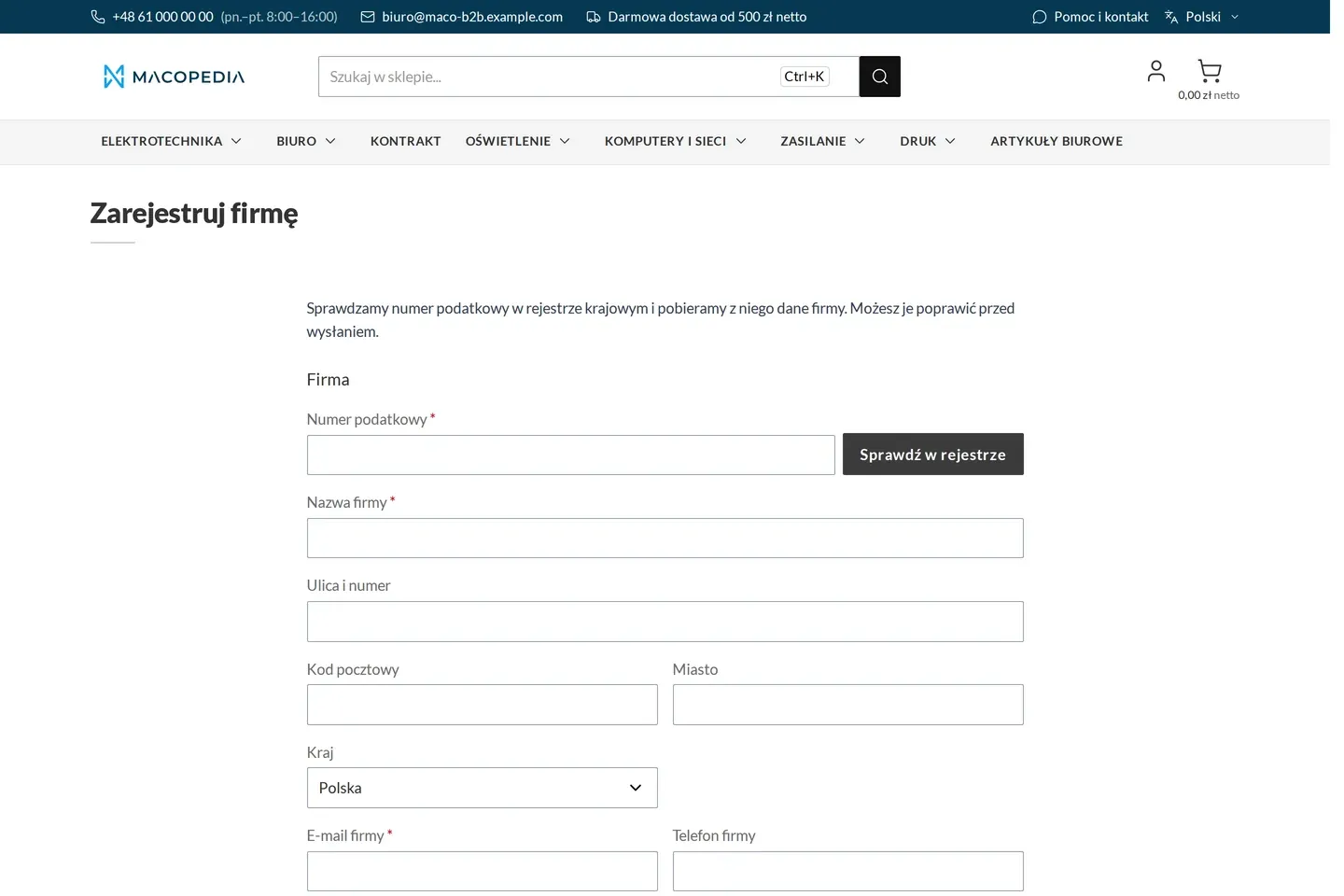
Empty company registration form with a tax ID field 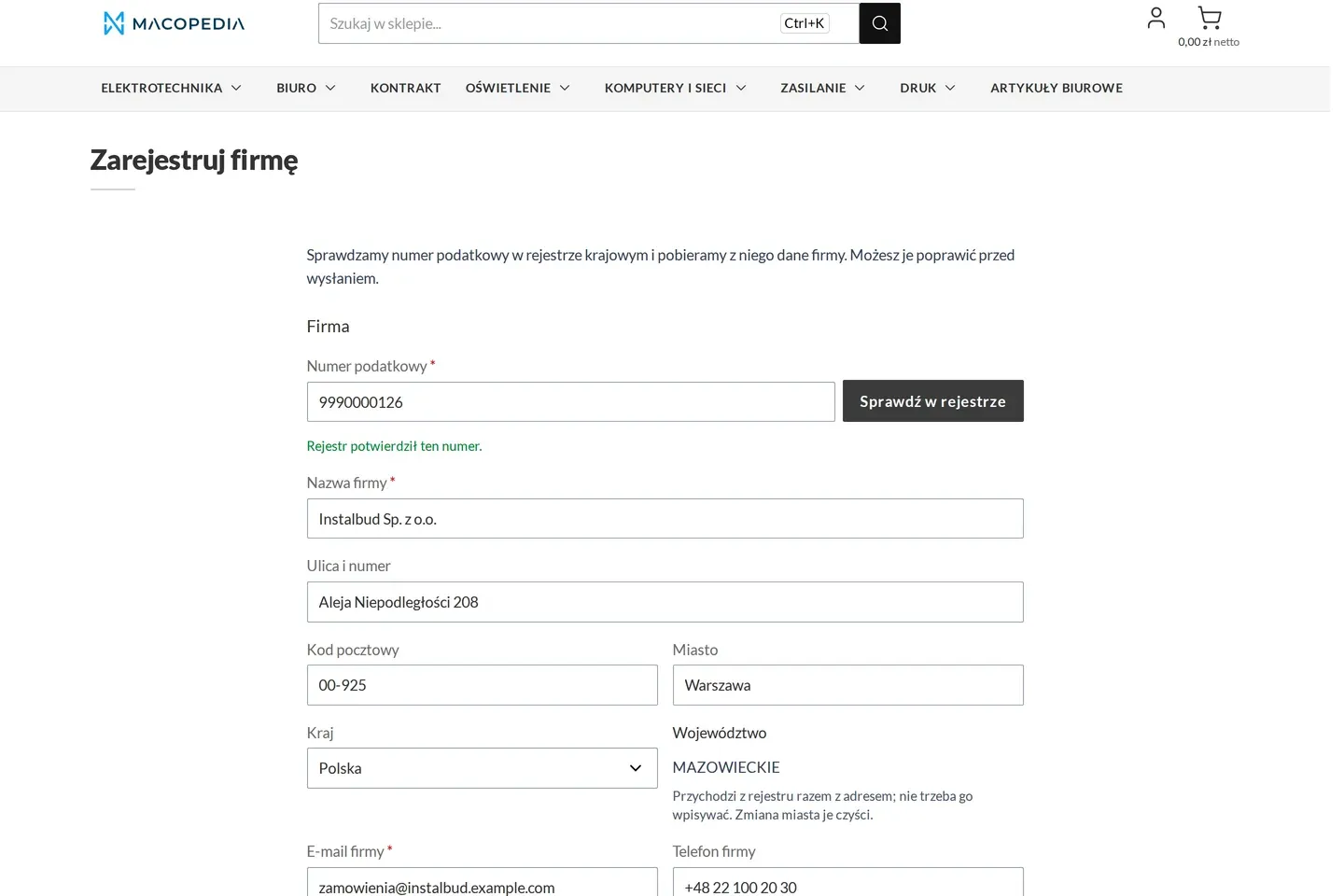
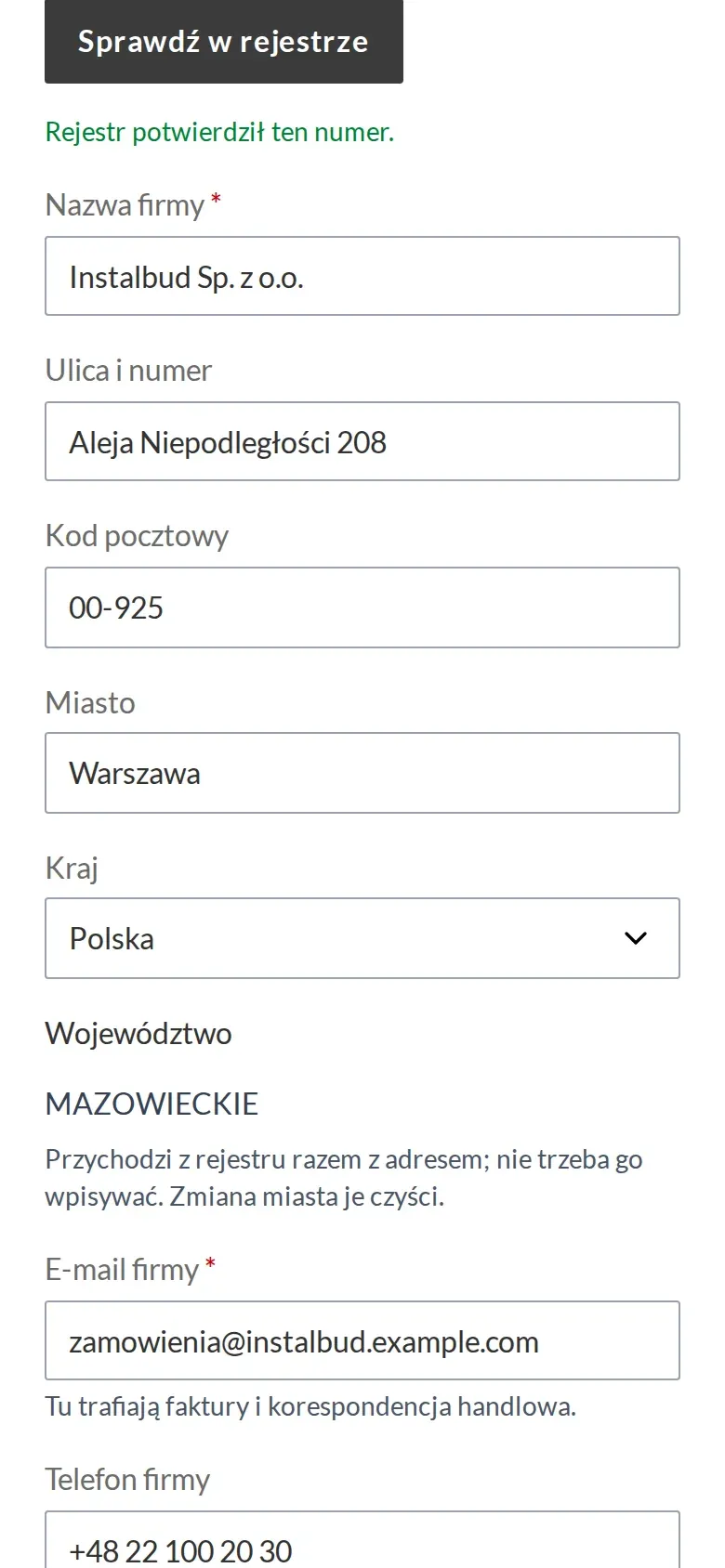
Company registration form with data pulled from the register by tax ID 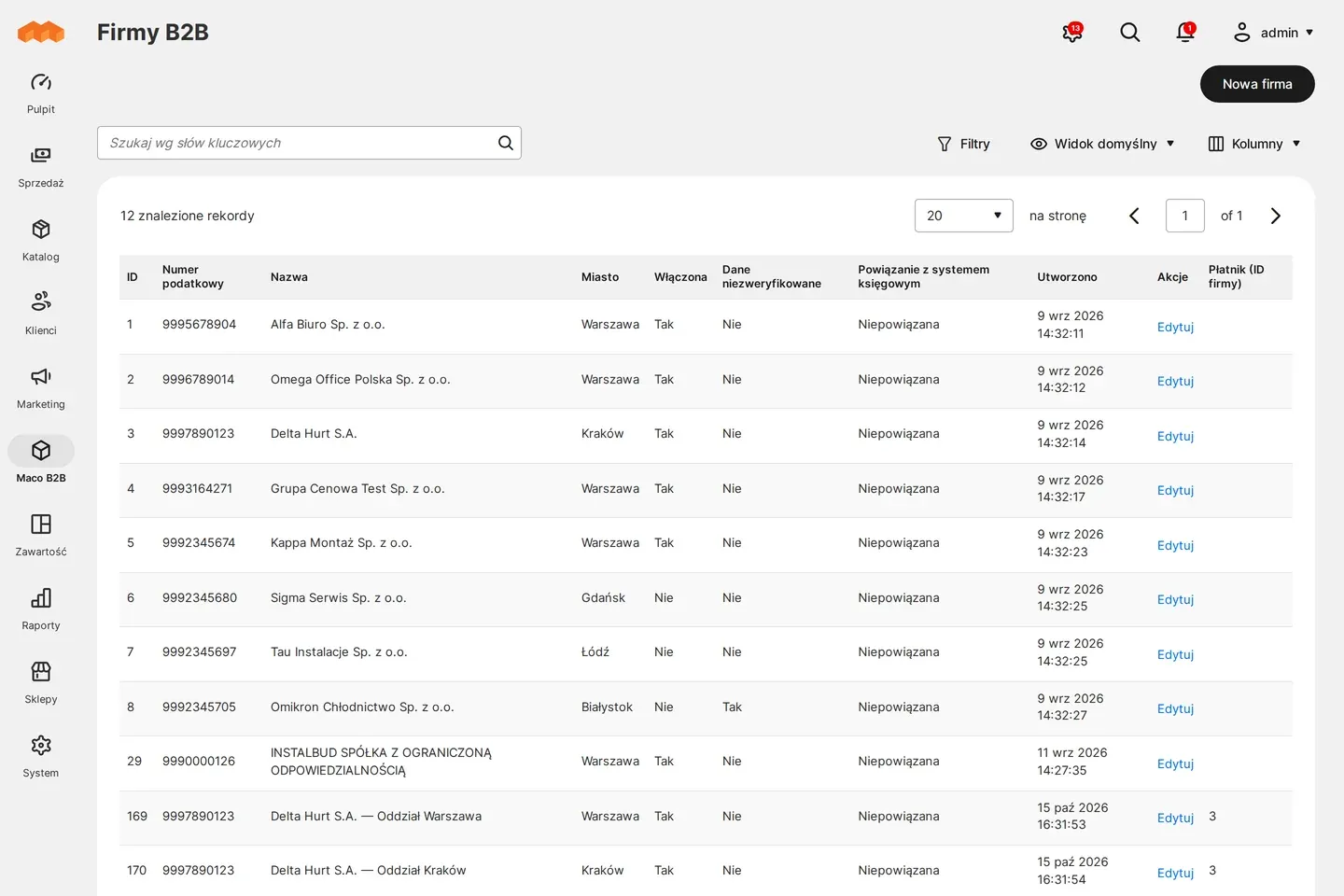
Admin panel: list of B2B companies
01 / 03
Who uses it
Every role gets what it needs at work
Company administrator
The person who sent the application becomes the company administrator. Once accepted they get an e-mail with where to start and the account manager’s details.
Account manager
Can be assigned in advance to every new company from the form. The customer sees them on the account from the first sign-in.
Customer service
Gets a message about every application with the result of the register check. Decides applications in a queue with filters by state and verification result.
A worked example
Hydro-Tech joins the customers of Delta Hurt
01 Paweł types the tax ID
The owner of Hydro-Tech opens the form on the Delta Hurt site. After typing the tax ID the company name and address fill in on their own.
02 The application reaches customer service
Paweł adds his details and accepts the terms. Delta Hurt’s customer service gets an e-mail with a link to the application.
03 The ERP recognises the customer
Hydro-Tech has bought by phone before, so the integration finds its record in the ERP and links it to the new company.
04 Customer service switches the company on
One click accepts the application. Paweł gets an e-mail, signs in and sees the prices of his group and his account manager Anna.
For the IT team
Where the data comes from and how to integrate it
The tax ID is checked in the national register through the REGON API, and the production key for the register belongs to the rollout. The store reads whether a company is active from several register fields, not from the status alone.
The store does not talk to the ERP directly. Maconnector receives the application data, answers whether a record exists, and creates one once the company is accepted.
Queue decisions and registration settings are available in the REST API. The form is built on Hyvä, checks the tax ID without a page reload and also works in a store closed behind a login.
FAQ
Questions: b2b registration
What if the register happens to be down?
Can we accept new customers automatically?
How does a foreign company or a retail customer register?
How is this different from Adobe Commerce B2B?
We will show you this on your company’s data
The demo runs on a scenario from your sales: your customers, your price lists, your ERP. After an hour you know what you get at once and what we set up in the rollout.