The customer buys against a limit, and the store makes sure it is not exceeded
The customer’s credit limit and balance come from the ERP and are visible on their account. At every order the store checks whether the amount fits the free limit and, when it refuses, says by how much it is short. The catalogue and prices stay visible; only placing the order is blocked.
Why it exists
The limit lives in accounting, the orders in the store
Plain Magento knows nothing of trade credit. The store accepts an order from a company that used up its limit long ago, and the finance department learns about it at collection. The customer, in turn, does not know how much they can still buy, so they call the account manager or accounting.
The second problem appears in a company with several buyers. Two people place orders in the same minute, each fits the limit on its own, and together they exceed it.
Trade credit
What it does in the store
Limit and balance from the ERP
The granted limit, its usage and the currency come from the accounting system. The store recalculates nothing its own way, so both sides talk about the same amount.
Credit status on the customer account
The customer sees the granted, used and remaining limit on a progress bar, with the date of the last sync. The same element can be placed elsewhere on the site.
A refusal with the missing amount
When an order does not fit the limit, the buyer sees how much is missing. The check refreshes after every change to the cart, shipping or a coupon.
The limit is drawn at placement
The cart reserves nothing. The amount is taken off the limit only when the order is placed, in one operation, so two parallel orders cannot exceed the limit together.
Orders above the limit
A trusted company can be allowed to exceed the limit. With a second setting such an order first goes to customer service for confirmation.
A limit application in the store
A company without a limit files an application with the amount, the planned turnover and a contact person. The finance department decides, and the granted limit returns to the store from the ERP.
What it looks like in the store
Trade credit on the demo store’s screens
Real screens, not mockups. The demo store runs in Polish; a rollout ships in your store’s languages. Click a row, and where there is a phone capture switch the view or zoom in.
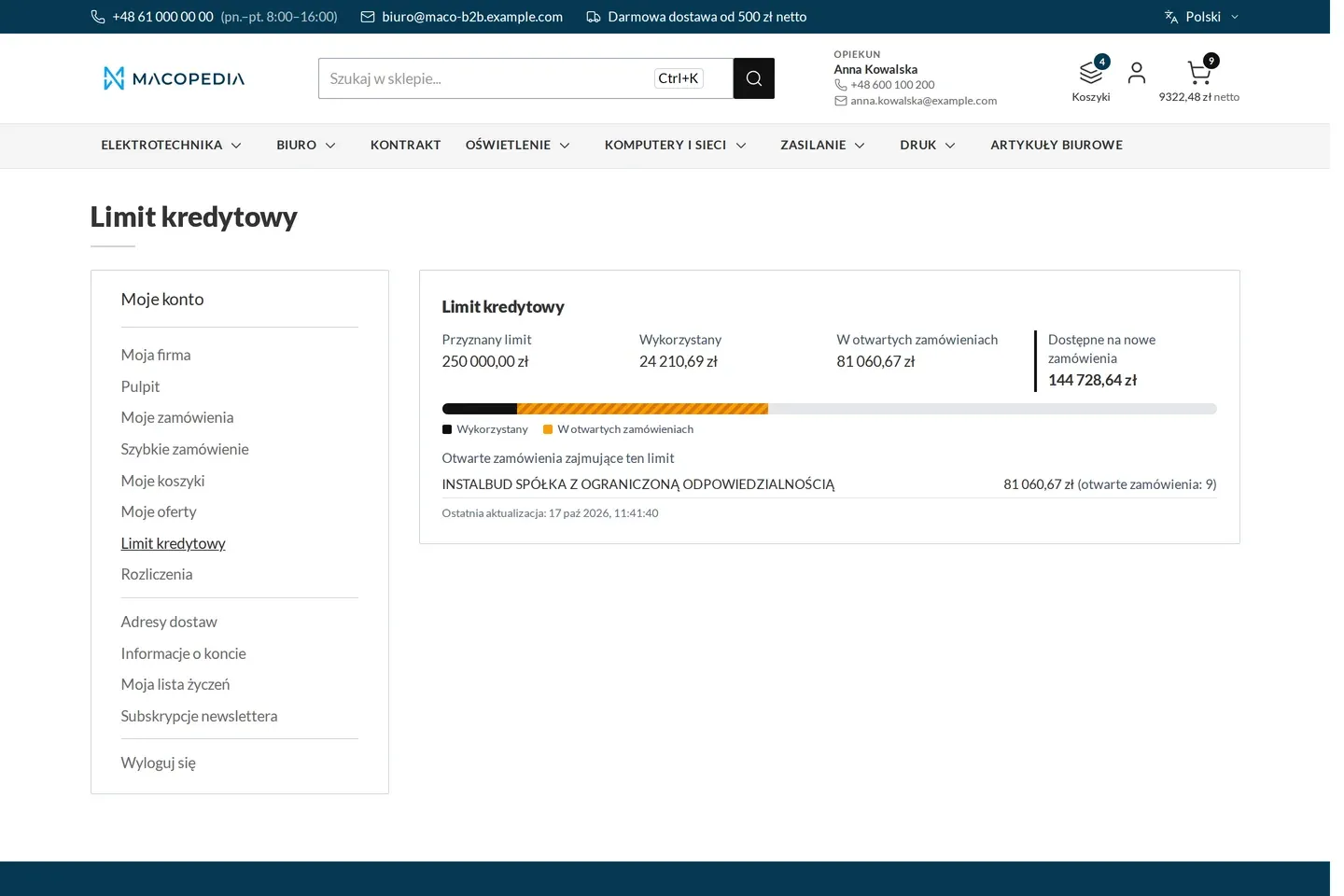
Credit limit: granted, used, held in open orders and available 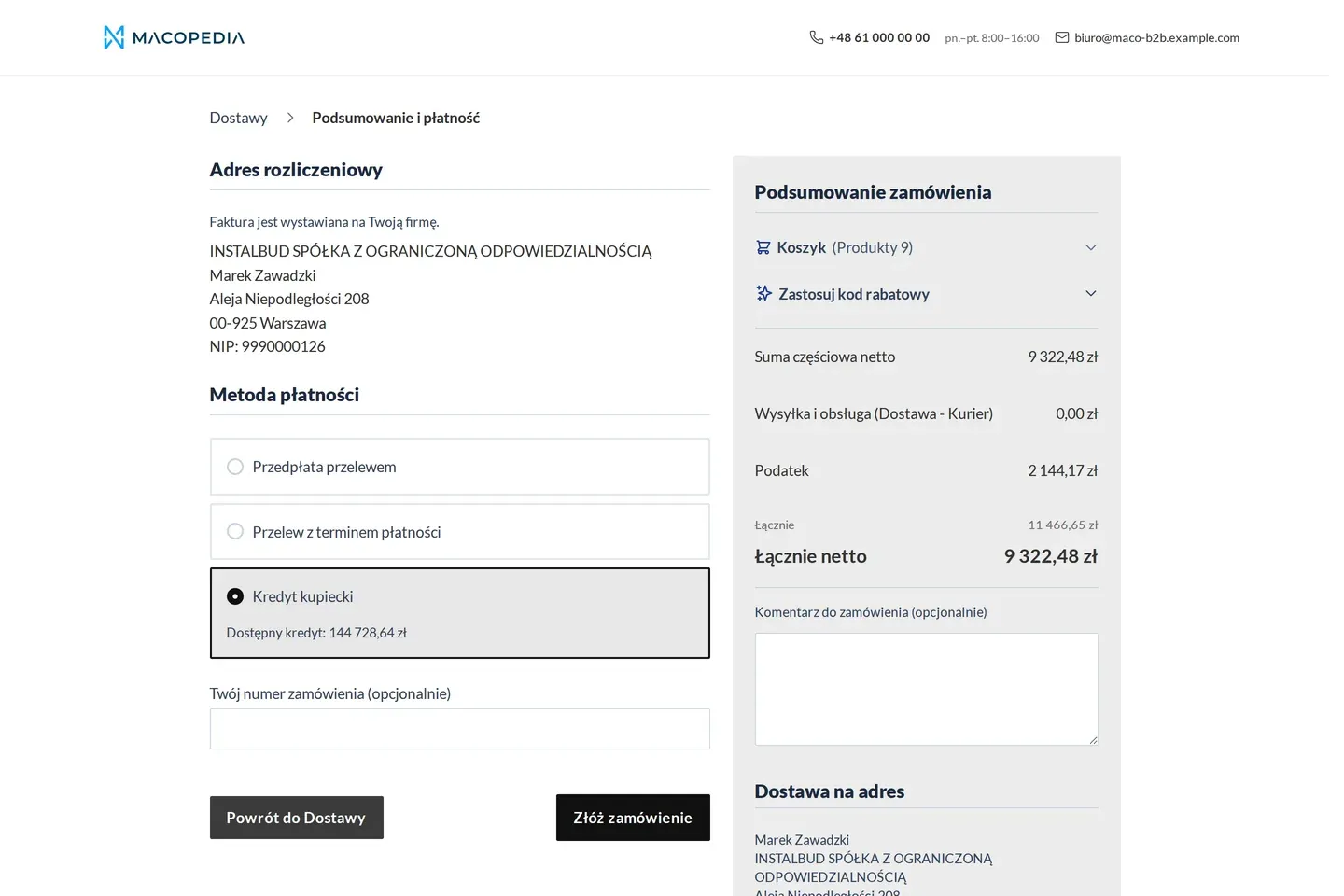
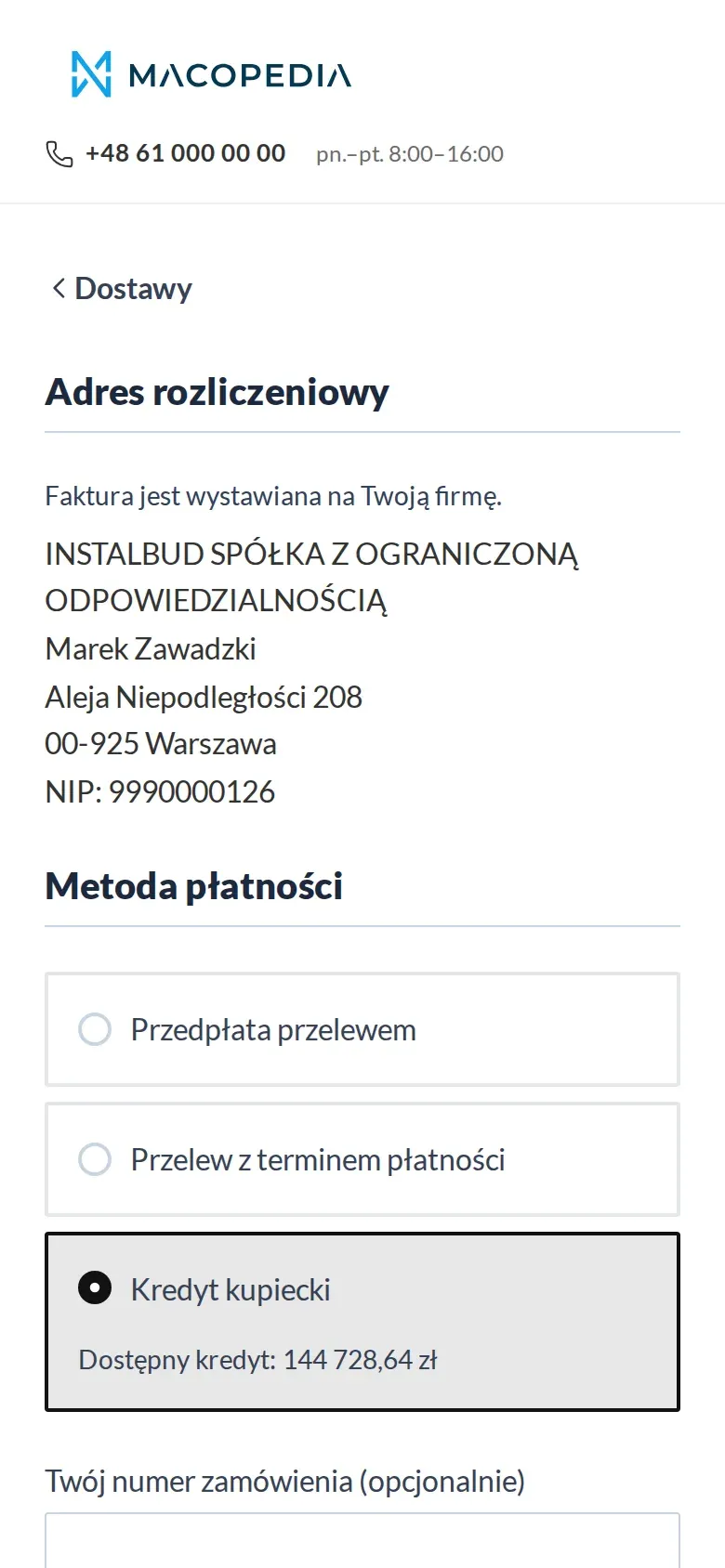
Checkout: bank transfer with a payment term and purchase against the credit limit with the available amount 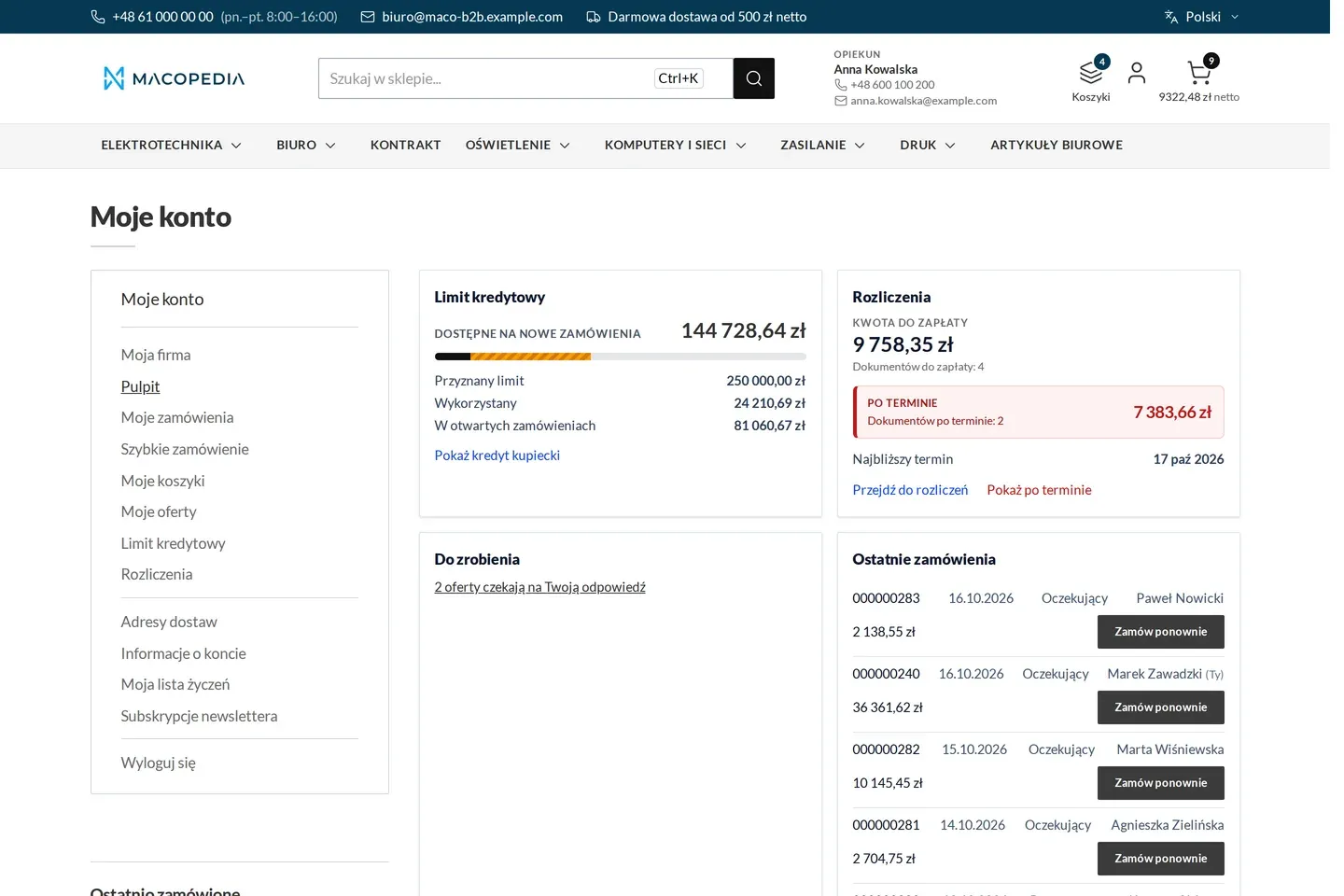
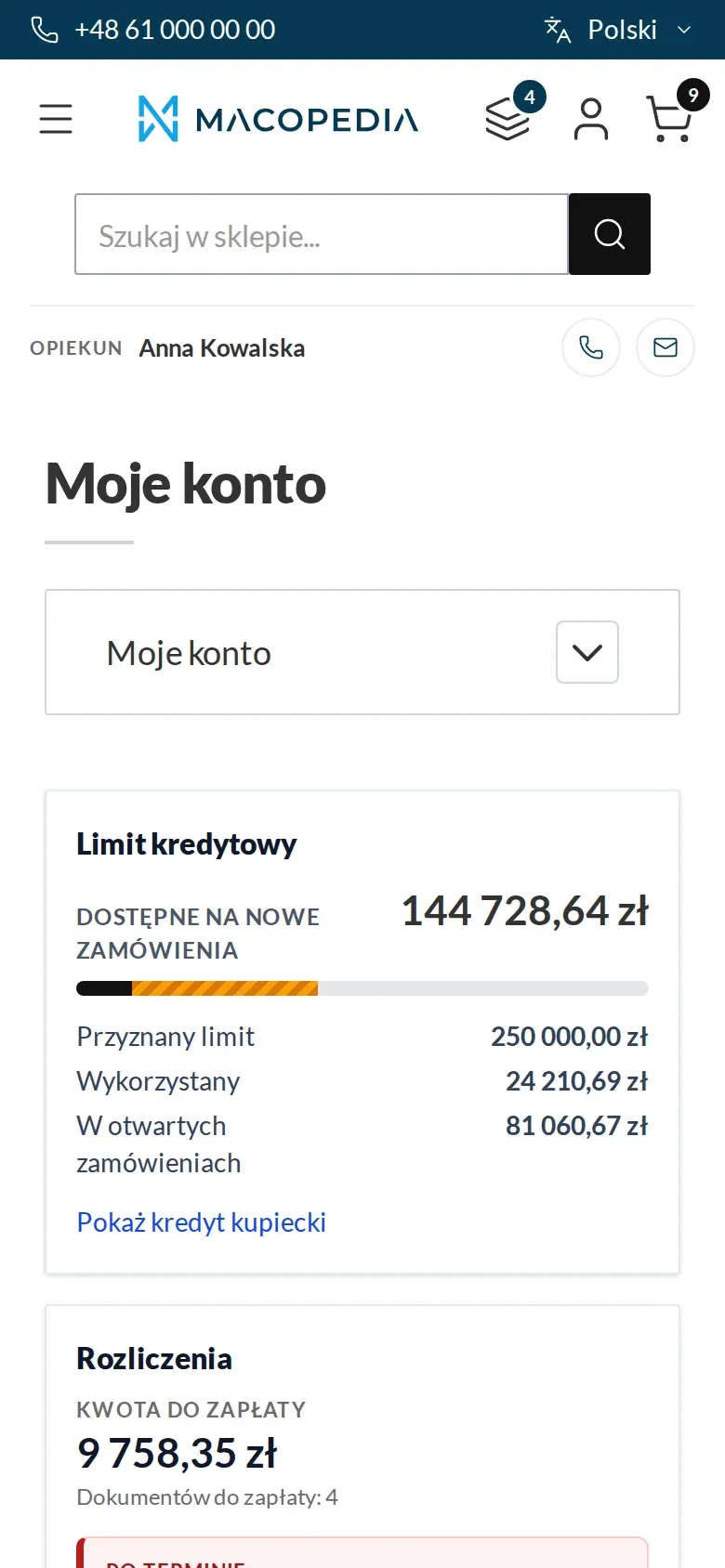
Buyer dashboard: credit limit, settlements with overdue items, tasks and recent orders 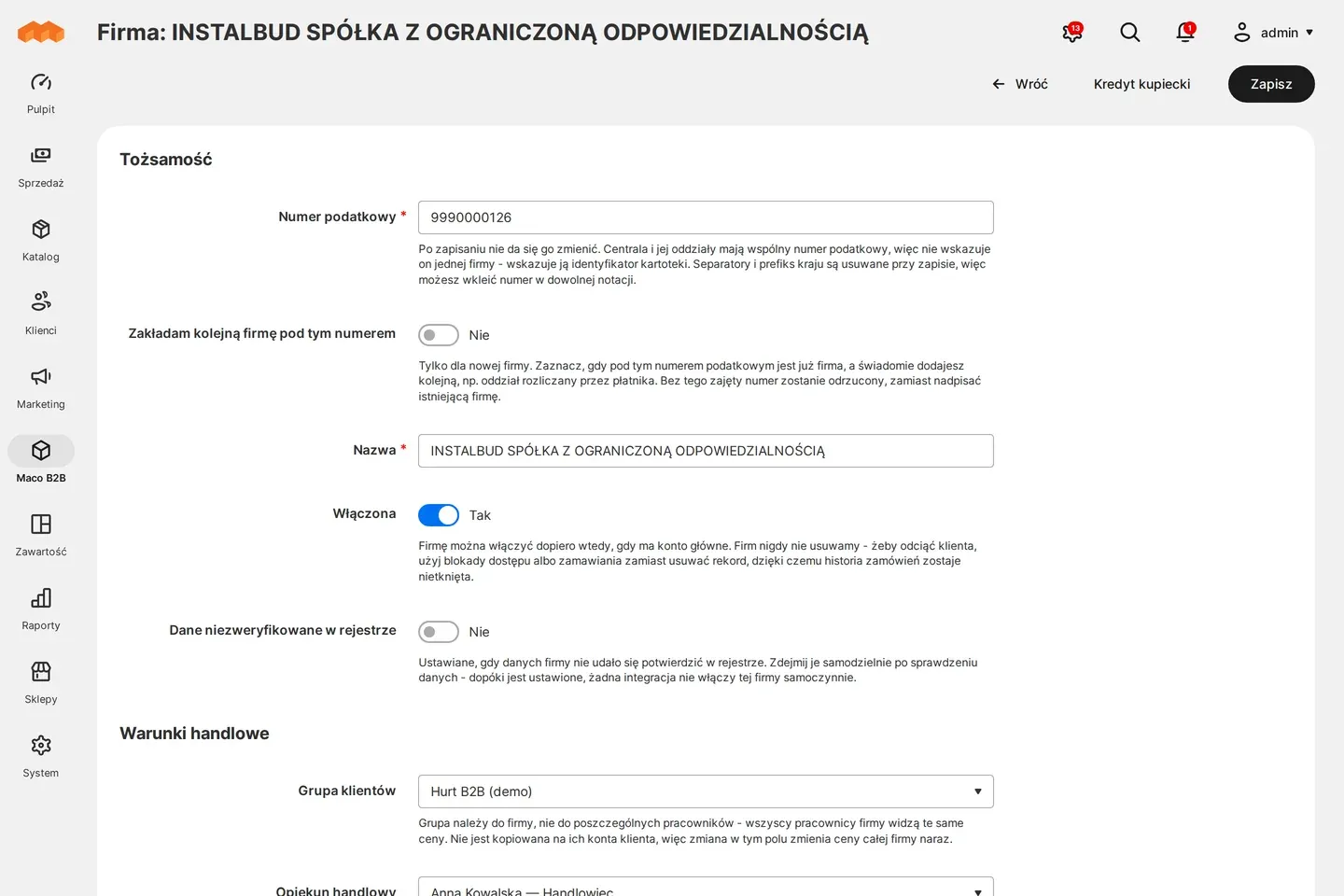
Admin panel: company record with commercial terms
01 / 04
Who uses it
Every role gets what it needs at work
Buyer
Before placing an order sees whether it fits the company limit and, if not, by how much. Pays against the limit if entitled to.
Company administrator
Sees the company’s credit status and decides which employees may view the balance and pay against the limit. Only the administrator files a limit application.
Account manager
Sees the credit status and history of the companies in their portfolio, so a conversation about a block starts from numbers, not from looking them up in the ERP.
Customer service
Sets per company whether orders above the limit are allowed and confirms such orders. Gets a message about every new limit application.
A worked example
Delta Hurt and two orders from one company
01 The limit comes from the ERP
The installation company Termo-Bud has a PLN 50,000 limit at Delta Hurt, of which PLN 41,000 is used. The company’s employees see PLN 9,000 of free limit on the account.
02 Two carts at once
Marek prepares an order for PLN 6,000, and Kasia from the same company one for PLN 5,000. Both carts show that the amount fits the limit.
03 The first order goes through
Marek places his order first. The limit drops by PLN 6,000 the moment it is placed.
04 The second gets a clear refusal
Kasia tries to place hers and sees PLN 2,000 is missing. She can reduce the order or pay another way.
05 The account manager explains the rest
Anna, Termo-Bud’s account manager, sees the same status in the panel. After the customer pays, the ERP sends a new balance and the limit is available again.
For the IT team
Where the data comes from and how to integrate it
Limit, balance and currency come from the ERP through Maconnector as a state, not an increment: a repeated data package changes nothing, and every difference between the ERP state and the store state goes into the history as a reconciliation.
A state older than the configured age switches off both trade-credit methods: payment against the limit and bank transfer with a payment term. The other payment methods carry on.
Reading the state, the history, company settings and applications are available in the REST API. The account views are built on Hyvä.
FAQ
Questions: trade credit
Does a blocked customer stop seeing prices?
What if the customer also orders by phone or through a sales rep?
Is the limit reserved while the customer keeps goods in the cart?
How is this different from credit in Adobe Commerce B2B?
We will show you this on your company’s data
The demo runs on a scenario from your sales: your customers, your price lists, your ERP. After an hour you know what you get at once and what we set up in the rollout.