A new customer pays up front, a regular one by transfer with a term
Every customer group has its own list of payment methods, and the store enforces it on every order, including those placed through the API or in the panel. The customer’s payment term comes from the ERP and is saved on the order. On top of that, payment against the credit limit and the customer’s own order number with every method.
Why it exists
Magento does not know who may pay later
Plain Magento restricts payment methods only by country and order amount. There is no way to say “new customers pay in advance, regulars get 30-day transfer”. The platform does not know a customer’s payment term at all, so the order does not say on what terms it was placed.
A restriction made by simply hiding a method at checkout is not enough either. An order placed through the API or by express payment bypasses the checkout screen, and customer service has no number on the order under which the customer knows their purchase.
B2B payments
What it does in the store
Payment methods per group
Every customer group, guests and customers without a company included, has its own list of methods. A group with no list from the ERP sees all the store’s methods.
Enforced in every channel
A method outside the group’s list is rejected when the order is placed, also through the API, in the panel and with express payment. Hiding it at checkout is just a convenience.
Transfer with a term from the ERP
The customer’s term, for example 7, 14, 30 or 60 days from the invoice date, comes from the ERP. The checkout shows it, and the order saves it the moment it is placed.
Payment against the credit limit
The method appears when the cart amount fits the company’s free limit. When it does not, the checkout says by how much it is short.
The customer’s order number
The buyer enters their purchase order number, up to 32 characters, with any method. The number is on the order, in the e-mail, on the PDF and in the order history.
Online gateways beside B2B payments
PayU, Przelewy24, Tpay, Autopay or Stripe run on their official modules. Maco B2B only decides which group gets to see them.
What it looks like in the store
B2B payments on the demo store’s screens
Real screens, not mockups. The demo store runs in Polish; a rollout ships in your store’s languages. Click a row, and where there is a phone capture switch the view or zoom in.
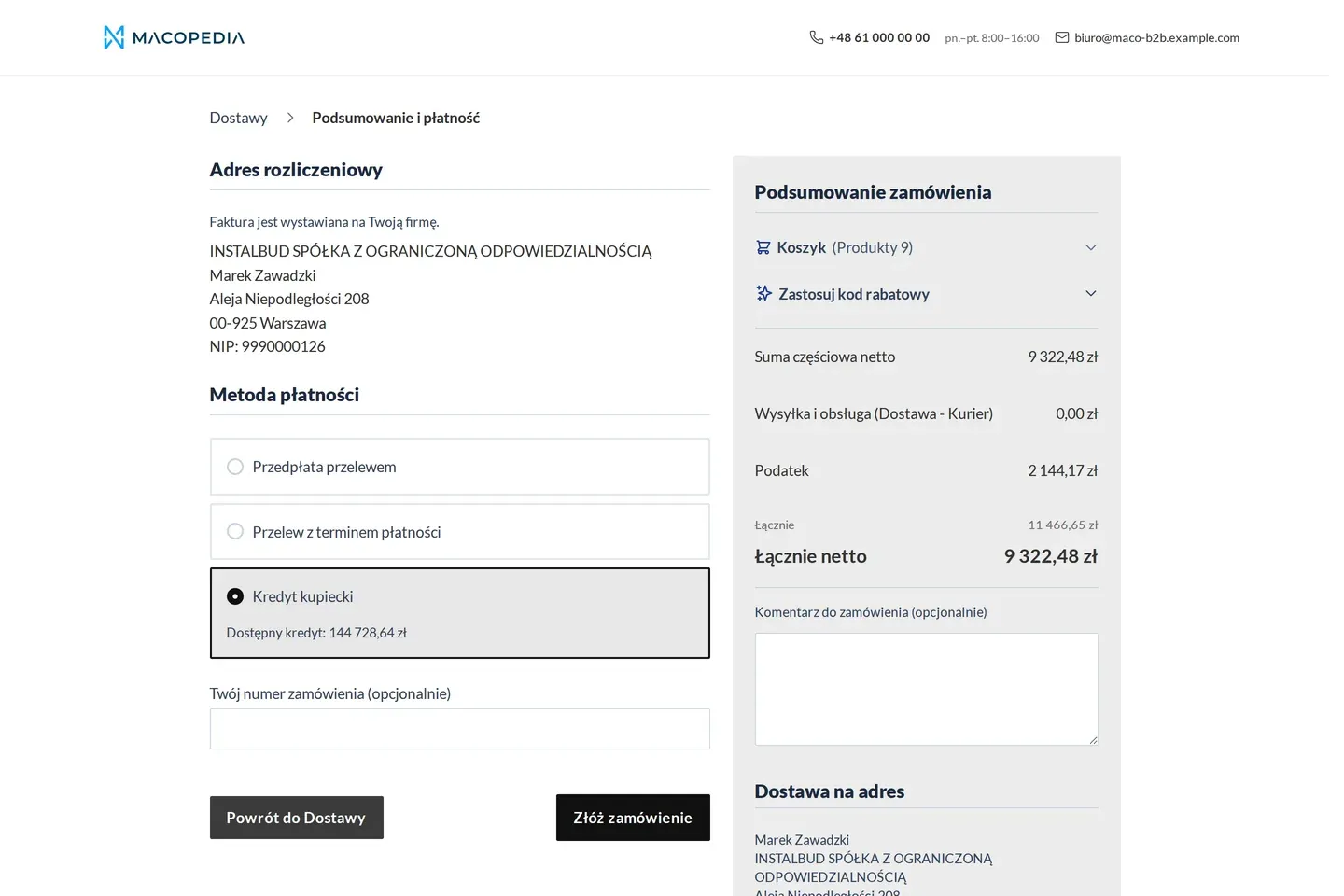
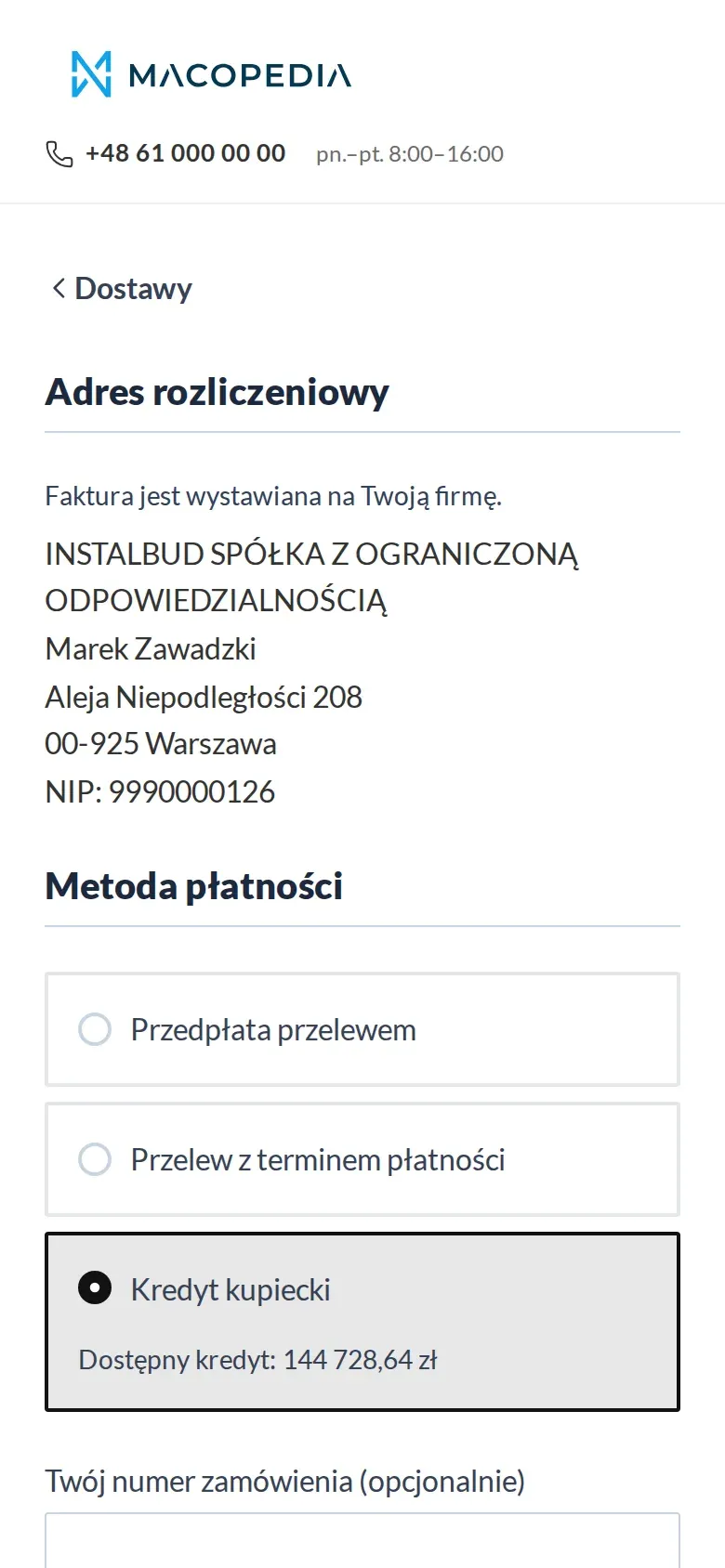
Checkout: bank transfer with a payment term and purchase against the credit limit with the available amount 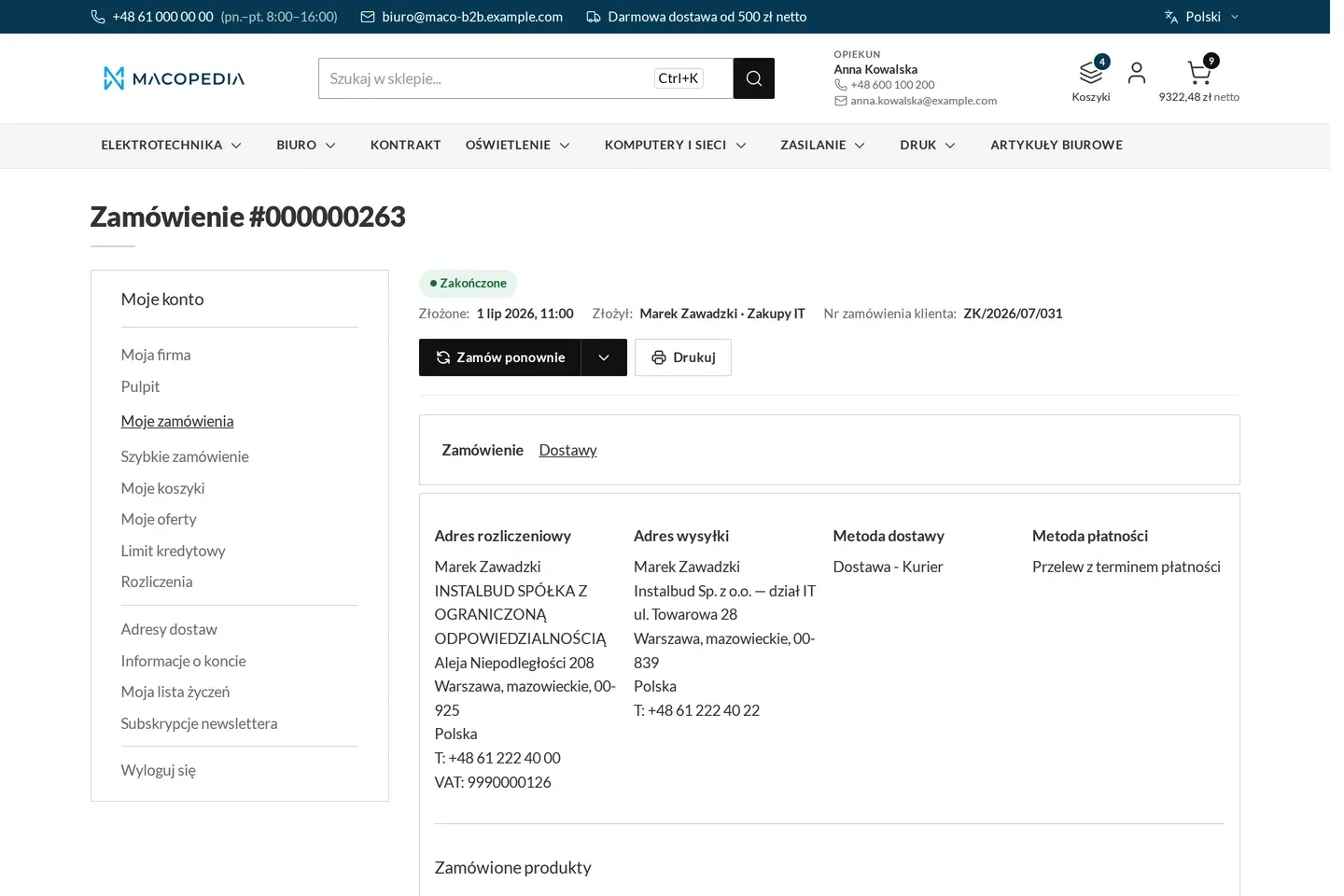
Order with who placed it, in which unit and under which customer number
01 / 02
Who uses it
Every role gets what it needs at work
Buyer
At checkout sees only the methods available to their company, the term in force and the free limit. Enters their own order number so their accountants match the invoice easily.
Account manager
An order placed in the panel for a customer is subject to the same list of methods as the store. The group is taken from the customer’s company, not from the form.
Customer service
Sees the term and the customer’s order number on every order, in the message and on the printout too. Views method lists and terms in the panel and changes them in the ERP.
A worked example
Delta Hurt and a new customer’s payment terms
01 A new customer pays up front
Hydro-Serwis is only starting to buy from Delta Hurt and sits in the “New customers” group. At checkout it sees prepayment and instant transfer, with no transfer with a term.
02 After six months the group changes
The finance department moves the company in the ERP to the “Regular customers” group and gives it a 30-day term. After the sync Marek’s checkout shows transfer with a term.
03 Marek gives his number
Marek picks the 30-day transfer and enters the order number from Hydro-Serwis’s system. The number and the term go into the order confirmation.
04 Customer service has it all on the order
Delta Hurt’s customer service sees the term and the customer’s number on the order. The terms will change later, but this order keeps the term of the day it was placed.
For the IT team
Where the data comes from and how to integrate it
Method lists per group and customer terms come from the ERP through Maconnector and are read-only in the panel. Writes are idempotent, with a bulk variant for batches.
Enforcement sits in the native cart validation chain, so it covers every channel that places a cart: the store, the REST API, the panel and express payment. The customer’s order number and the term are in the order REST, and the checkout is Hyvä Checkout components.
FAQ
Questions: b2b payments
Can I give one company different methods from the rest of its group?
Are the term and the credit limit the same thing?
What about payment when the order needs approval in the customer’s company?
How is this different from Adobe Commerce B2B?
We will show you this on your company’s data
The demo runs on a scenario from your sales: your customers, your price lists, your ERP. After an hour you know what you get at once and what we set up in the rollout.