After signing in, the buyer knows where they stand at once
The company account dashboard gathers on one screen the credit, the matters waiting for the employee, recent orders, settlements and the account manager’s details. The account menu shows what is used at work. The order history can be searched by number, date, status and author.
Why it exists
Six tabs to answer one question
Plain Magento shows contact details, an address and the last five orders on the first page of the account. It knows nothing about the credit limit, settlements, quotes or the account manager. The buyer assembles the answer from several tabs or calls the sales rep.
The account menu is made for a retail store: downloadable products, saved payment methods, PayPal agreements. The order history is a newest-first list with no search and no filters. An order from six months ago is found by paging through the list.
Customer dashboard
What it does in the store
Eight tiles instead of six tabs
Company status, credit, things to do, recent orders, settlements, shortcuts to quick order and carts, and the account manager. A tile the employee may not see, or one with nothing to show, simply does not appear.
Everything that is waiting, in one tile
Quotes waiting for an answer, overdue documents and orders waiting for customer service confirmation, each with a count and a link. The tile shows only what is actually waiting.
A clear message about an account block
When the company’s orders are on hold or orders on trade credit need confirmation, a bar above the tiles says what that means. Prices, history, settlements and carts stay available.
Order history filters
Order number, date range, status, the customer’s own purchase order number, author and organisational unit. Filters combine, and the result never exceeds what the employee may see.
An account menu laid out for B2B
Downloadable products, saved payment methods and PayPal agreements go. The company, carts, quotes and settlements tabs stand in a fixed order and are seen only by those who may open them.
The account manager always to hand
The name, phone, e-mail and photo of the company’s account manager on the first screen of the account. The data comes from the assignment to the company, so it changes with them.
What it looks like in the store
This screen in the demo store
Real screens, not mockups. The demo store runs in Polish; a rollout ships in your store’s languages. Click a row, and where there is a phone capture switch the view or zoom in.
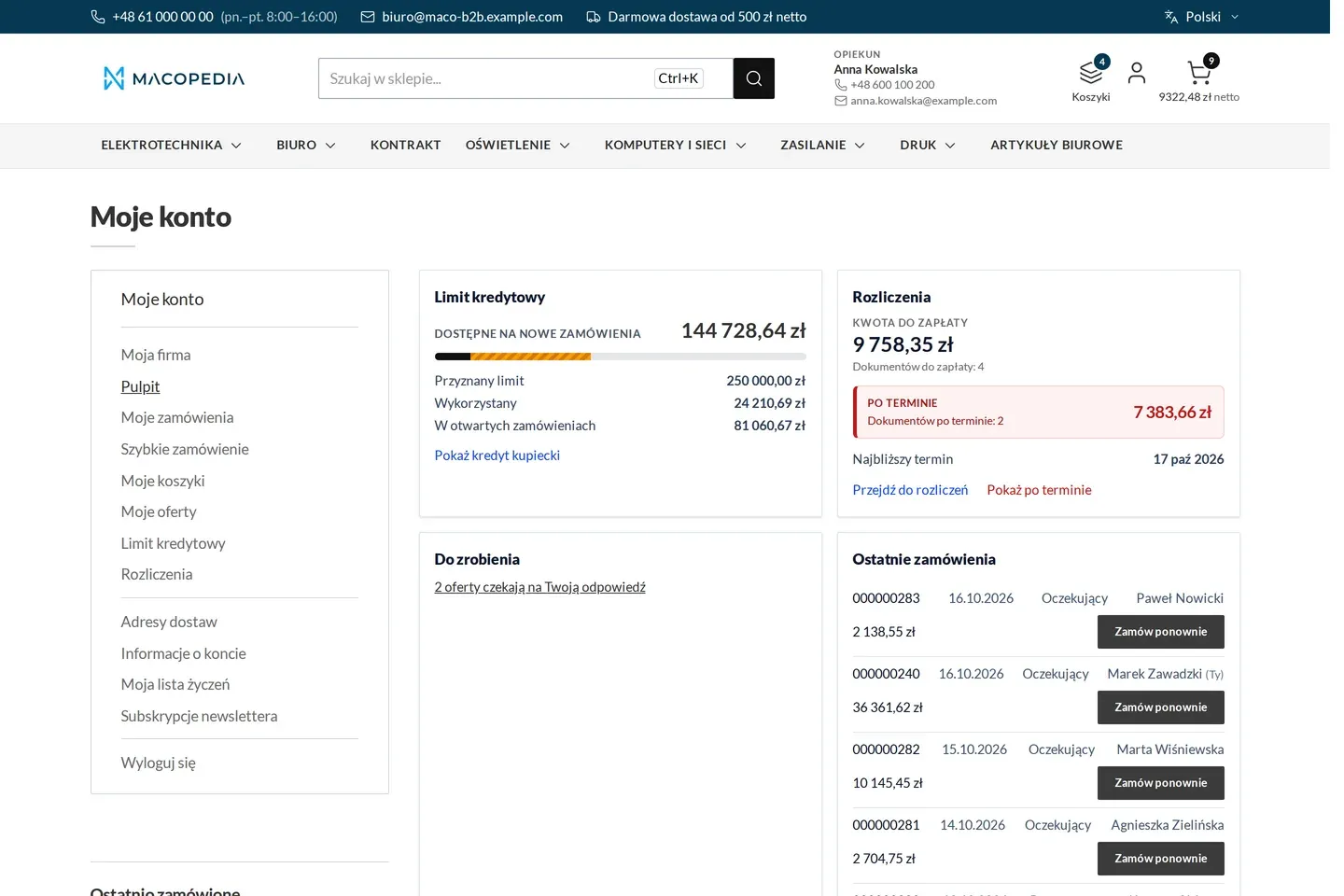
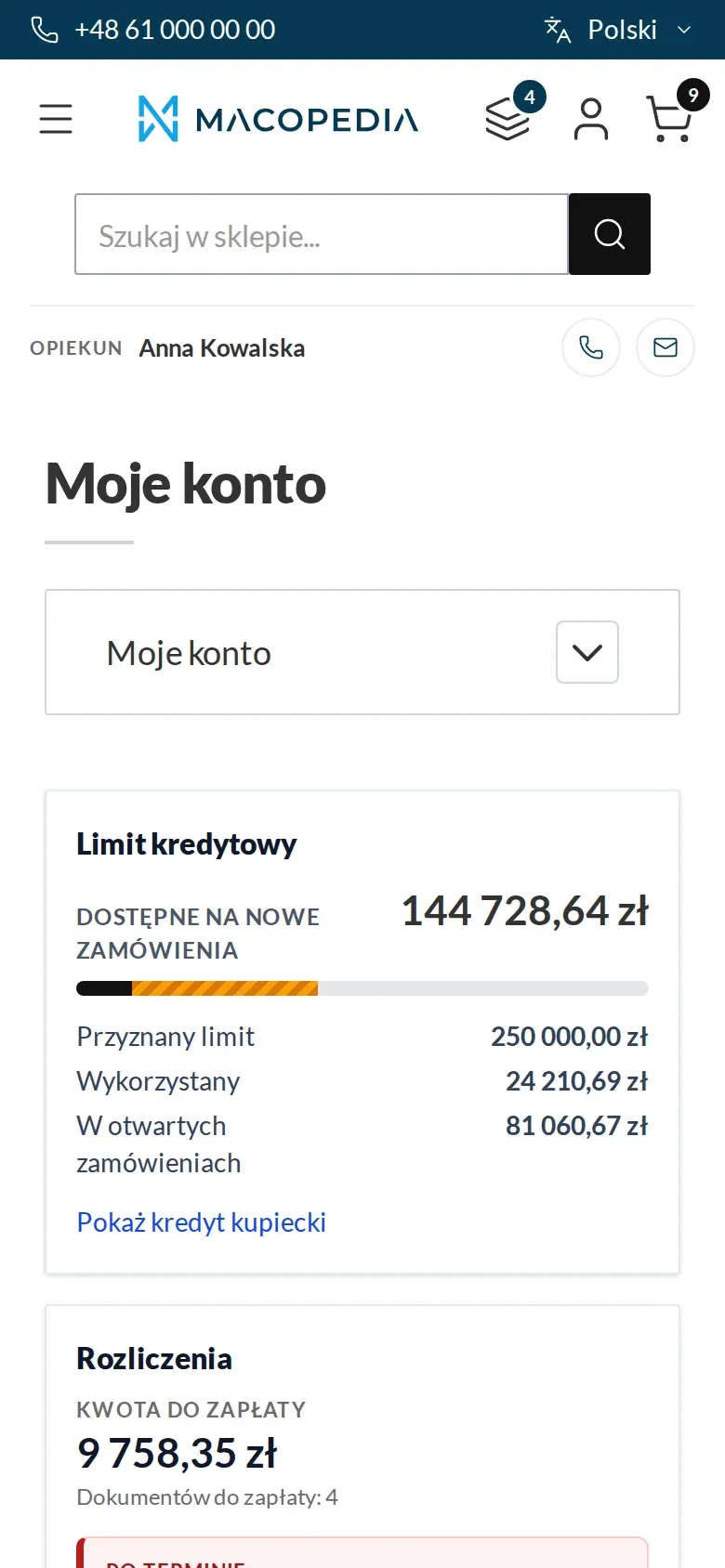
Buyer dashboard: credit limit, settlements with overdue items, tasks and recent orders
01 / 01
Who uses it
Every role gets what it needs at work
Buyer
Sees their credit, their orders and carts, and a shortcut to quick order. Reorders straight from the recent orders list.
Company administrator
Sees the team’s or the whole company’s orders and filters them by author and unit. Counters show what is waiting for a decision in the company.
Account manager
The customer sees their phone and e-mail on the first screen of the account. The balance and order status the customer checks alone, so the conversation is about trade, not about reading out data.
Customer service
Orders waiting for customer service confirmation are visible to the customer as a separate thing to do. The customer knows the order is with service and does not have to ask.
A worked example
Monday morning at Termo-Bud, a customer of Delta Hurt
01 One screen after signing in
Marek, the purchaser at Termo-Bud, signs in to the company account. The dashboard shows the free credit limit and two things to do.
02 Matters with links
One quote is waiting for his answer, one invoice is overdue. Every counter leads straight to the right tab.
03 The order from March
A site manager asks about the March order for drainage. Marek filters the history by date and by the site’s purchase order number and has it at once.
04 The same again
From the recent orders tile he reorders the same set of fittings, at current prices.
05 A call to the account manager
He wants to ask about the delivery date, so he calls Anna, the company’s account manager at Delta Hurt. Her number is on the dashboard.
For the IT team
Where the data comes from and how to integrate it
The dashboard has no data of its own: credit, balance and settlements it shows from the modules that keep them, and those get them from the ERP through Maconnector.
The tiles arrive in one page response, with no loading afterwards, and permissions are checked on the server at every read. A failure of one tile’s source removes only that tile.
The order history filters are available in the REST API, with the same visibility scope as on screen. The storefront layer is built in Hyvä.
FAQ
Questions: customer dashboard
Does every employee of the company see the same?
Can we arrange our own set of tiles?
What does a customer with a blocked account see?
How is this different from the account in Adobe Commerce B2B?
We will show you this on your company’s data
The demo runs on a scenario from your sales: your customers, your price lists, your ERP. After an hour you know what you get at once and what we set up in the rollout.