The customer’s invoices, delivery notes and settlements in one place, without a call
Invoices, receipts, corrections and delivery notes come from the ERP and sit on the orders in the customer account. The customer sees what is paid, what is overdue and what the balance is. They download a PDF with the KSeF QR code and get an e-mail when an invoice is issued.
Why it exists
The customer’s accountant calls for a copy of an invoice
Plain Magento knows only the order history and the platform’s own invoices, which have nothing to do with the documents from your ERP. The customer’s accountant will not find in the store the answers to simple questions: what an invoice was issued for, what is unpaid, what is overdue and what the balance is.
For every such answer they call the account manager or your accounting. A copy of an invoice, a delivery note for goods acceptance and a balance confirmation go by e-mail, by hand.
Invoices and settlements
What it does in the store
ERP documents on the order
The VAT invoice or receipt, the correction and the delivery note are visible on the order they concern. A collective invoice for several orders is linked to each of them.
The Settlements tab
The company’s document list with filters by type, date, number and payment status, including “overdue”. Above the list, the total to pay, the overdue part and the settlement balance from the ERP.
Payment status and overdue items
The amount to pay and the status come from the ERP, also for partial payments. The store itself marks overdue documents, and the rollout can block new orders on that basis.
A PDF with the seller’s details and logo
The store composes the printout from the data sent by the ERP: the invoice, receipt and correction with values, the delivery note with quantities only. The file is downloaded only by someone entitled to see it.
KSeF number and QR code
An invoice issued in the national e-invoicing system (KSeF) shows its number, and the printout a QR code from the verification link from the ERP. Your ERP sends the invoice to KSeF, not the store.
An e-mail about an issued invoice
When an invoice or receipt is issued, the orderer and the customer’s accounting get an e-mail with the number, amount, due date, KSeF number and a link to the PDF.
What it looks like in the store
Invoices and settlements on the demo store’s screens
Real screens, not mockups. The demo store runs in Polish; a rollout ships in your store’s languages. Click a row, and where there is a phone capture switch the view or zoom in.
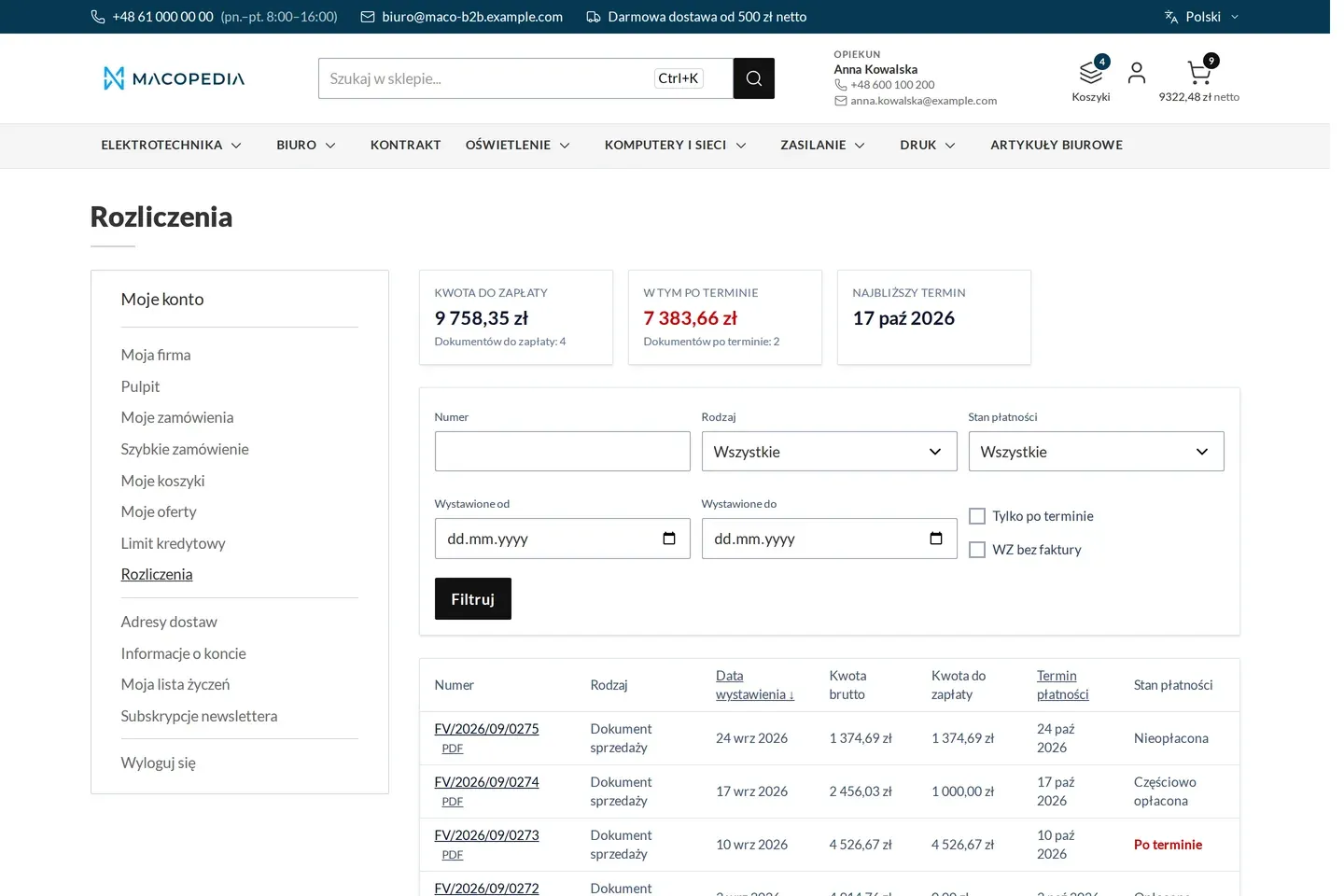
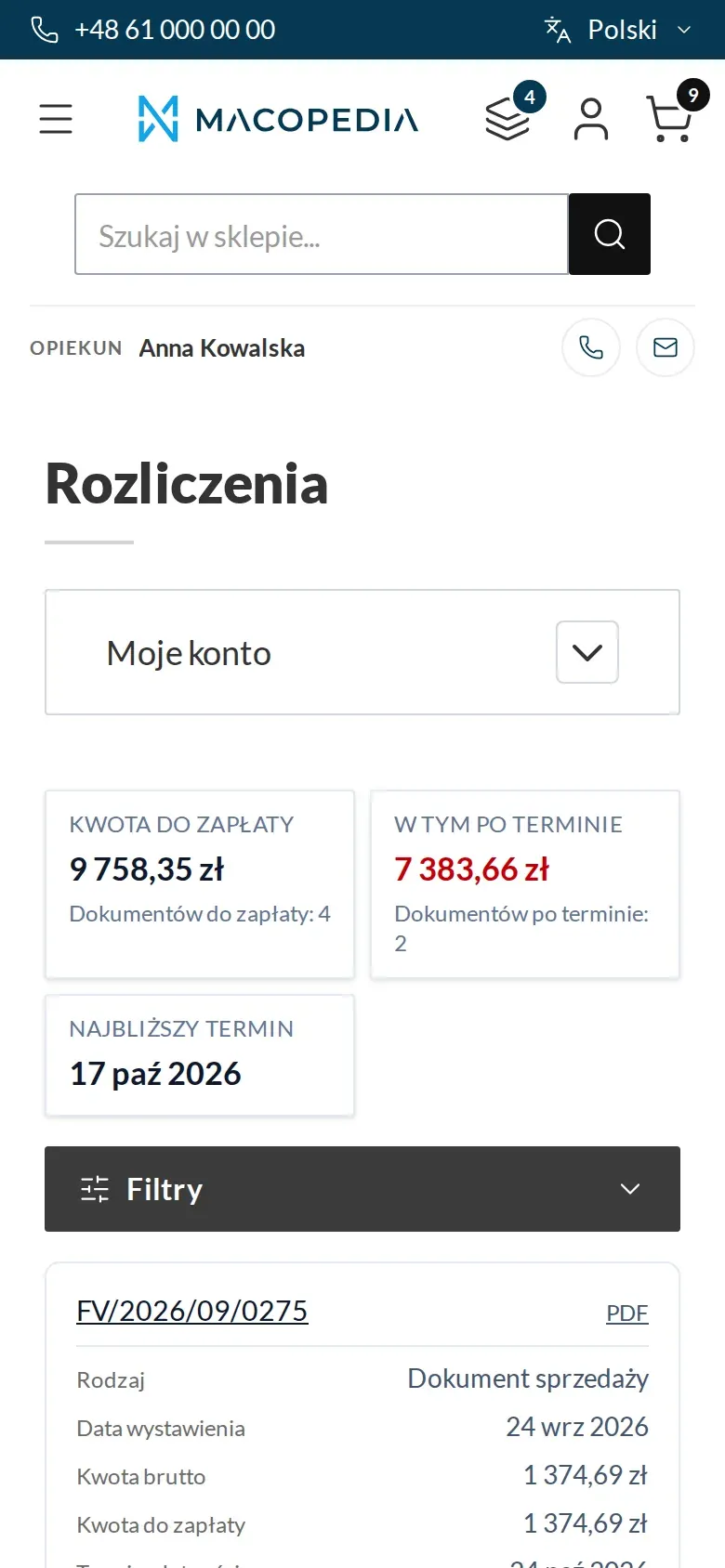
Company settlements: amount to pay, overdue items and a list of invoices, corrections and delivery notes 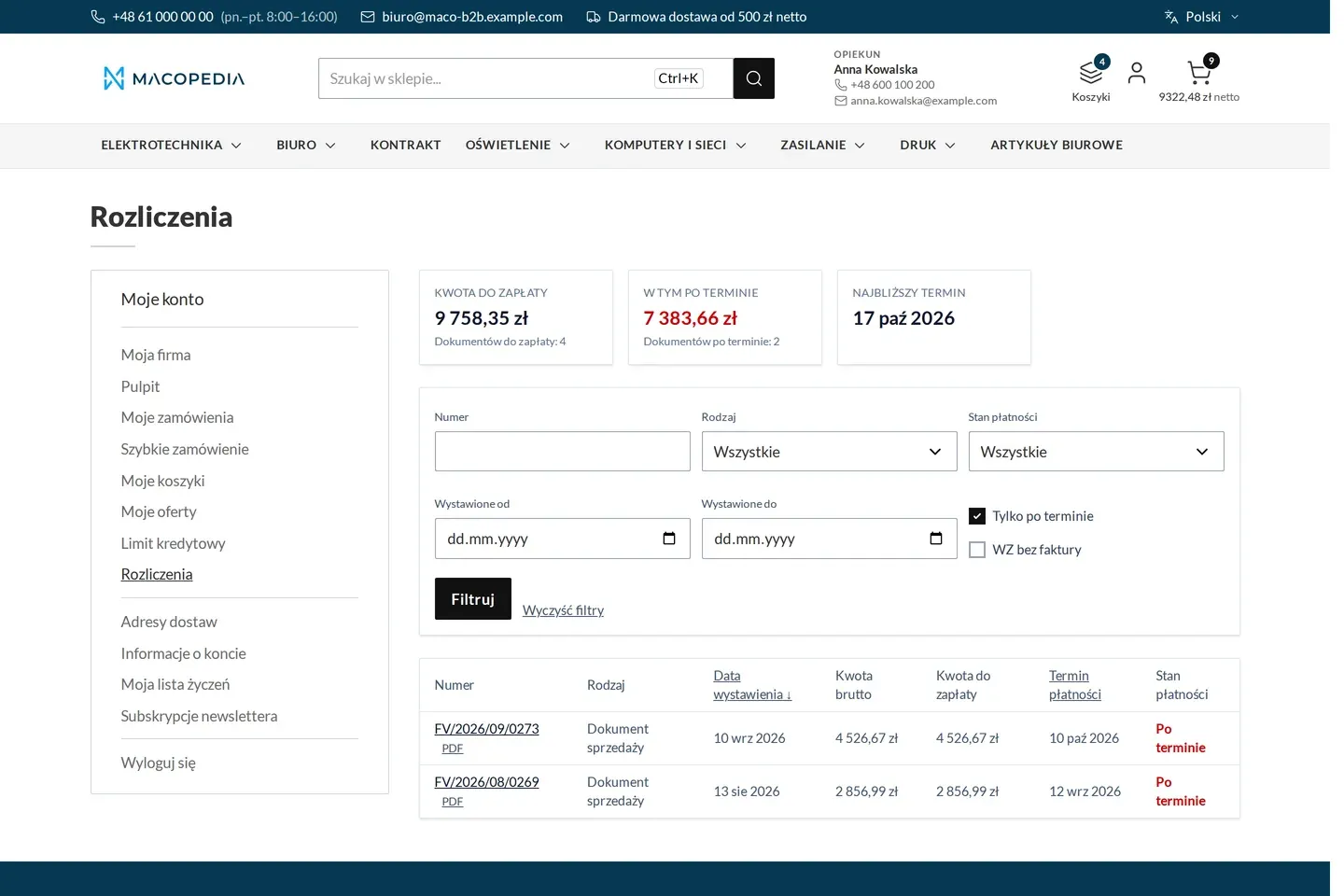
Settlements filtered to overdue invoices 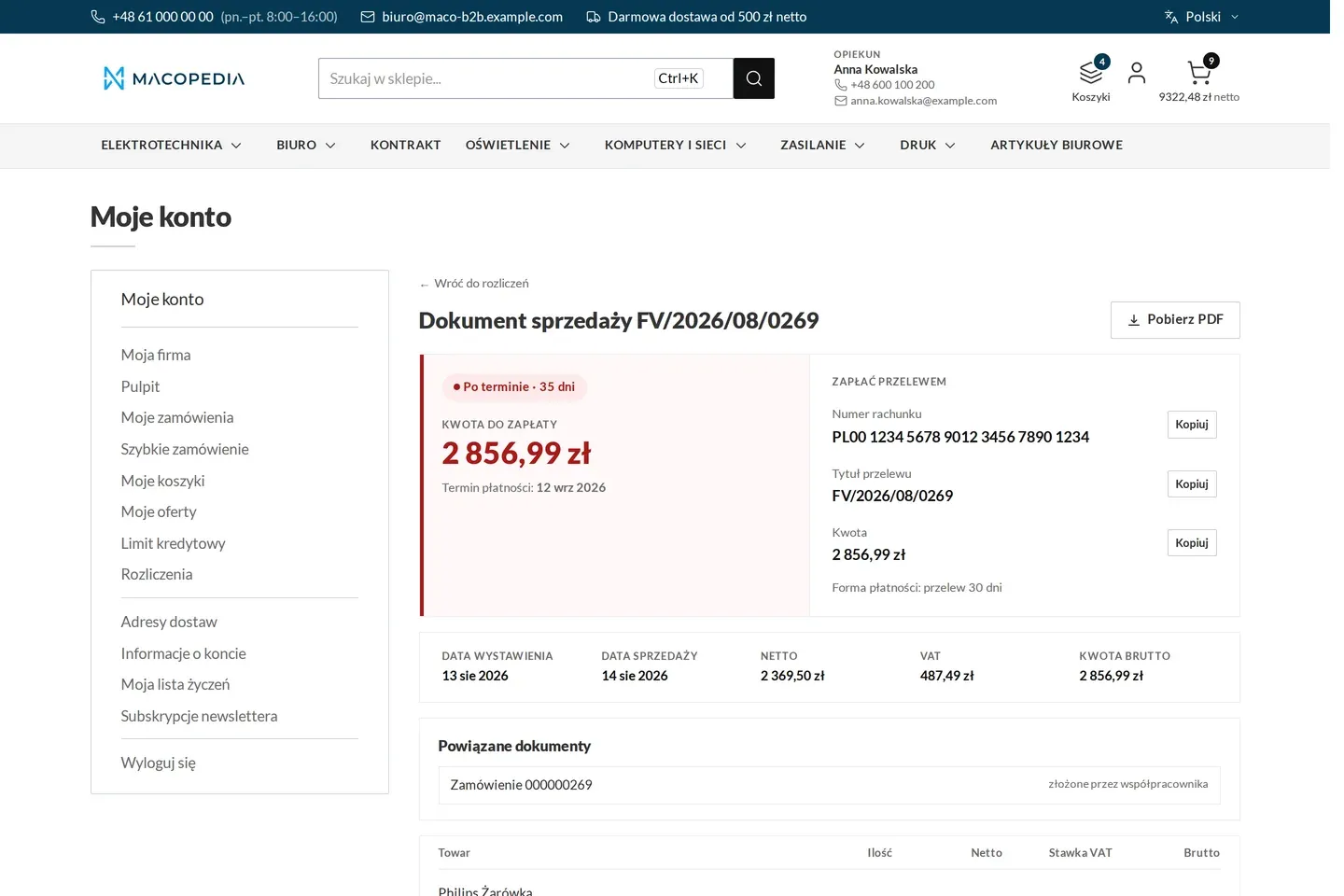
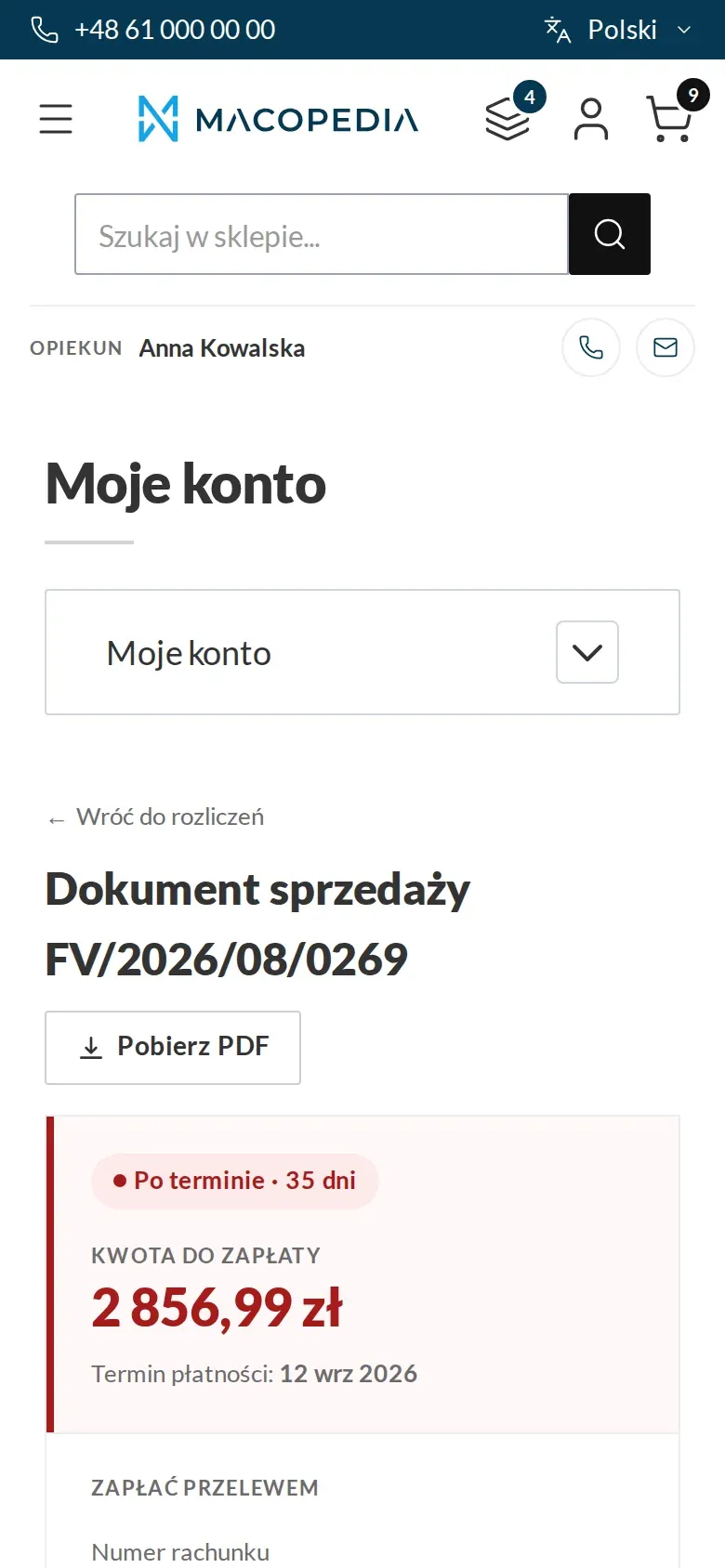
Overdue invoice with the amount to pay and transfer details 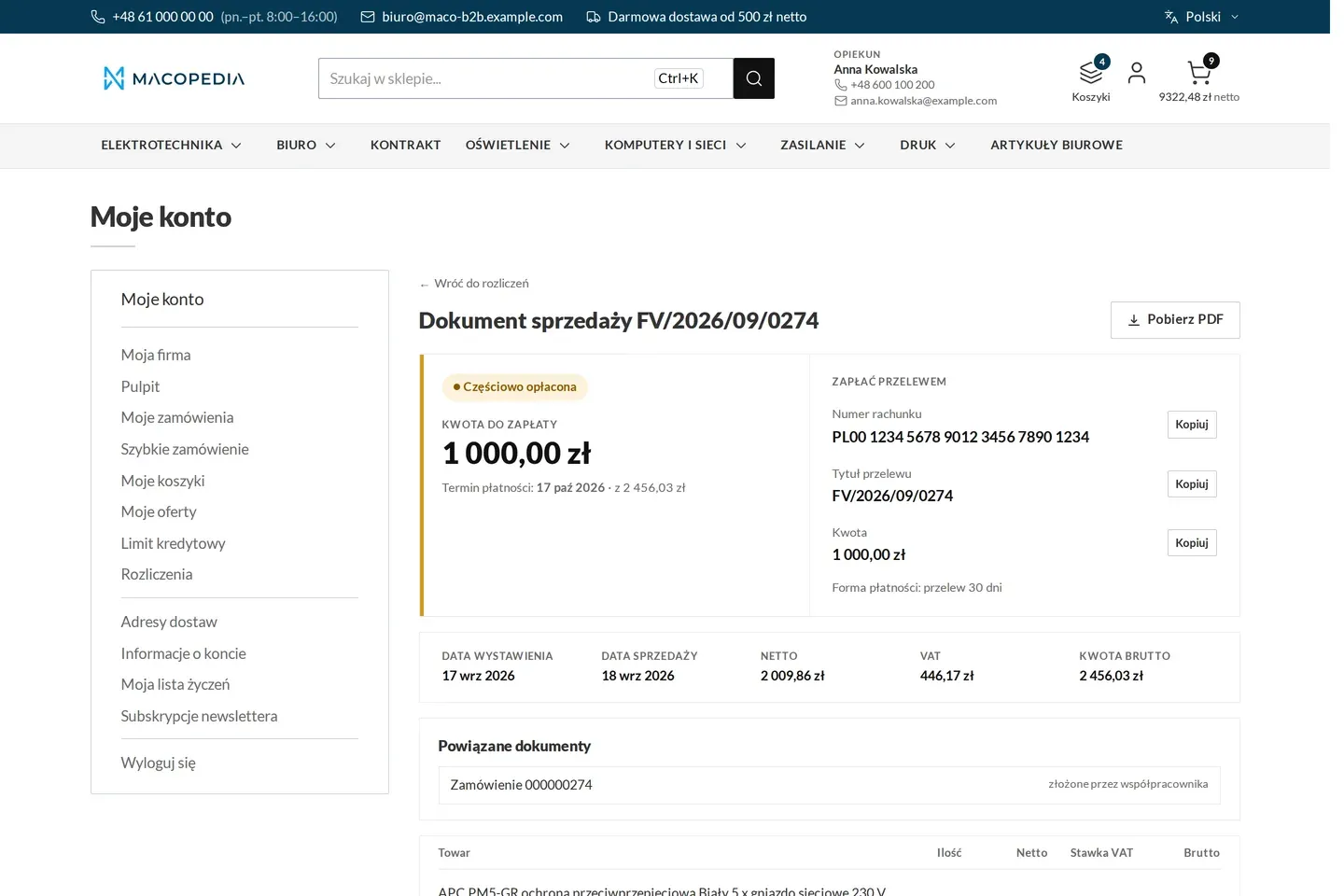
Partly paid invoice with the remaining amount 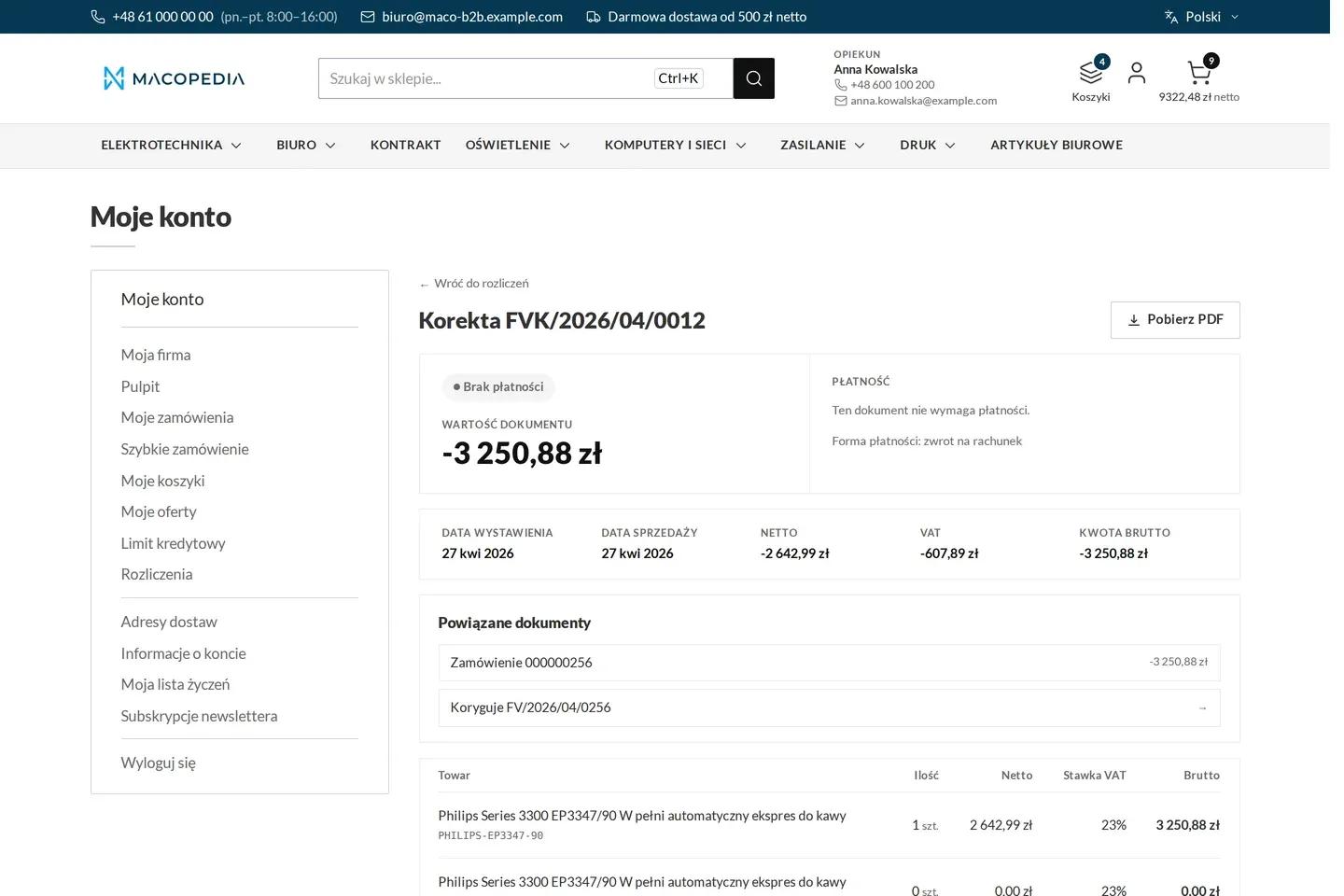
Correcting invoice linked to the corrected invoice 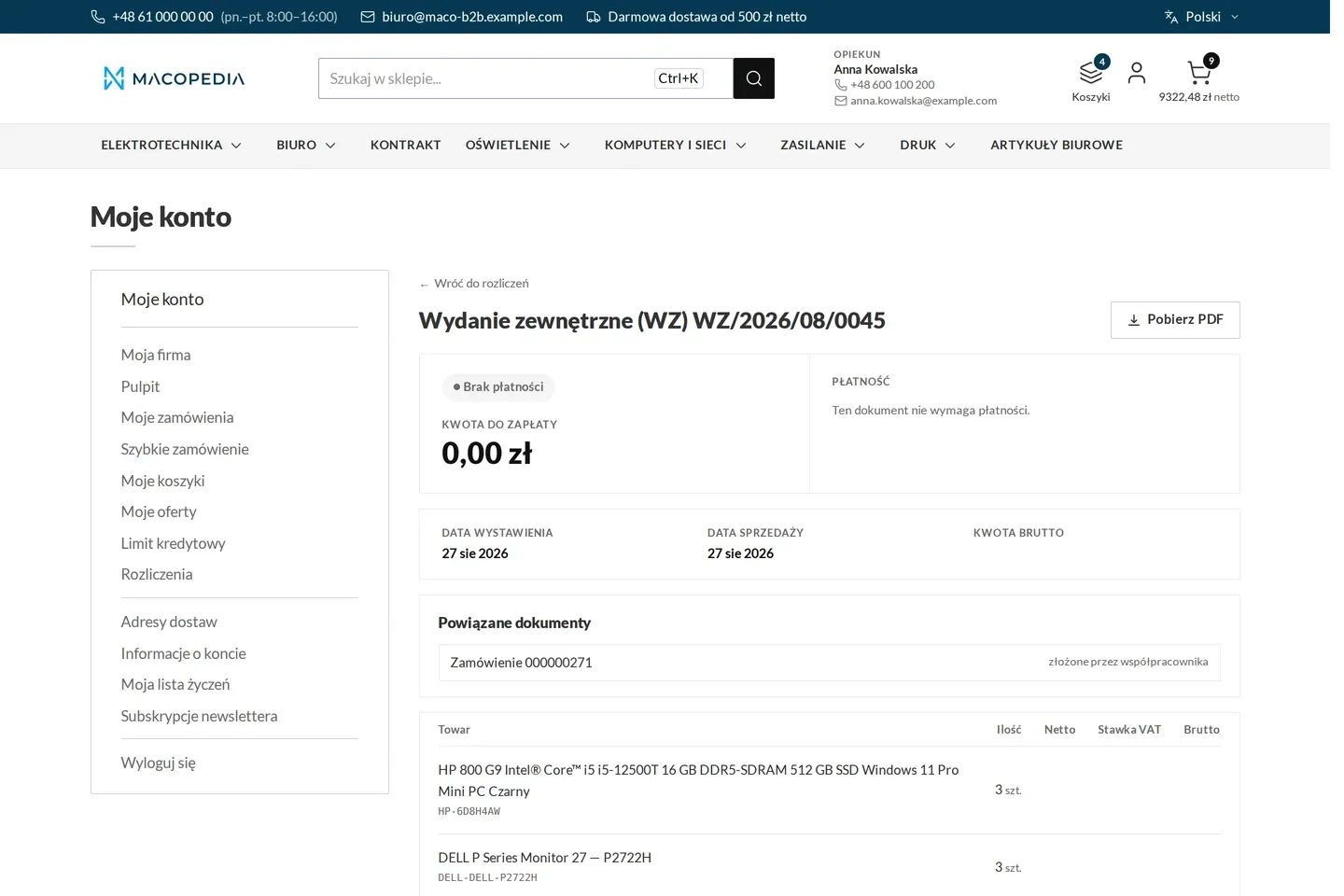
Delivery note linked to an order 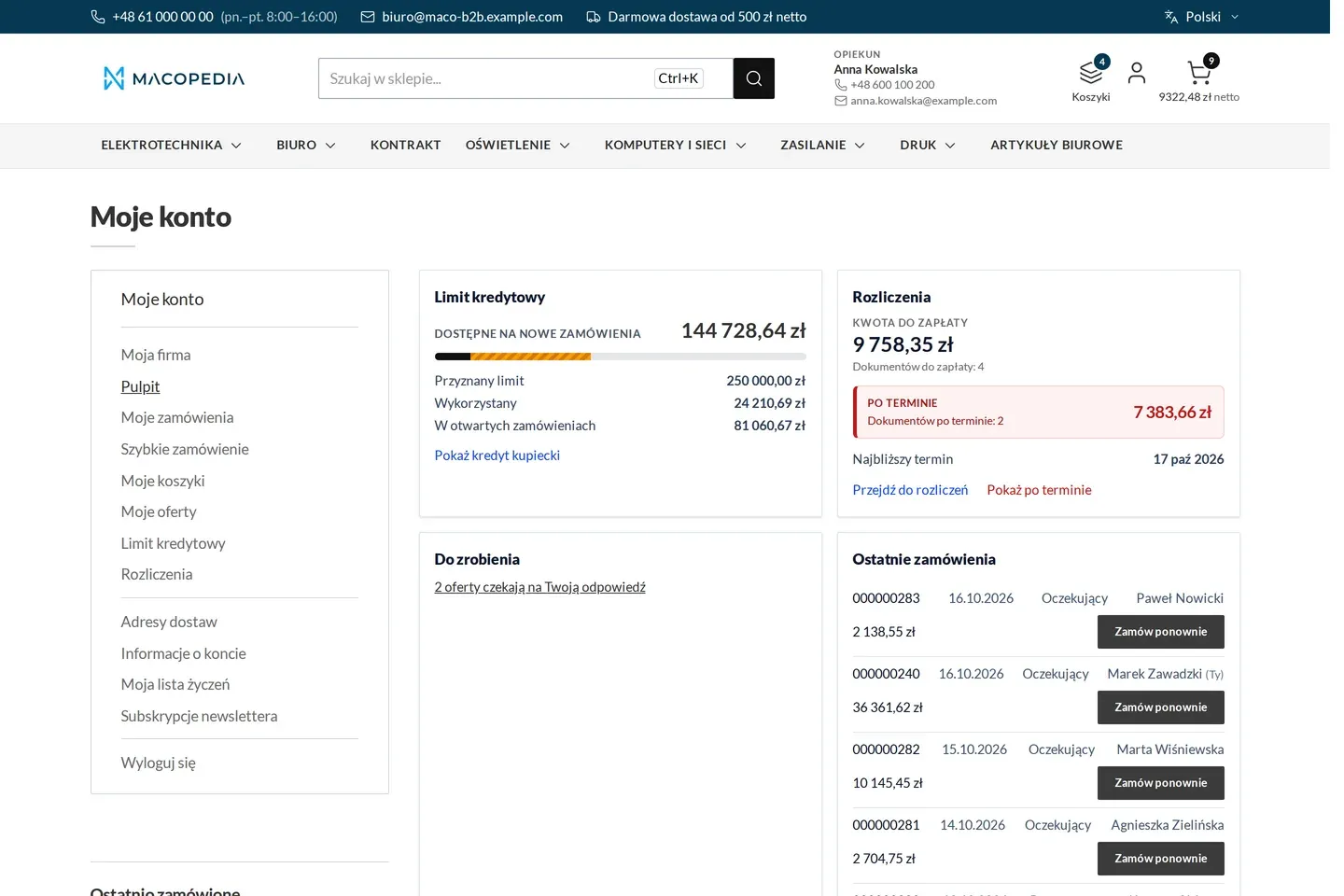
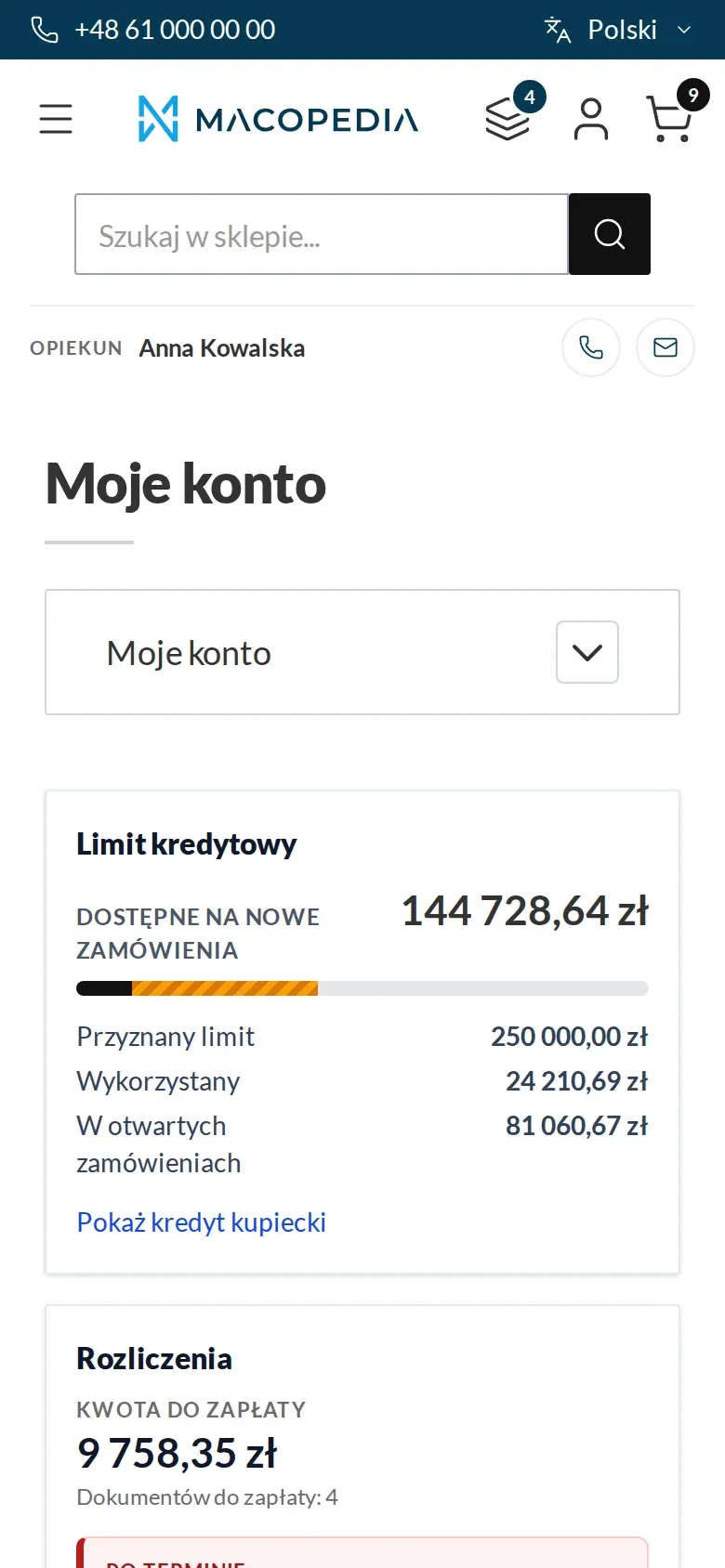
Buyer dashboard: credit limit, settlements with overdue items, tasks and recent orders
01 / 07
Who uses it
Every role gets what it needs at work
Buyer
Finds the delivery note and the invoice on their order and downloads the PDF at any time. Whoever sees the order sees its documents too.
Company administrator
Sees all the company’s documents, overdue items and the balance. Sets the accounting address that invoice e-mails go to.
Account manager
Sees the documents and overdue items of the companies in their portfolio, so a conversation about a block or a payment runs on the same numbers as the customer’s.
Customer service
Has all ERP documents in the panel on orders and companies. Resends the invoice e-mail in one click instead of looking for the file.
A worked example
Delta Hurt and month-end at the customer
01 Goods issued, delivery note on the account
Marek from Termo-Bud collects the goods. The delivery note from Delta Hurt’s ERP is already on the order, so he checks the quantities on his phone.
02 One invoice for three orders
Delta Hurt issues a collective invoice for the orders of three Termo-Bud employees and sends it to KSeF from its ERP. The store gets the document together with the KSeF number.
03 The e-mail reaches accounting
The invoice covers several people’s orders, so one e-mail goes to the accounting address set by the company administrator.
04 The accountant checks overdue items
Ewa at Termo-Bud filters Settlements by “overdue” and sees one invoice to pay. She downloads the PDF with the QR code and orders the transfer.
05 Anna does not have to search
Account manager Anna sees the same documents in the panel. After the payment the ERP sends a new status and the invoice stops being overdue.
For the IT team
Where the data comes from and how to integrate it
Documents, payment statuses, the balance and the accounting address come from the ERP through Maconnector into the REST API. Writes are idempotent by the document’s ERP identifier, with a separate light route for the payment status alone and a bulk variant for batches.
The ERP sends the full content of the document, and the store composes the PDF from it. A historical import sends no e-mails.
Native Magento invoices stay in the background for payment and refund handling, but the customer does not see them. The account views are built on Hyvä.
FAQ
Questions: invoices and settlements
Does the store issue invoices and send them to KSeF?
Will the customer see invoices for orders placed by phone?
Who at the customer sees which documents?
How is this different from Adobe Commerce B2B?
We will show you this on your company’s data
The demo runs on a scenario from your sales: your customers, your price lists, your ERP. After an hour you know what you get at once and what we set up in the rollout.