The sales rep sees their own customers in the panel, not the whole database
The account manager works in the store’s panel but sees only the companies in their portfolio: their orders, quotes, limits and abandoned carts. They place an order for a customer at the customer’s prices and open a quote for them. A manager sees their team’s portfolios, and during holidays a cover takes over.
Why it exists
The Magento panel shows a sales rep everything or nothing
Permissions in the Magento panel concern screens, not customers. Whoever can open the order list sees the orders of every company. Whoever can view the catalogue can edit it too. There is no “my customers” setting.
So the company chooses between two bad roads. Either the sales rep gets access to the whole customer and price database, or they stay outside the system and ask customer service about every order status.
Sales rep panel
What it does in the store
Portfolio: own customers only
The sales rep sees the companies they are assigned to, with their employees, credit limit and balance. Someone else’s company will not open even by typing the address.
The portfolio’s orders and quotes
The full order history of their customers with invoices and shipments. Requests to price wait in their queue, and a new quote is opened from the customer record.
An order for the customer
The sales rep places an order at the customer’s individual prices, but does not change them. A lower price goes only through a quote, with the discount threshold.
Signing in to the customer’s account
With the company administrator’s consent the sales rep enters the customer’s account and sees the store through their eyes. The consent covers the whole company and can be withdrawn at any time.
A read-only catalogue
The sales rep browses products in the panel but will not save changes, run an import or a bulk update. Save buttons are hidden, and a direct attempt is rejected.
Team manager and cover
The manager sees their sales reps’ portfolios and approves their discounts above the threshold. For holidays a cover gets the absent rep’s portfolio for the given period.
What it looks like in the store
Sales rep panel on the demo store’s screens
Real screens, not mockups. The demo store runs in Polish; a rollout ships in your store’s languages. Click a row, and where there is a phone capture switch the view or zoom in.
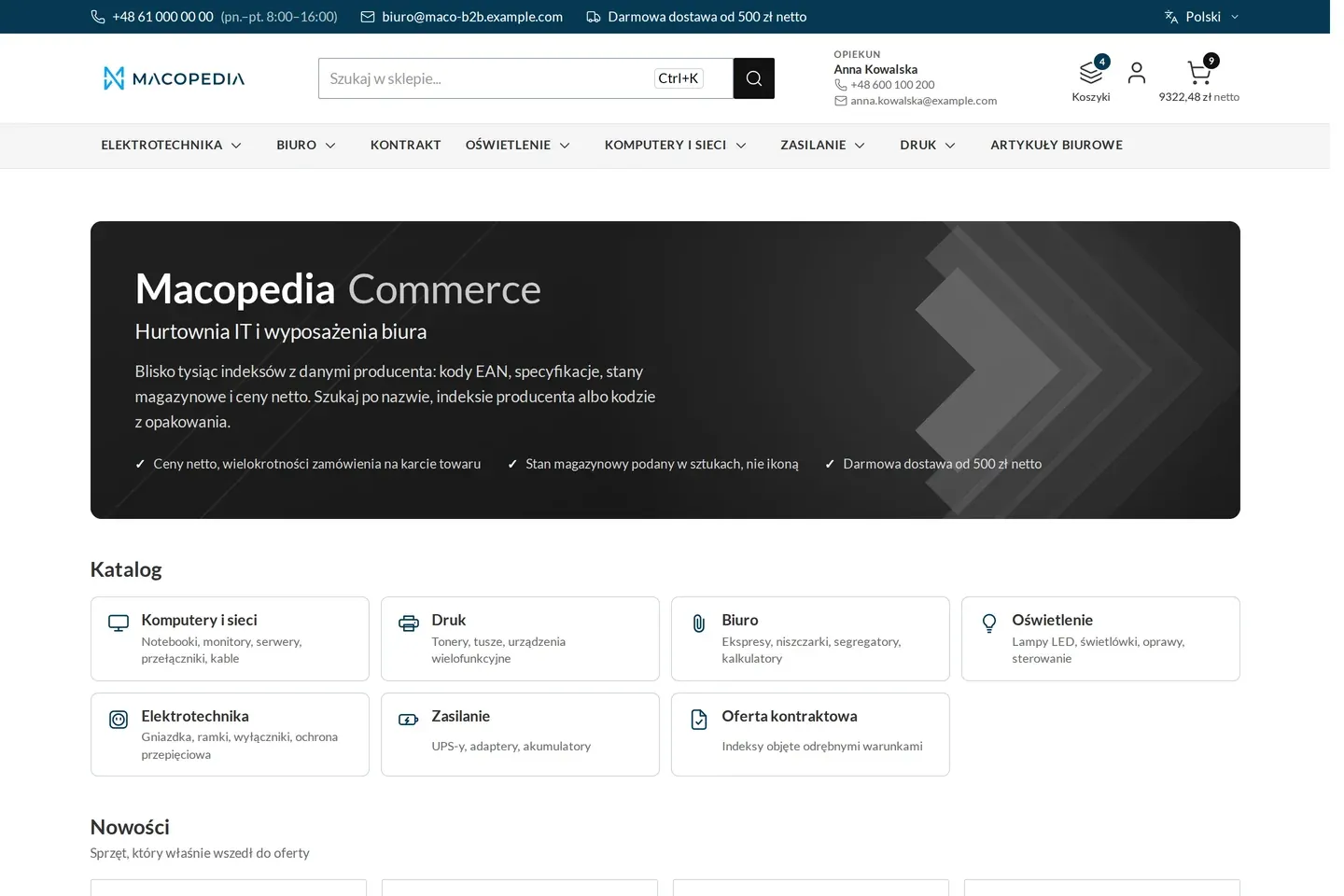
Wholesaler home page after a company buyer signs in, with the account manager and carts in the header 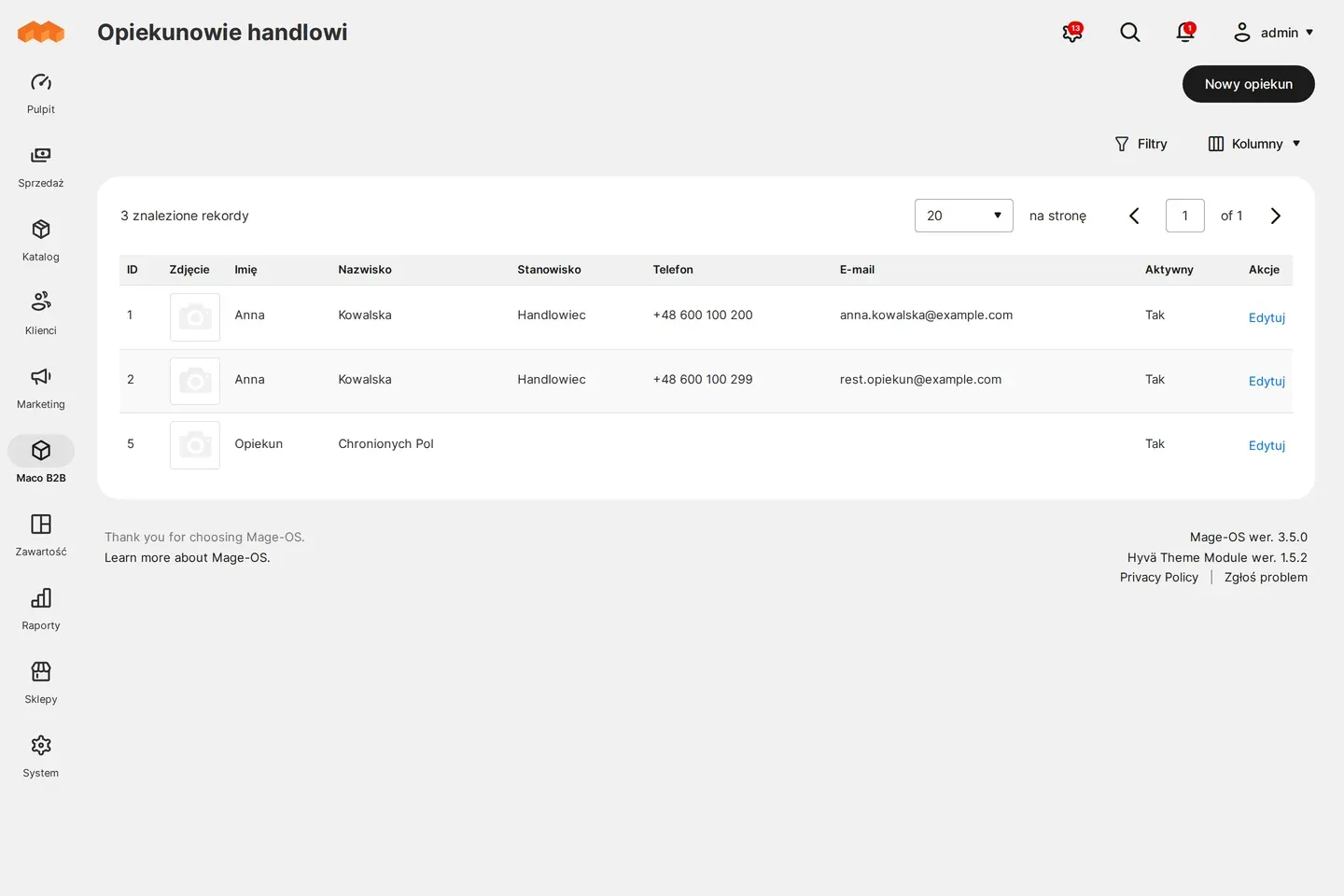
Admin panel: account managers 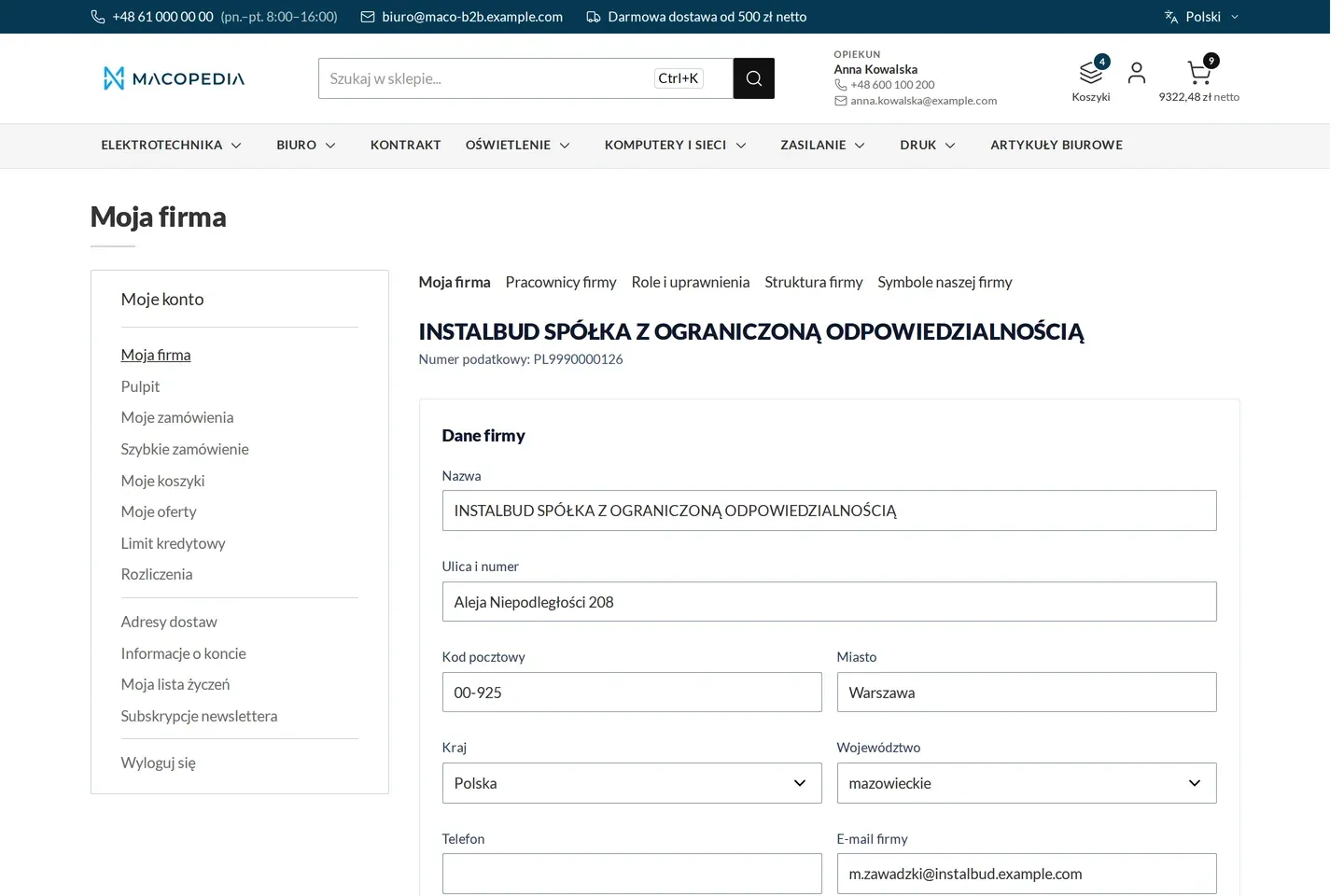
Profile of the buying company with the invoice address and the account manager 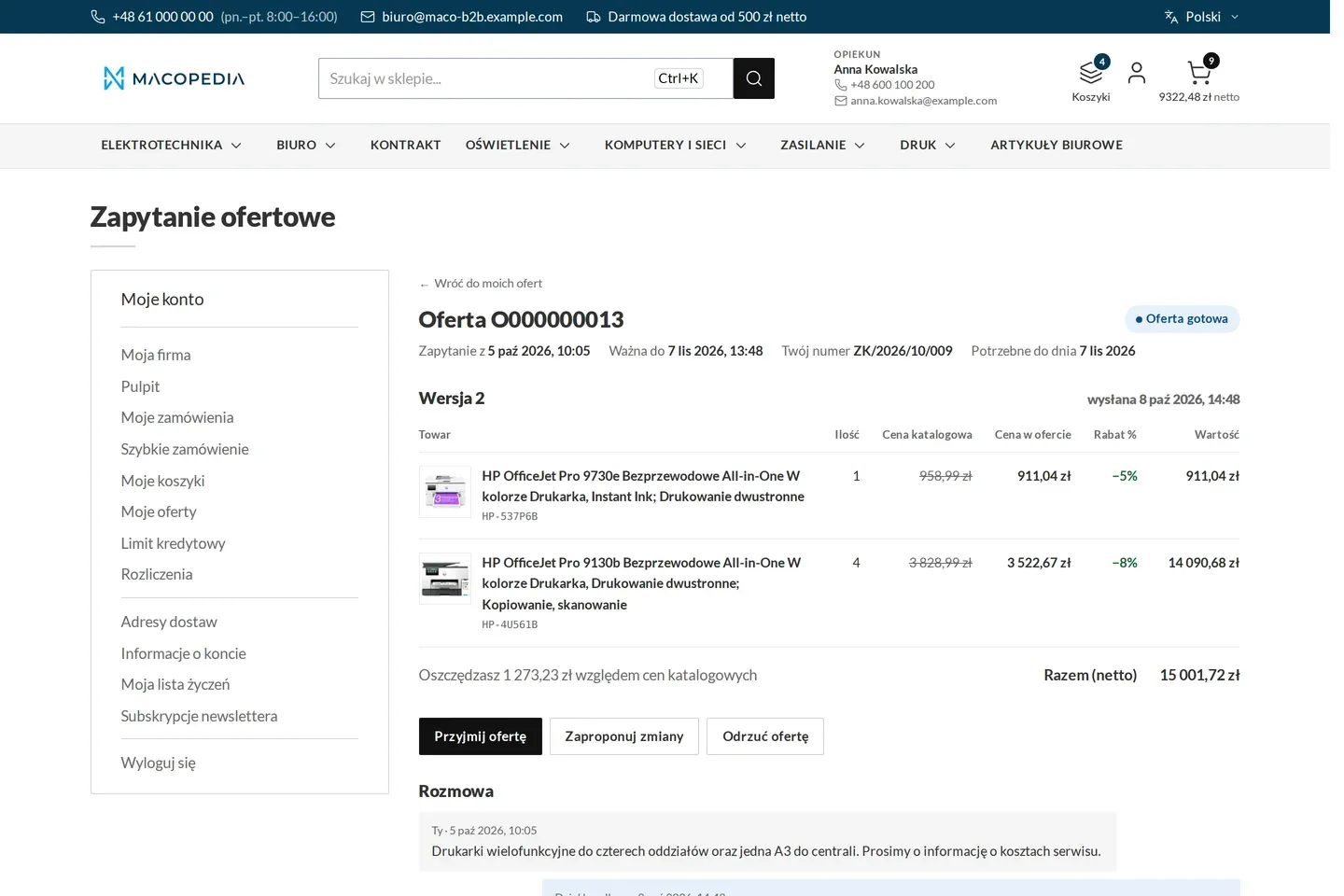
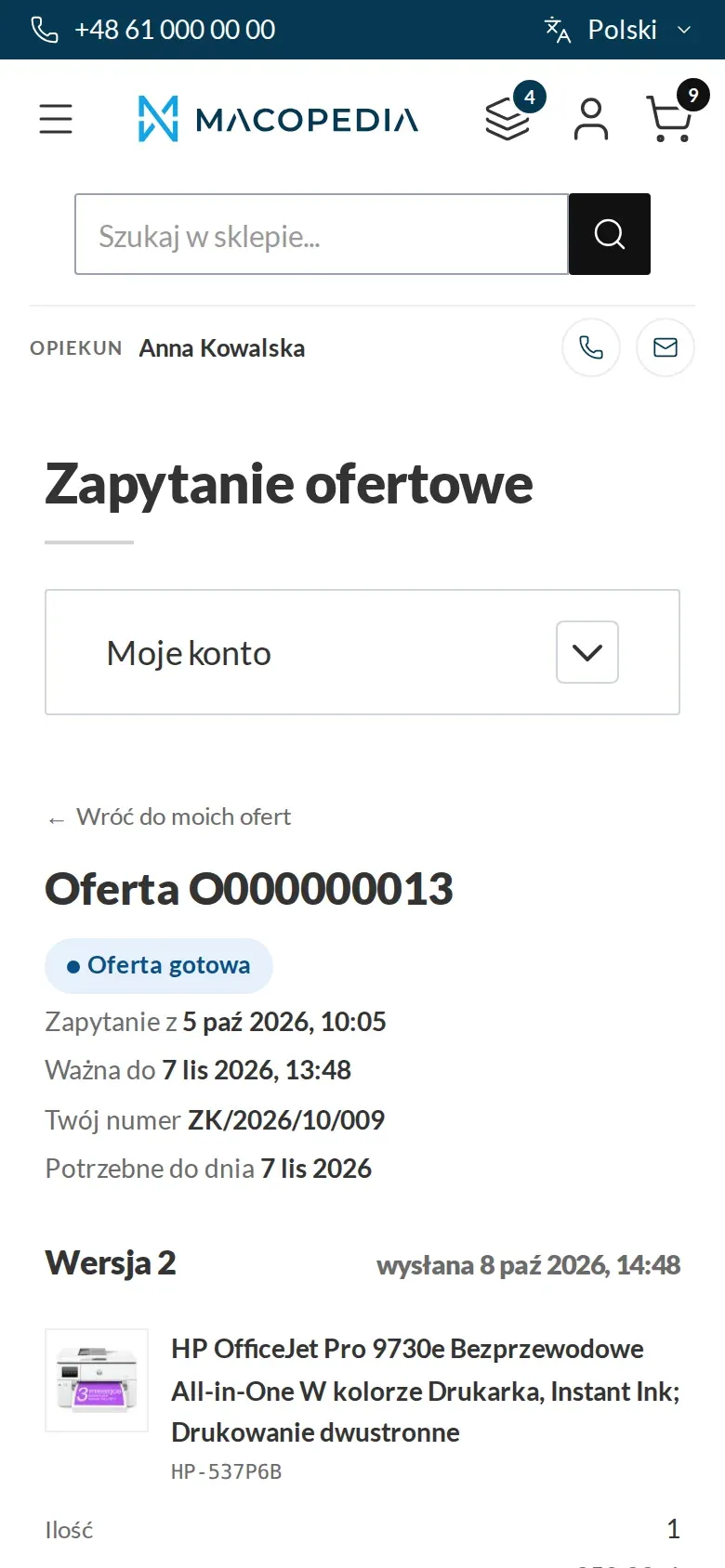
Quote from a sales rep with the list price, the quote price, the discount and the conversation 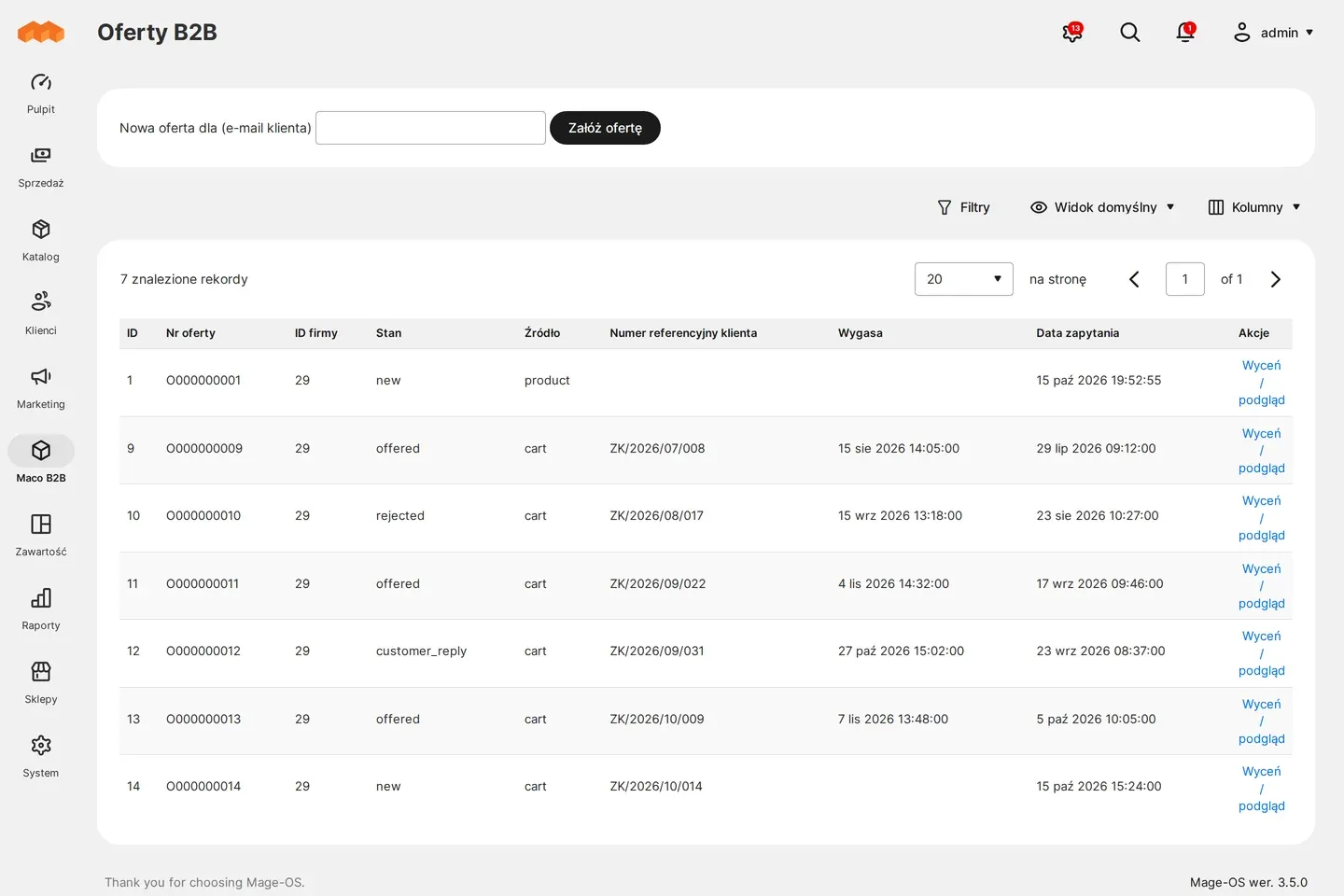
Admin panel: request-for-quote queue 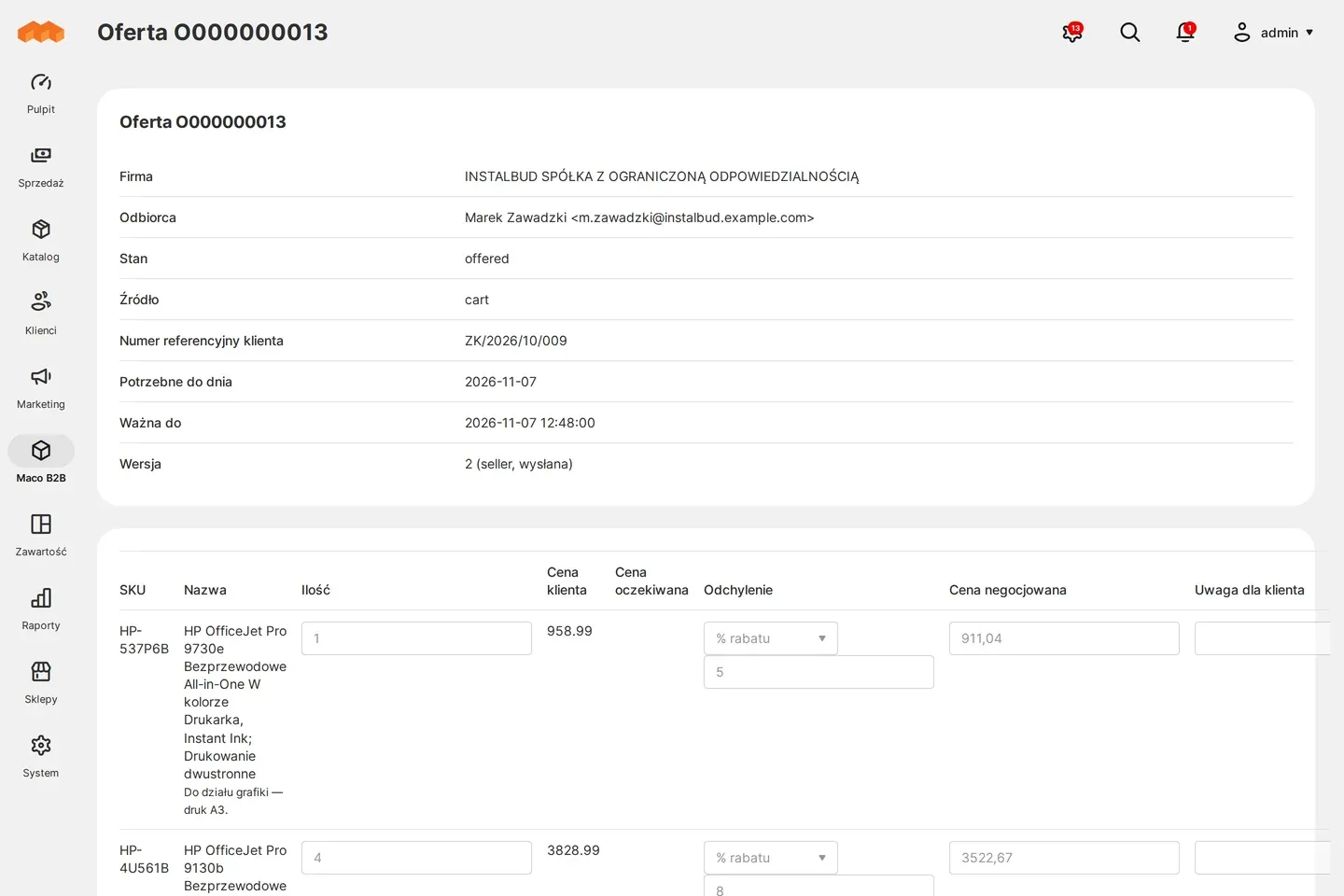
Admin panel: quote with a negotiated price and a discount on the line 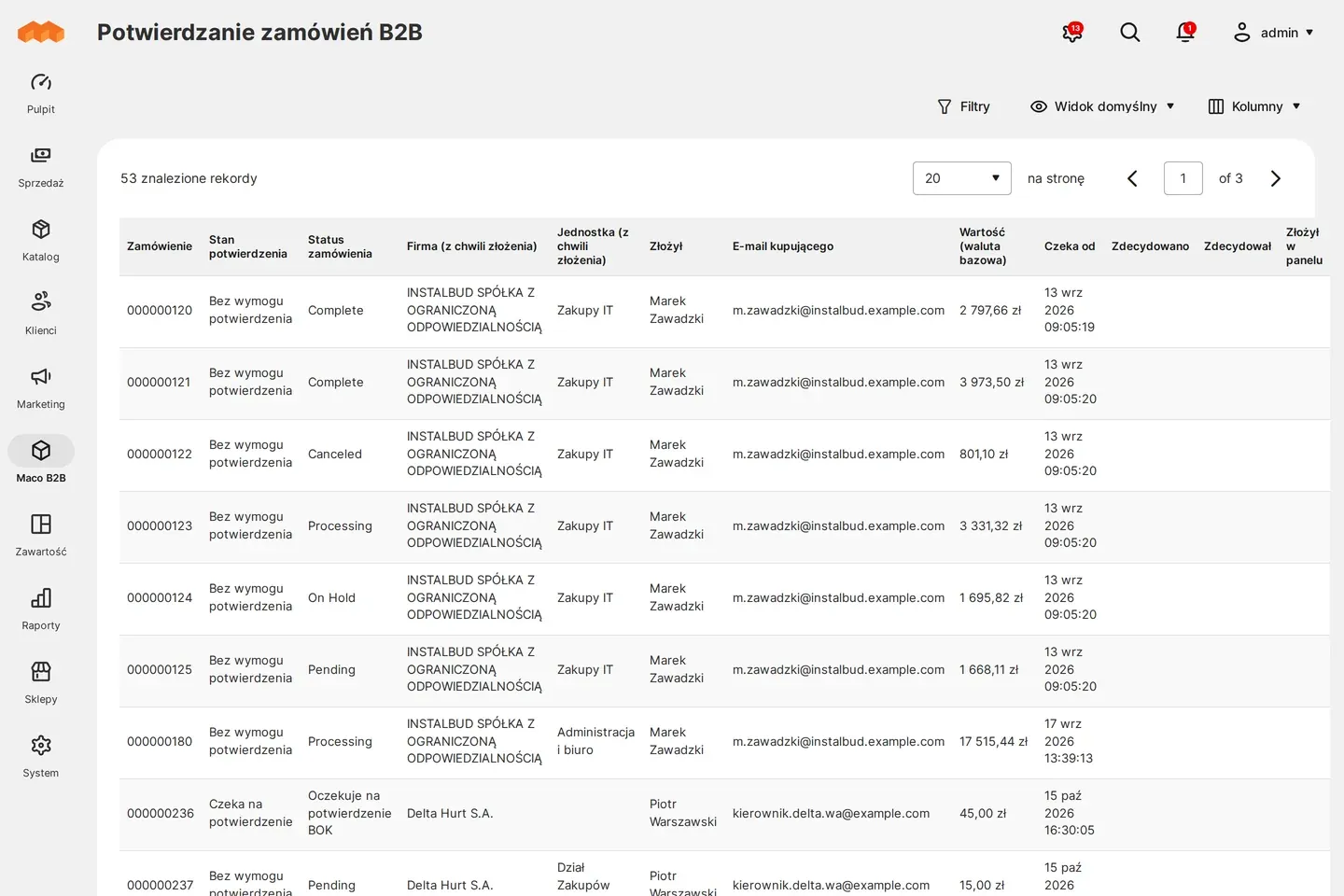
Admin panel: confirming company orders
01 / 07
Who uses it
Every role gets what it needs at work
Buyer
Sees in the history the orders placed for them by the sales rep, with a comment. The company’s blocks and limits work the same when the sales rep orders.
Company administrator
Decides in “My company” whether the seller’s staff may sign in to employees’ accounts. By default there is no consent.
Account manager
Works daily on their portfolio: orders, quotes, abandoned carts and customers in the store right now. Changes their customers’ data like an administrator, except the account manager assignment, the price group, the payer and the e-mail address of an account with the second factor on. Does not delete customers or create new accounts or companies: customer service creates a new customer.
Customer service
The administrator and customer service see all customers without restriction. They set up sales rep teams and covers, change the account manager assignment and the price group.
A worked example
Anna, an account manager at Delta Hurt, looks after Instalbud
01 Anna opens her portfolio
After signing in to the panel she sees only her customers. Next to Instalbud she has the limit usage and overdue invoices at once.
02 An order by phone
Marek from Instalbud calls with a list of products. Anna places the order for him in the panel, and Instalbud’s prices fill in on their own.
03 A discount through a quote
Marek asks for a better price on a larger batch. Anna opens a quote from the company record, and a discount above her threshold is approved by her manager Piotr.
04 A holiday without a gap in service
Piotr sets Kasia as Anna’s cover for two weeks. Kasia sees Anna’s portfolio, and when Anna returns the access disappears by itself.
For the IT team
Where the data comes from and how to integrate it
The sales rep works on native Magento screens: customers, orders, catalogue, plus customer quotes. The portfolio scope is checked on every read and write, in the panel and in the REST API. Someone else’s record returns 404.
The portfolio follows from the account manager’s assignment to the company, which comes from the ERP through Maconnector or is set in the panel. The panel role decides the restriction, so the administrator and customer service work as in ordinary Magento.
Teams and covers have their own REST endpoints. The sales rep mobile app, added on request, works on the same scope.
FAQ
Questions: sales rep panel
Can the sales rep give the customer a lower price on an order?
What happens to the customers when the sales rep goes on holiday?
Does the customer have to agree to the sales rep entering their account?
How is this different from Adobe Commerce B2B?
We will show you this on your company’s data
The demo runs on a scenario from your sales: your customers, your price lists, your ERP. After an hour you know what you get at once and what we set up in the rollout.