Price negotiation in the store, from request to order
The customer turns a cart or a single product into a request for quote, with the price they expect. The account manager answers with a quote, and the two sides negotiate in rounds on one document with one number. An accepted quote becomes an order at the agreed price until it expires.
Why it exists
Quotes live in e-mails, and the agreed price never reaches the store
For a large order the customer asks for a price by e-mail or phone. The account manager calculates in a spreadsheet and sends a PDF, the customer replies with a different quantity, and after three rounds nobody knows which version applies. In the end customer service retypes the order by hand.
Magento has no notion of a quote. The cart always recalculates the price from the price list, so a price agreed outside the list has nowhere to be stored or protected. Nor is there a trace of who gave a discount and why.
Quoting
What it does in the store
A request from the cart or the product page
On each line the customer enters an expected price and a remark. They add a comment, their own reference number, the date needed and attachments.
A line from outside the catalogue
The customer describes a product they could not find in the store, with quantity and unit. The account manager turns the description into a catalogue product or removes it.
Negotiation in rounds
The account manager changes the composition, proposes substitutes and prices lines by amount, percentage or value. Every round is a new version with a change history.
A discount threshold with approval
Every sales rep role has a maximum discount. A quote above the threshold waits for a manager’s approval, and the customer meanwhile sees it as “being priced”.
The price held until expiry
A quote has a validity, 14 days by default. Until then a change in the price list or a promotion does not touch the agreed price.
The quote becomes an order
The customer orders an accepted quote in the ordinary checkout, or the account manager records an acceptance by phone and places the order for them. The quote number goes with the order to the ERP.
What it looks like in the store
Quoting on the demo store’s screens
Real screens, not mockups. The demo store runs in Polish; a rollout ships in your store’s languages. Click a row, and where there is a phone capture switch the view or zoom in.
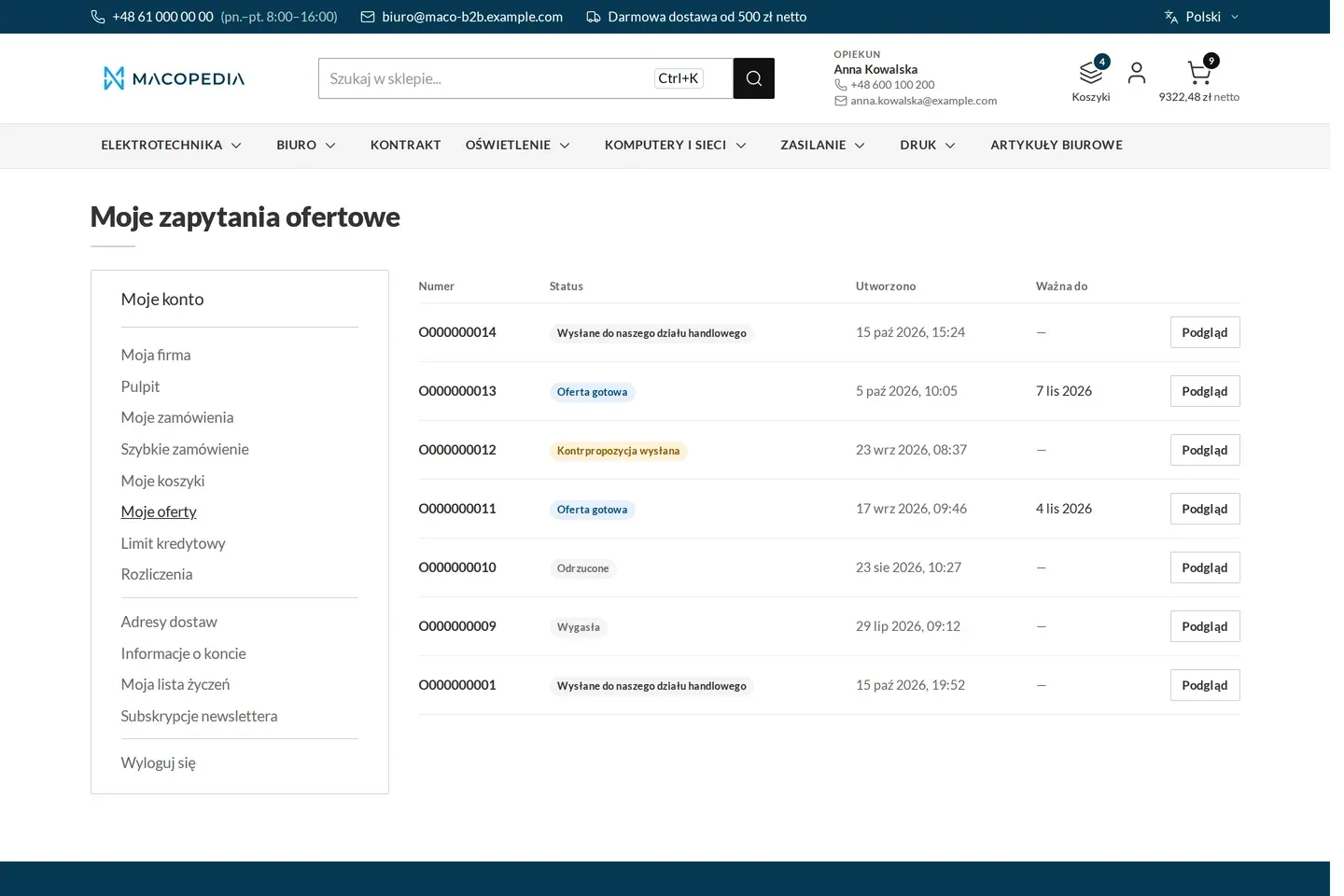
List of the company’s requests for quote in various states 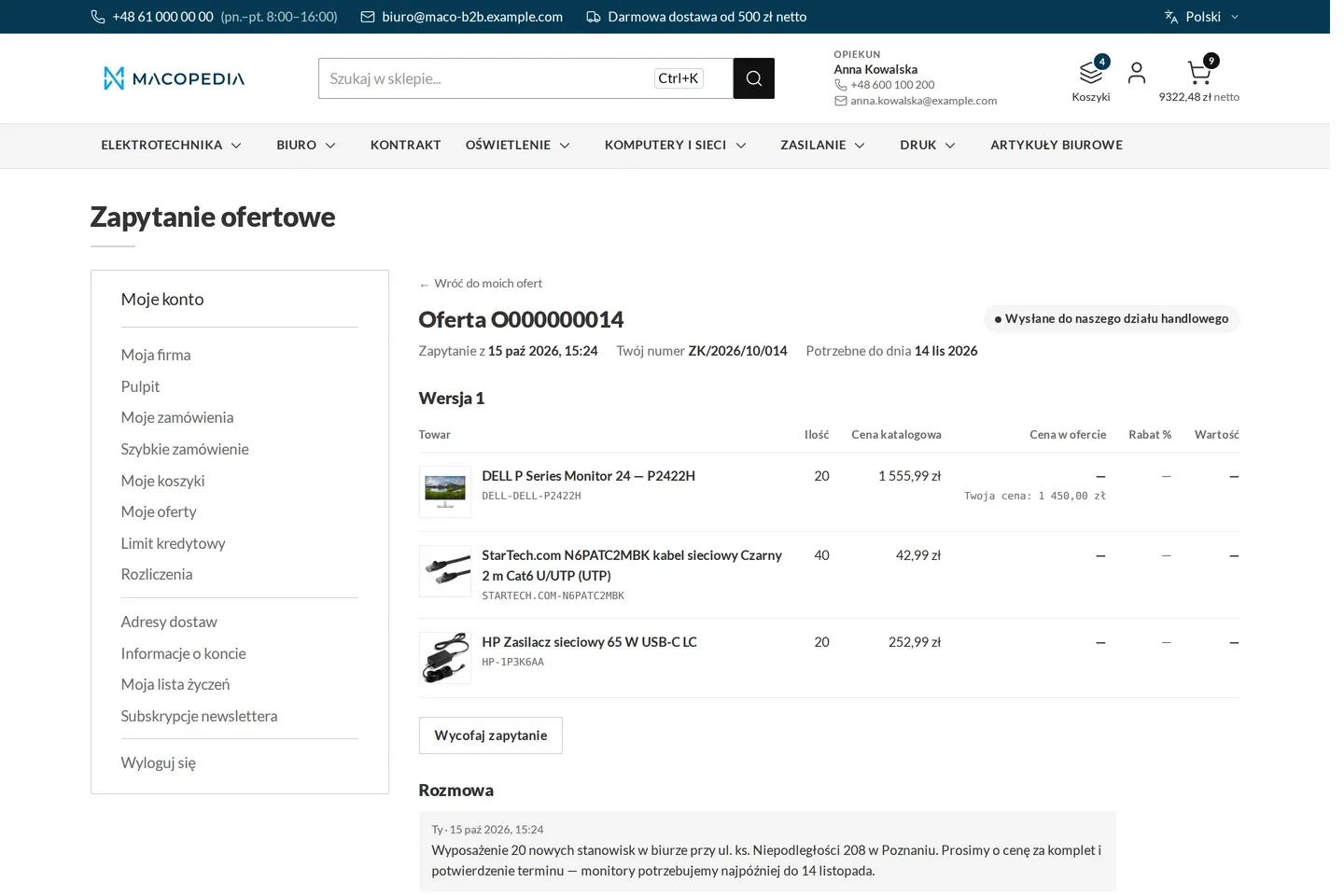
A new request for quote sent to the sales department 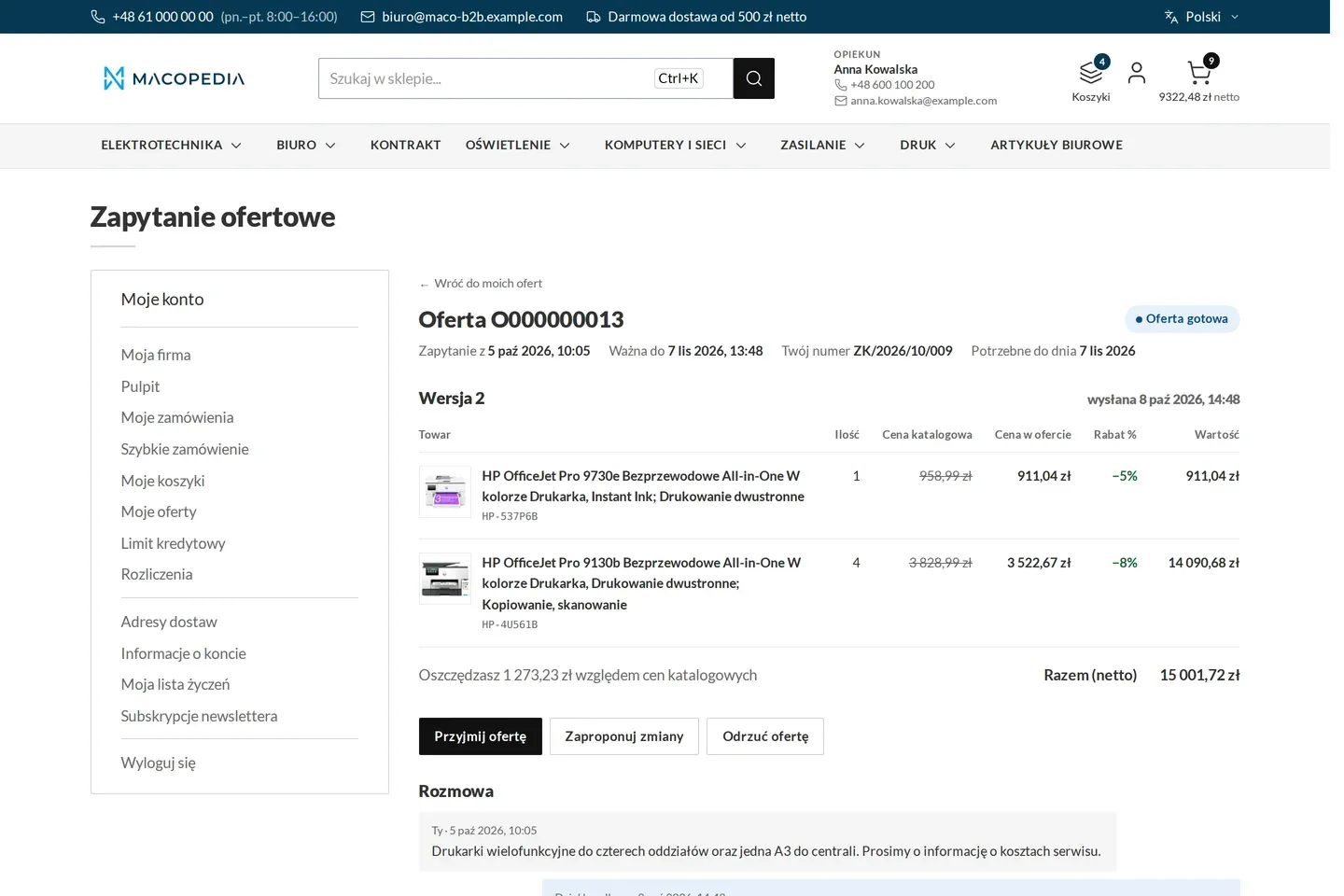
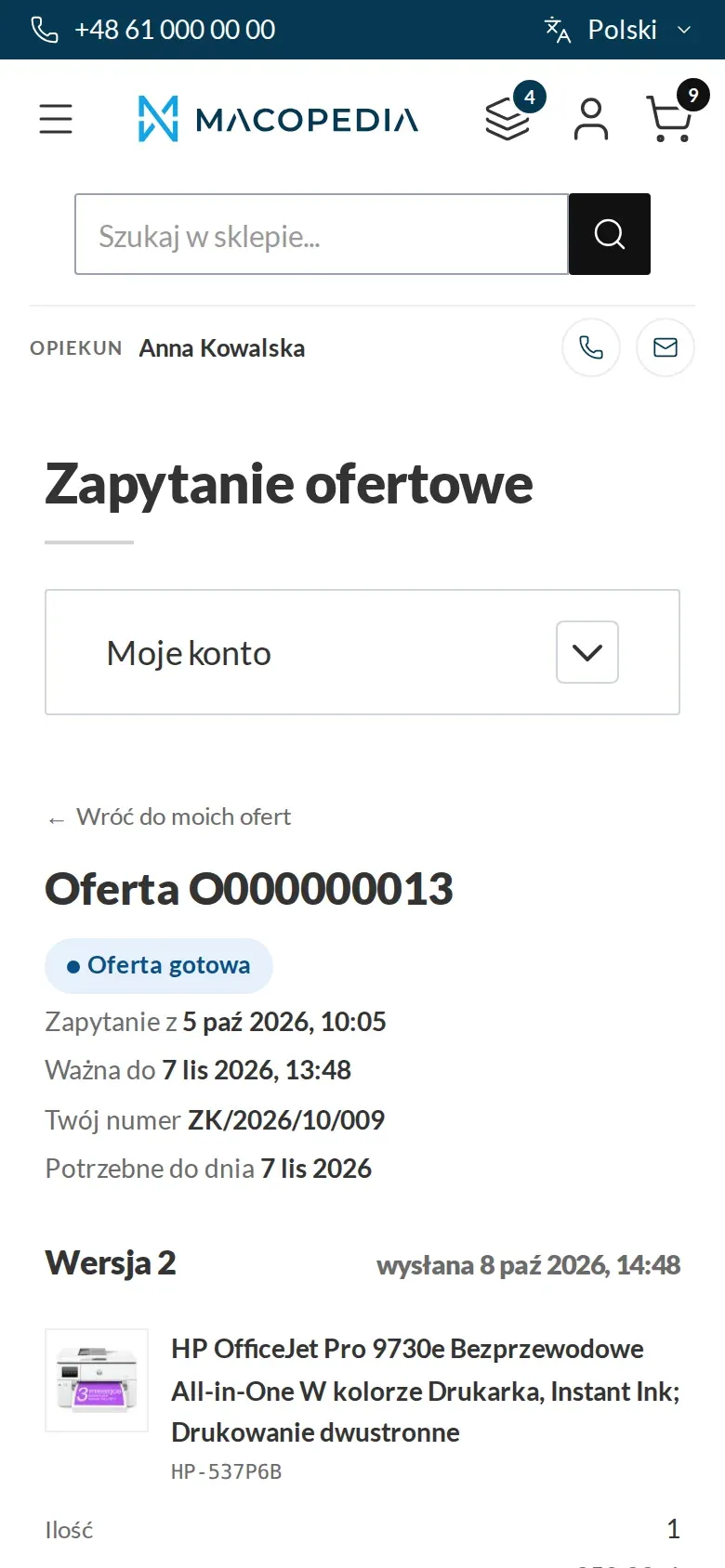
Quote from a sales rep with the list price, the quote price, the discount and the conversation 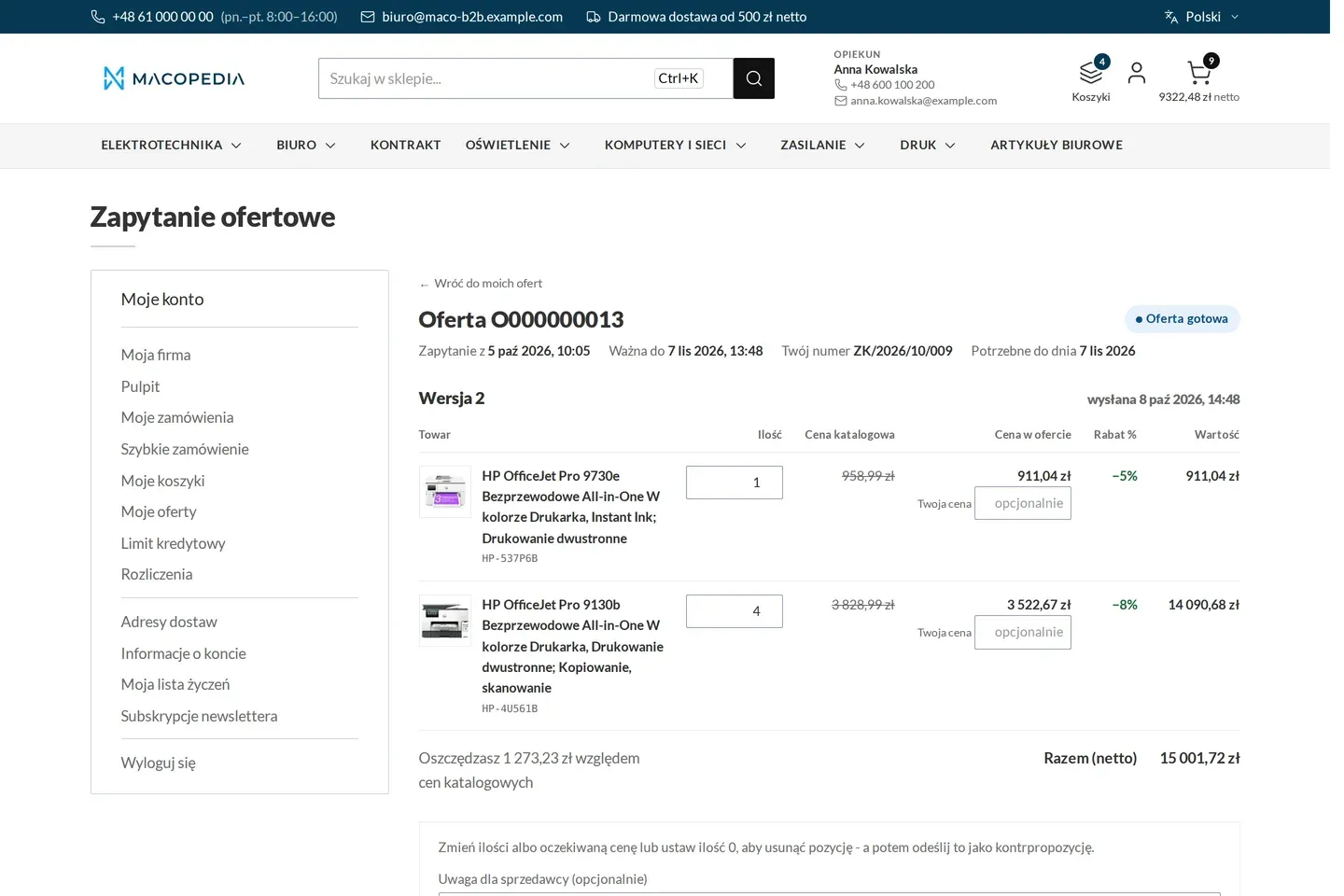
Quote in counter-proposal mode: the buyer changes quantities and expected prices 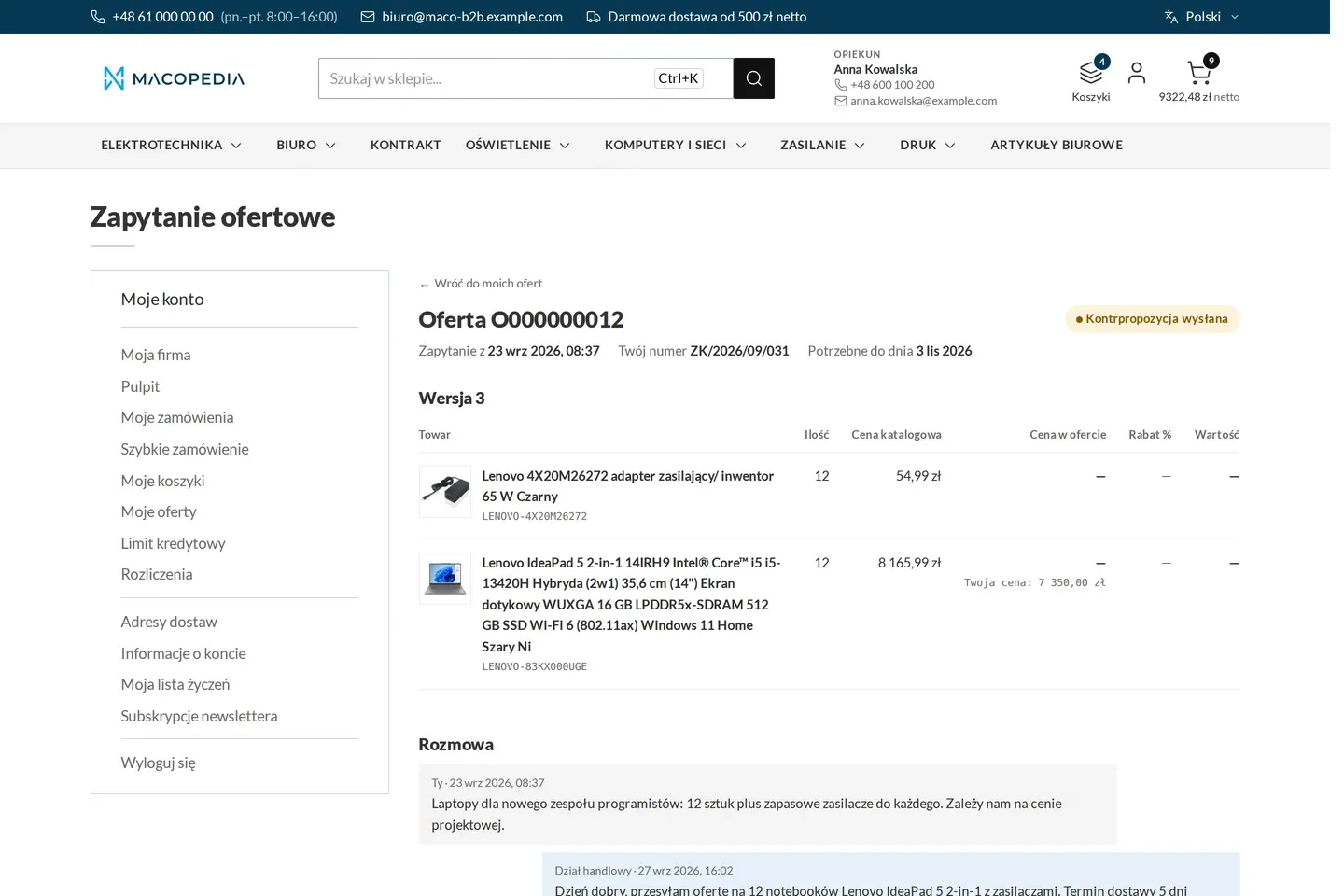
Quote after the buyer’s counter-proposal, waiting for the sales rep 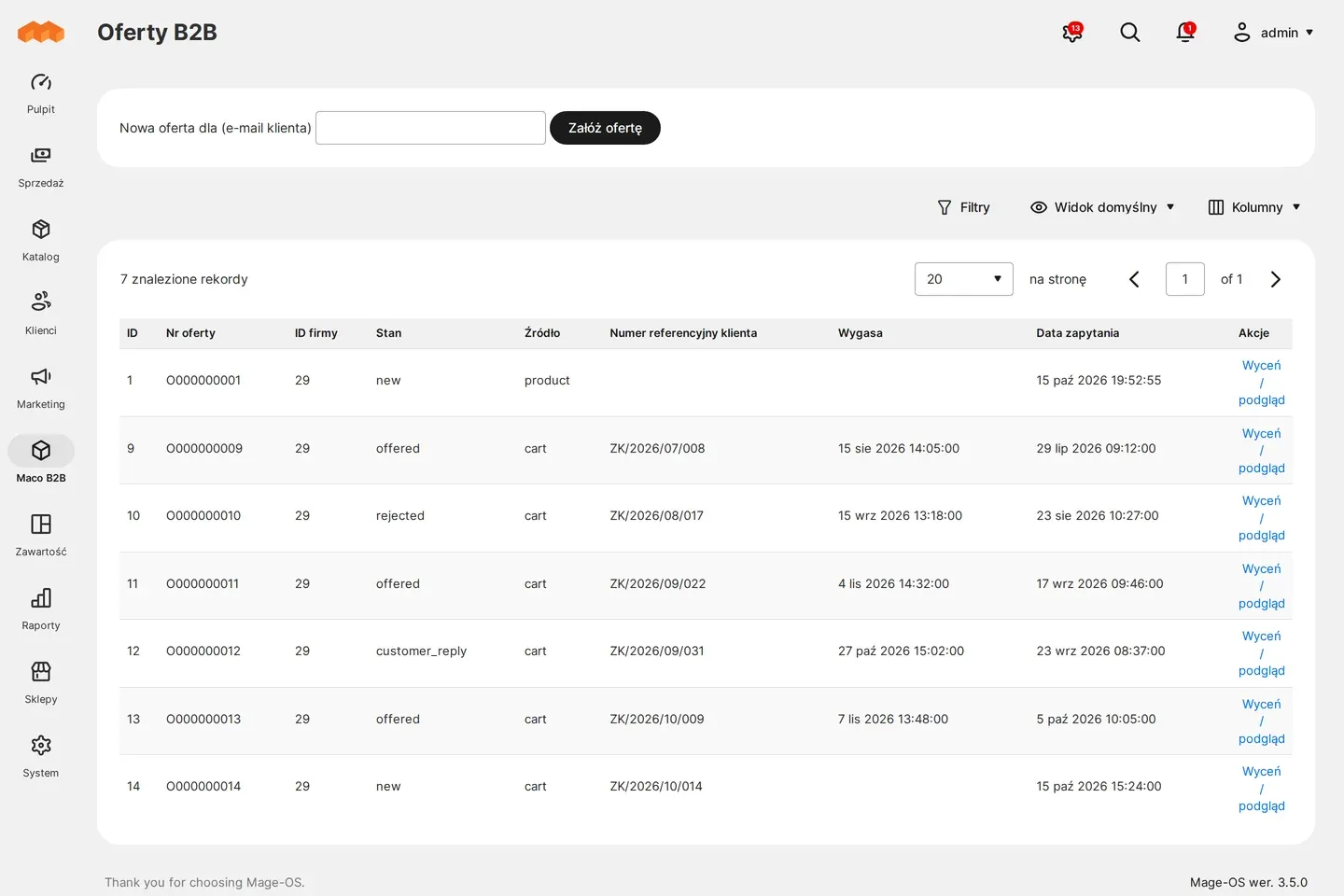
Admin panel: request-for-quote queue 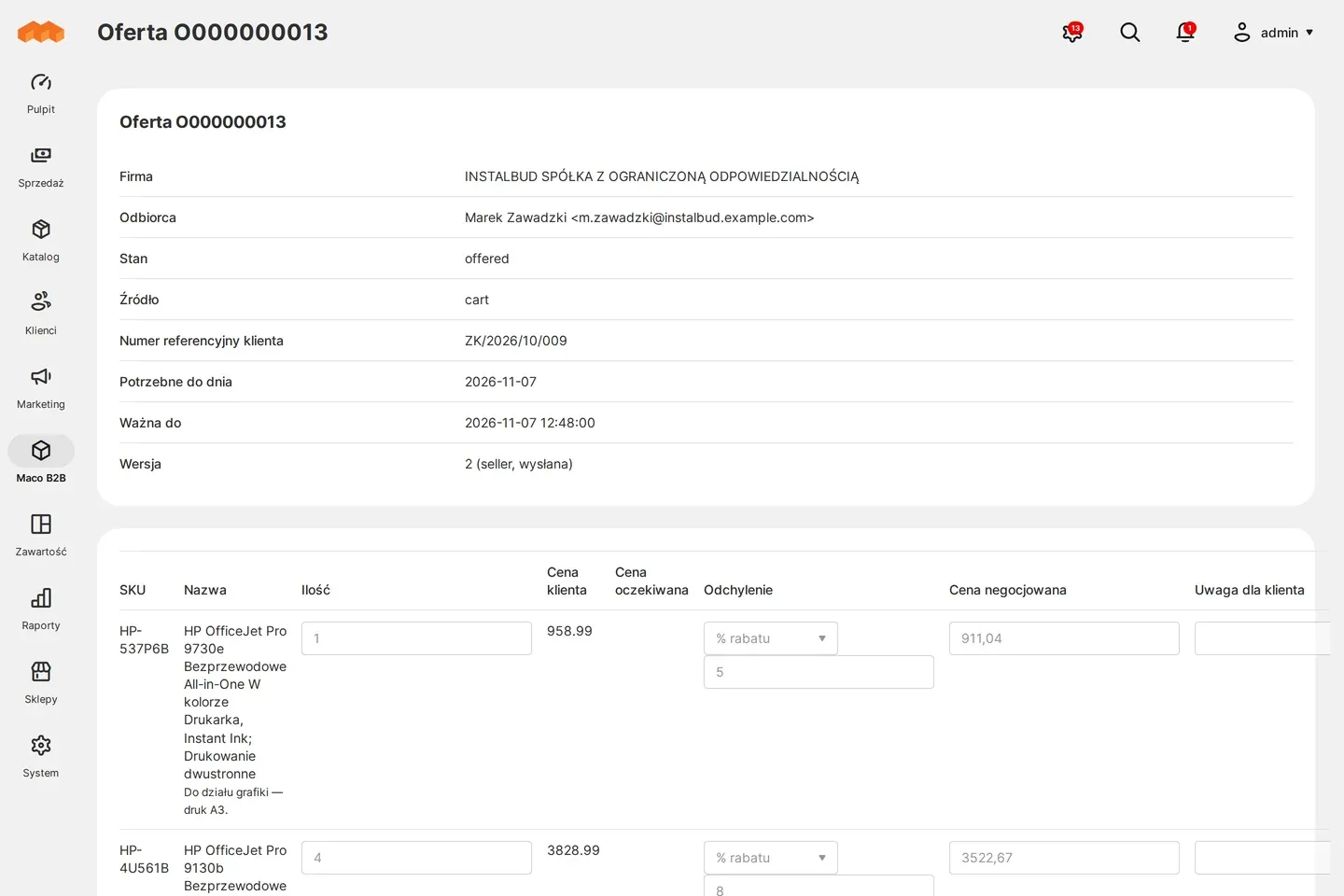
Admin panel: quote with a negotiated price and a discount on the line 
Product page with the company price, tier prices and the buyer’s own product code
01 / 08
Who uses it
Every role gets what it needs at work
Buyer
Asks for a price without placing an order, replies with a counter-proposal and downloads the quote as PDF or spreadsheet. When the quote suits them, they accept it or ask someone with that permission to.
Company administrator
Sees the quotes of the whole company and decides on their acceptance. An employee without that permission sends them a request to accept a quote.
Account manager
Prices requests in the panel, asks the customer follow-up questions and sends further versions of the quote. An acceptance agreed by phone they record with a note and place the order for the customer at once.
Customer service
Requests from companies without an account manager go to the sales department’s shared queue. A manager approves quotes above the sales rep’s discount threshold, and the whole negotiation stays in the quote history.
A worked example
A request for fittings for a new housing estate
01 A request from the cart
Marek from Instal-Serwis has fittings for 120 flats in his cart. He clicks “Request a quote”, enters an expected price on the taps and adds a valve he could not find in the store.
02 Pricing
Anna, the account manager at Delta Hurt, turns the valve description into a catalogue product and gives a 12% discount. That is above her threshold, so the quote goes to her manager for approval.
03 Second round
After approval Marek gets the quote with a PDF. He replies with a counter-proposal with a smaller quantity on one line, and Anna sends a second version.
04 Acceptance
Marek sends a request to accept, and his boss, the company account administrator, accepts the quote. A cart with the quote is created, with prices and quantities locked.
05 Order
The boss finishes the order in the ordinary checkout, at the quote price. The quote number goes with the order to Delta Hurt’s ERP.
For the IT team
Where the data comes from and how to integrate it
A quote has one number from request to order. The number passes to the order and every one of its lines, so the ERP gets it through Maconnector together with the order, with no separate quote integration.
A price can come from the ERP through the REST API, with the source and the price identifier. An external system can also send a signal to recalculate a quote after a price list change.
All of quoting, on the customer and the seller side, is available in the REST API, and quote state changes emit events for integrations. The storefront is on Hyvä, the PDF is generated by the store, and reserving stock for the quote’s duration runs on MSI sources and is enabled by a switch.
FAQ
Questions: quoting
Can the quote price change after acceptance?
Can the account manager give any discount?
Can one order contain several quotes?
Can stock be reserved during negotiation?
We will show you this on your company’s data
The demo runs on a scenario from your sales: your customers, your price lists, your ERP. After an hour you know what you get at once and what we set up in the rollout.