Orders always in full cartons, without a call from the warehouse
Maco B2B enforces the minimum and the ordering multiple for every product, with exceptions for customer groups and individual companies. The quantity is corrected upwards with a message as it is typed, on the product page, in the cart and in quick order. Every group can also have its own minimum order value.
Why it exists
The same product, a different rule on every path
Magento has a minimum and a multiple on the product, but knows no exceptions for a customer group or a company. A minimum agreed with one customer has nowhere to be stored.
On top of that the product behaves differently depending on the route. The cart page corrects the quantity to the nearest multiple, sometimes downwards, quick order rejects the line, and through the API the group rule works differently from the store. The warehouse gets 7 pieces of a product packed in sixes, and customer service calls the customer.
Order minimums
What it does in the store
Exceptions for a group and for a company
Minimum and multiple from the ERP on the product, overridden for a customer group, and for a specific company once more. A company or a group can also get “no minimum”.
Corrected as you type
The quantity is raised to the minimum and rounded up to a full multiple, always with a message under the field. The store never reduces a quantity and never corrects it quietly.
The same rule on every path
Product page, cart, quick order, reorder, named carts and the REST API give the same result. When a list of codes is pasted the buyer sees on every line what changed and why.
A smaller quantity through a quote
An order that breaks the rule cannot be placed, but the message leads to “Ask for a quote” with the requested quantity. The account manager then sets the quantity, and the cart from the accepted quote is exempt from the rule.
Minimum value per group
Every customer group can have its own order value threshold or none at all. The cart shows how much is missing to the threshold.
Metres, kilograms and variants
The rules also work on decimal quantities, for example a multiple of 0.5 m. Every product variant, for example size or colour, has its own rule.
What it looks like in the store
Order minimums on the demo store’s screens
Real screens, not mockups. The demo store runs in Polish; a rollout ships in your store’s languages. Click a row, and where there is a phone capture switch the view or zoom in.
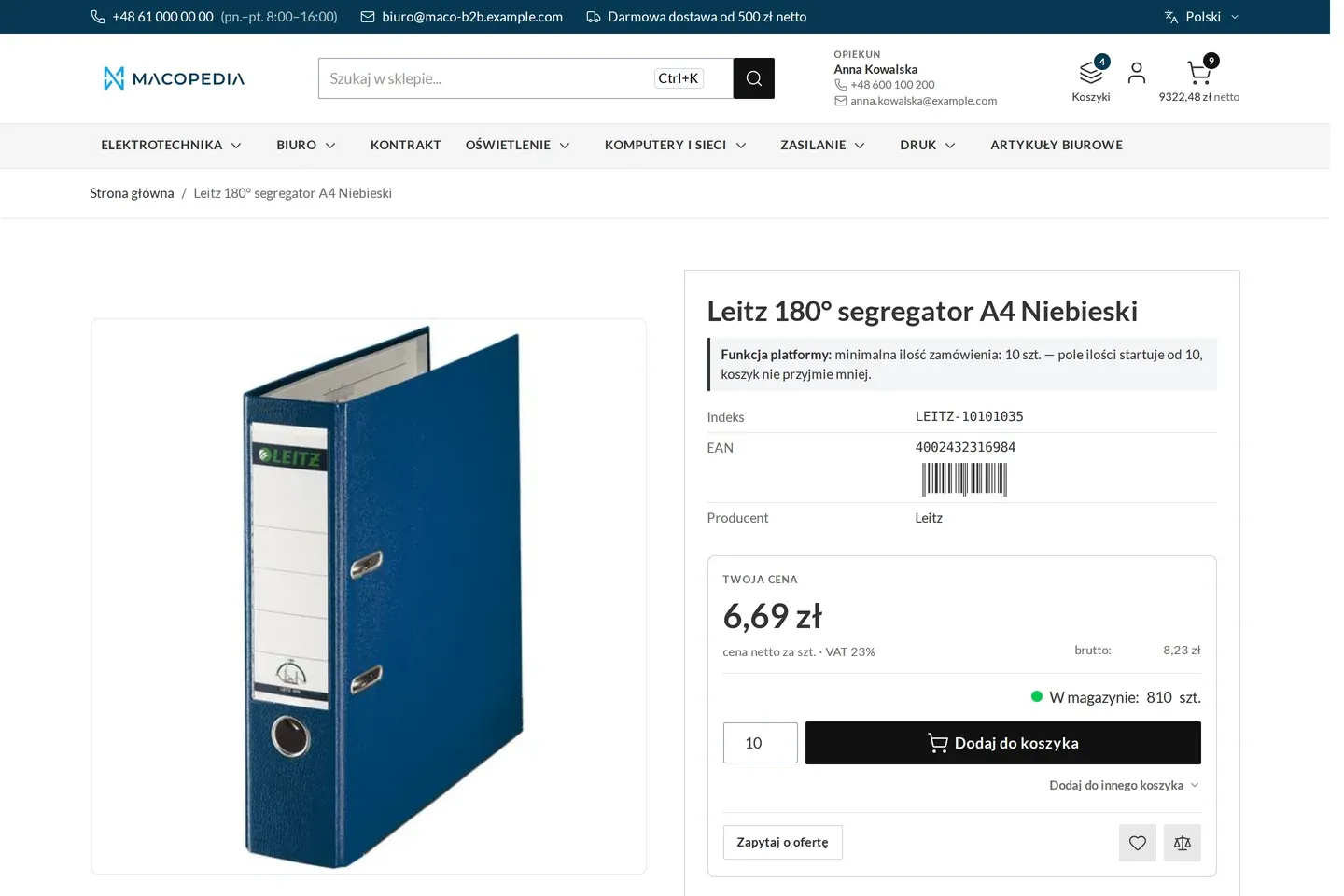
Product page with a minimum order quantity 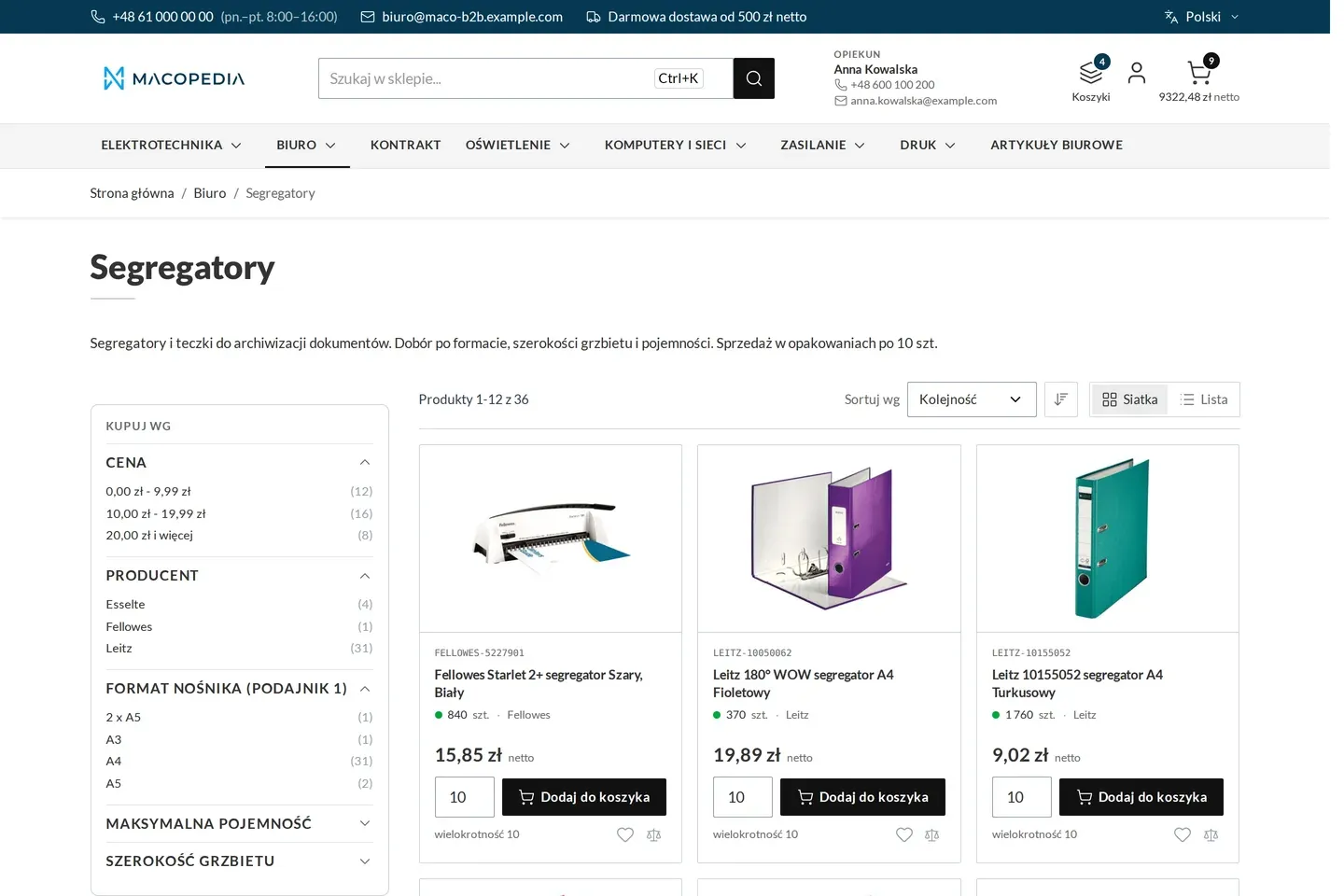
List of binders with the ordering multiple on the tiles 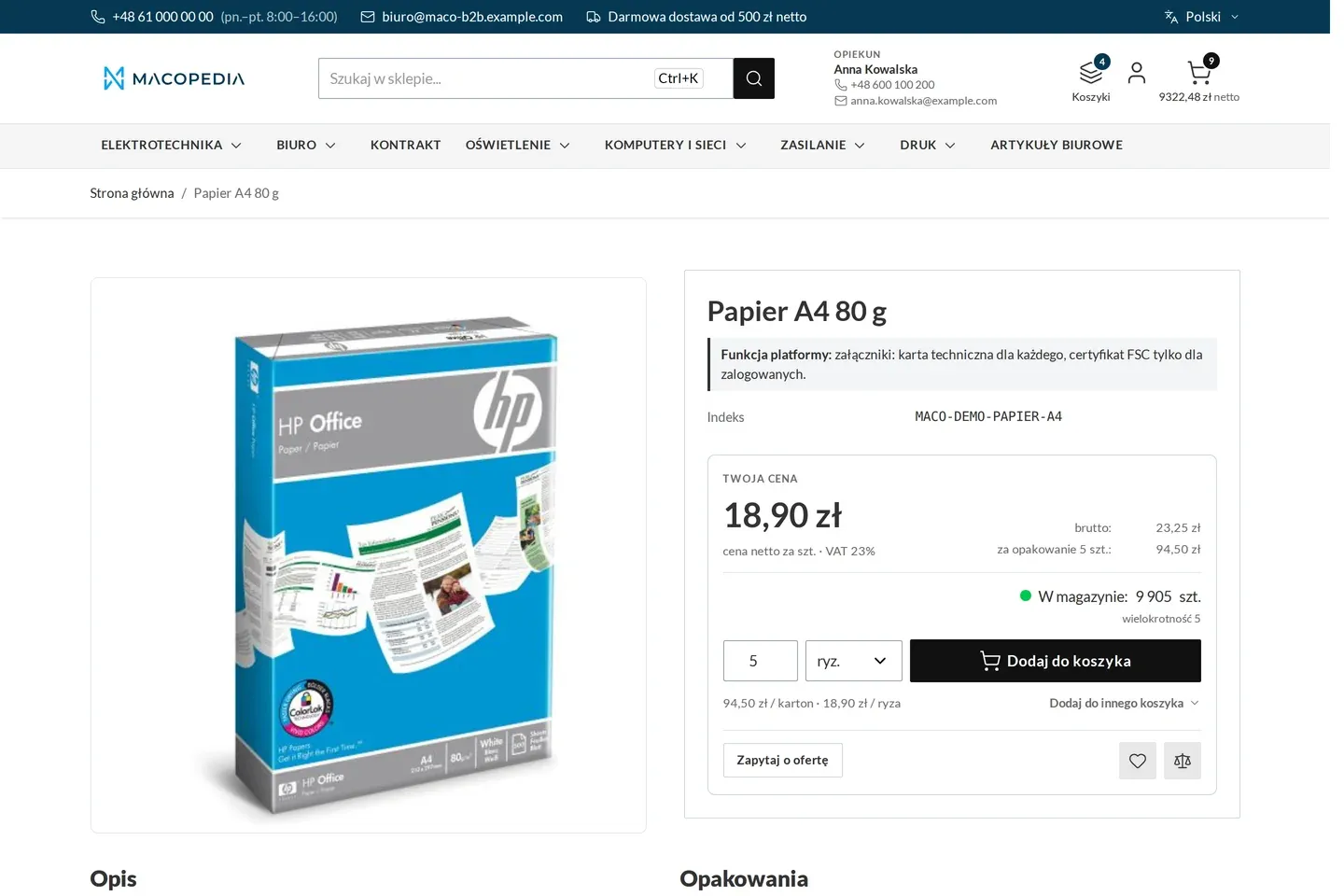
Product page of an item sold in reams, cartons and pallets, with a unit converter
01 / 03
Who uses it
Every role gets what it needs at work
Buyer
Knows at once how much to order, because they see it at the quantity field, not only in the cart. When they need less, they have a one-click route to a quote.
Account manager
On an order placed for a customer in the panel the quantity rule warns rather than blocks, because a non-standard quantity is set by the sales rep. They see the exceptions of the companies in their portfolio.
Customer service
Does not correct orders with partial cartons by hand and does not call customers to ask about quantities. Exceptions and thresholds come from the ERP, and the panel shows them.
A worked example
An agreed minimum for Termo-Bud at Delta Hurt
01 An exception from the ERP
Fittings travel in cartons of 12, and the wholesaler has a minimum of 60. Anna agrees a minimum of 24 with Termo-Bud. The exception recorded in the ERP reaches the store.
02 Corrected as you type
Marek types 30 pieces. On leaving the field the quantity changes to 36, and a message explains it was rounded up to a full carton.
03 The route to a quote
Marek nevertheless needs exactly 30. He clicks “Ask for a quote” with that quantity, and Anna confirms it in the quote.
04 The value threshold
In a second cart he sees how much is missing to the minimum order value for his group. He adds fittings and places the order.
For the IT team
Where the data comes from and how to integrate it
Minimum, multiple and the “full packs only” mode are native product fields, fed from the ERP through Maconnector via the native product REST API.
Exceptions for groups and companies and the value thresholds come through the Maco B2B REST API, idempotently by natural key, also in batches. The panel only shows them.
The module adds no second validator: it substitutes the buyer’s rule into the native cart check, so it applies alike in the store, in the REST API and in the panel. The quantity component runs in Hyvä.
FAQ
Questions: order minimums
Can I limit the maximum quantity in an order?
What if the ERP changes the rule while the goods are already in the cart?
Do the rules apply to customers without a company account?
Does Adobe Commerce B2B have such rules?
We will show you this on your company’s data
The demo runs on a scenario from your sales: your customers, your price lists, your ERP. After an hour you know what you get at once and what we set up in the rollout.