A list of codes from an e-mail becomes a cart in seconds
The buyer pastes a list from a spreadsheet or uploads a file, and the store recognises the products also by manufacturer code, EAN and the code from the customer’s own system. Anything it is not sure about, it shows for confirmation. Nothing reaches the cart quietly.
Why it exists
The customer has a ready list, and the store makes them search item by item
A wholesale buyer rarely browses the catalogue. They have a spreadsheet, an order from a site manager or a printout from their own system. In plain Magento every line has to be found in search and added separately, so with a few dozen lines the customer simply e-mails customer service.
The “add by code” forms in off-the-shelf extensions recognise only the seller’s exact code. A typo, a manufacturer code or a code from the customer’s records end in “no such product”. The customer goes back to the phone, and customer service retypes the order by hand.
Quick order
What it does in the store
Three ways in
A single code with suggestions, pasting many lines with the quantity on the same line, or uploading a spreadsheet or CSV file.
Recognised by several codes
The seller’s code, the code from the customer’s system, the manufacturer code and the EAN. Fuzzy matching comes last, always as a suggestion to confirm.
A review before the cart
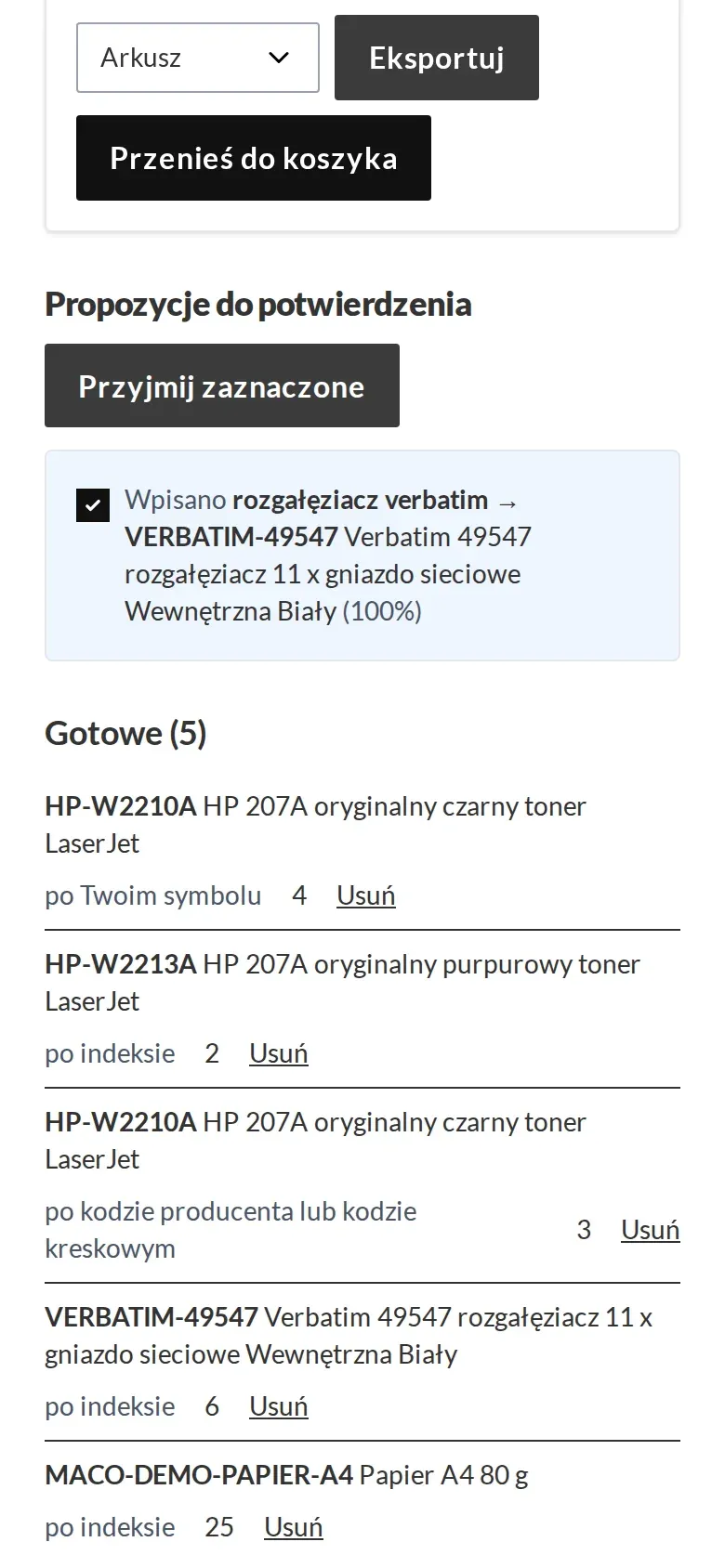
The buyer sees what was recognised, what needs a variant picked and what is missing. Unrecognised lines stay for correction, the rest goes to the cart in one click.
Minimums and packaging straight away
A quantity below the minimum or off the multiple is corrected upwards right on the line, with a message. Whoever needs exactly that quantity can ask for a quote.
A file with any columns
The store recognises columns by their names and lets you correct the mapping before processing. A file exported from a cart comes back without rework.
To the cart from suggestions
A product goes to the cart straight from the search suggestion list, without opening the product page.
What it looks like in the store
Quick order on the demo store’s screens
Real screens, not mockups. The demo store runs in Polish; a rollout ships in your store’s languages. Click a row, and where there is a phone capture switch the view or zoom in.
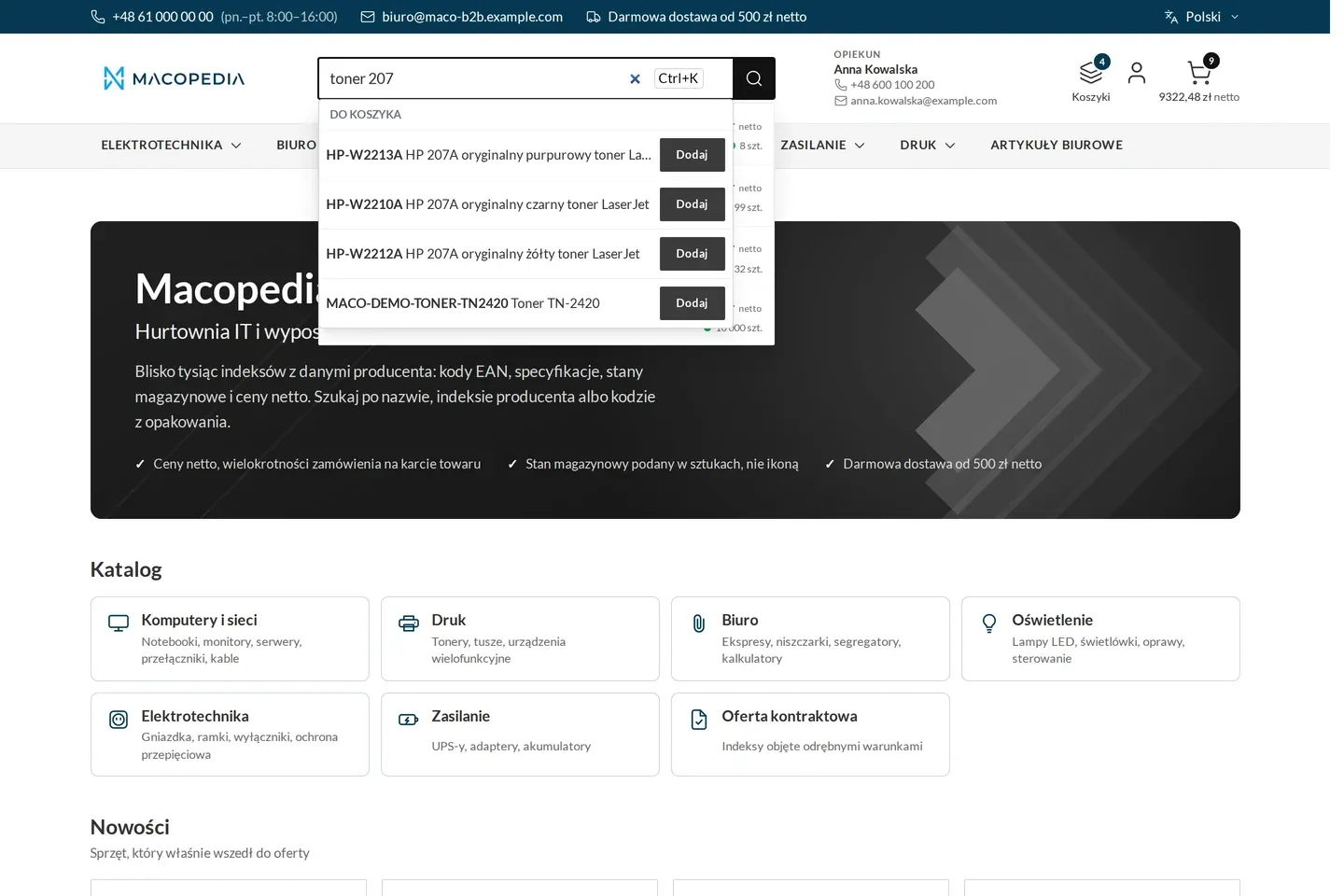
Search suggestions with an add-to-cart button 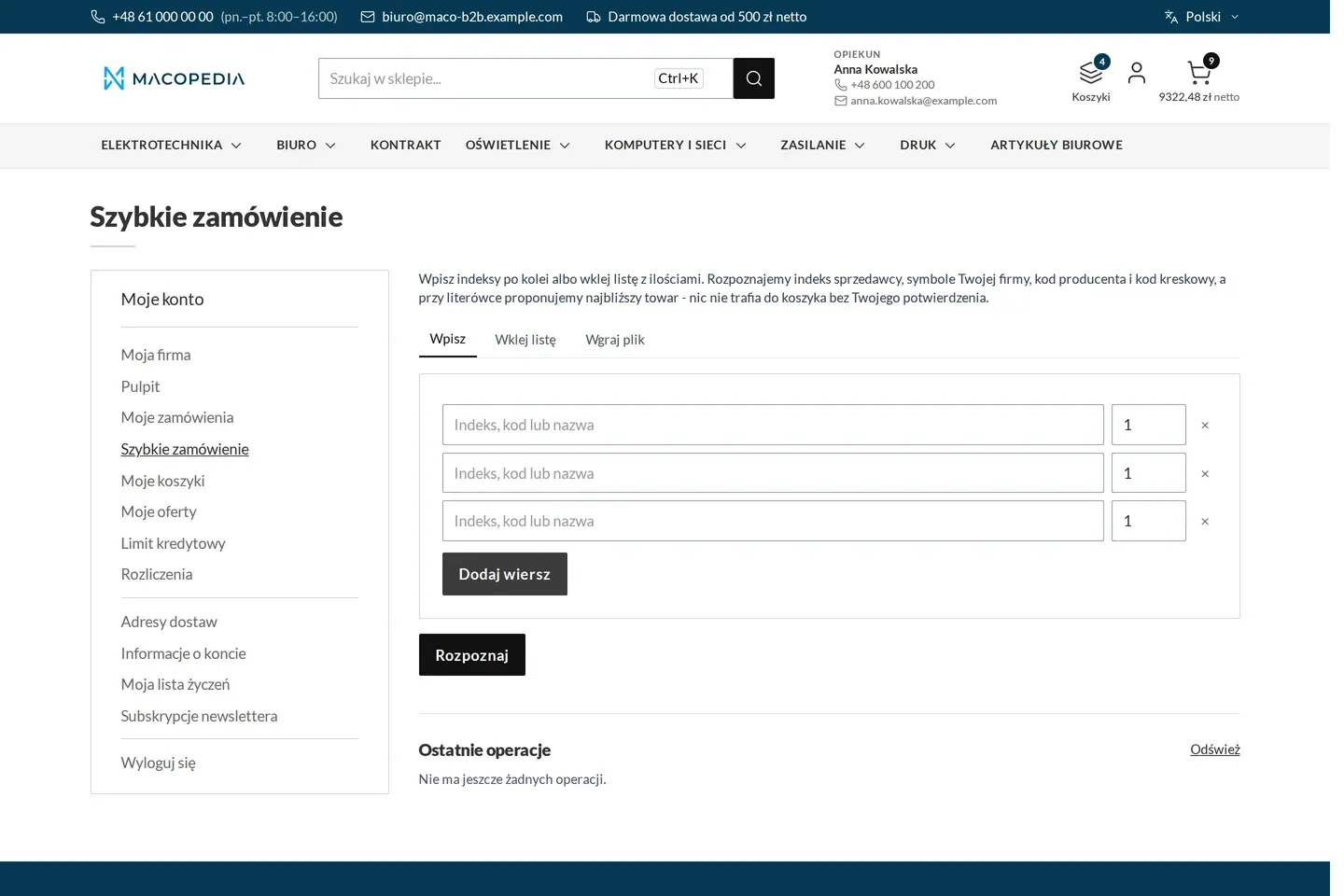
Quick order: typing codes line by line 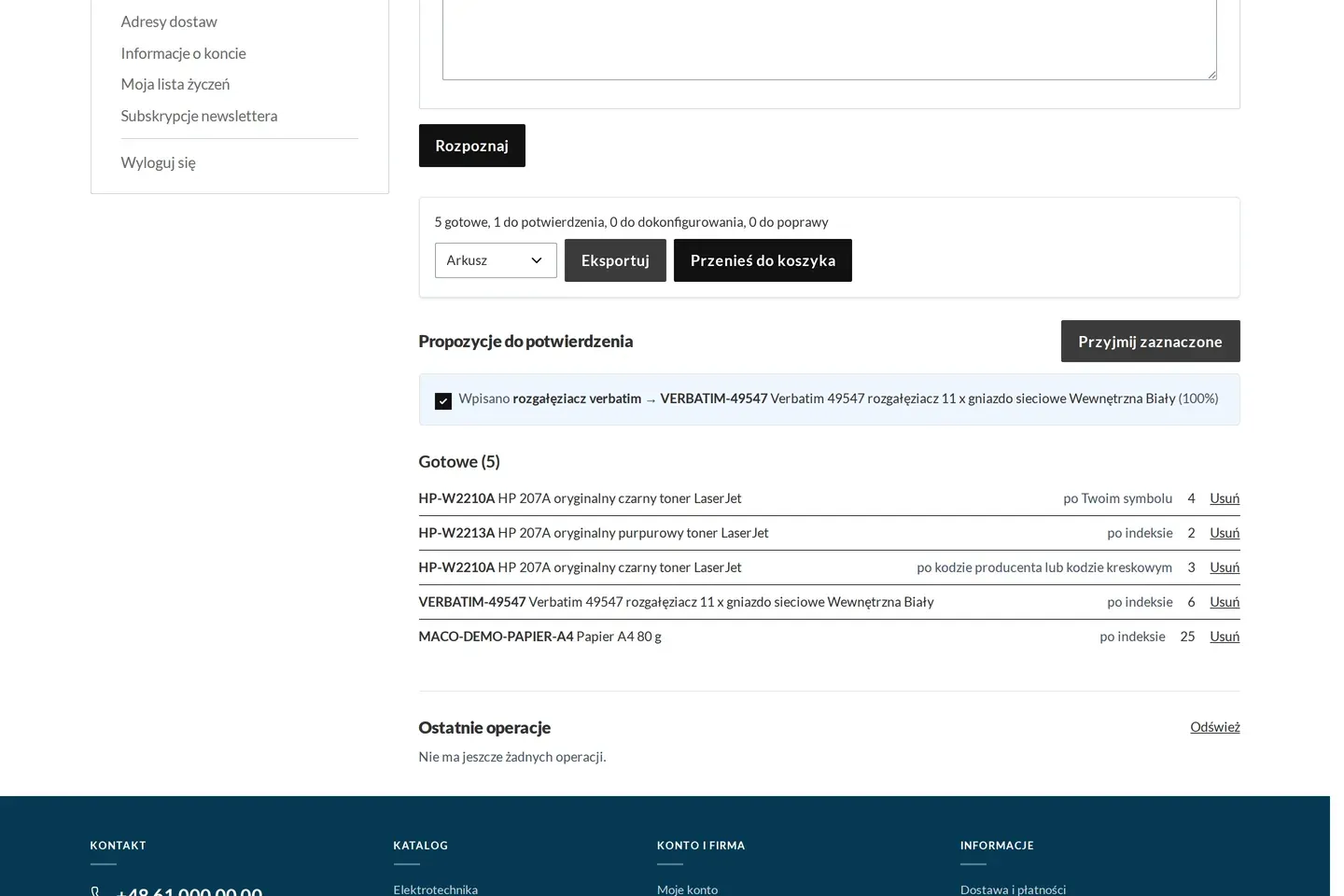
A pasted product list recognised by company code, seller code and barcode 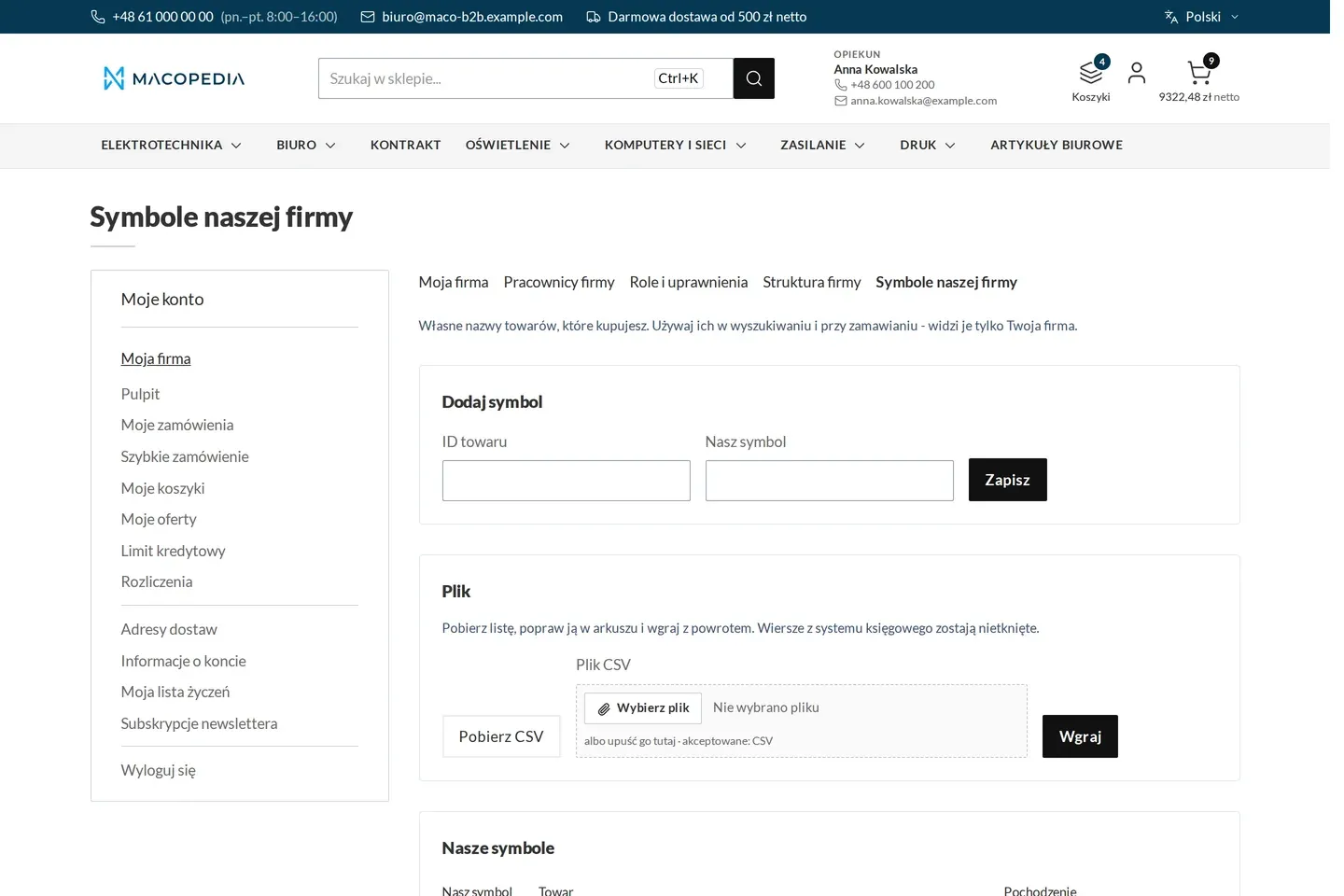
The company’s own product codes with an import from file
01 / 04
Who uses it
Every role gets what it needs at work
Buyer
Turns a list from a spreadsheet or an e-mail into a cart in one go. Lines that could not be recognised stay in the form for correction, the rest moves on.
Company administrator
Maintains the product codes from their company’s system. Thanks to them employees order with the codes they use every day, not the seller’s.
Customer service
Gets fewer orders to retype from e-mails. Sets the confidence from which a fuzzy match reaches the customer as a suggestion.
A worked example
A site list turned into a cart
01 A list from the site manager
Marek from Instal-Serwis gets a spreadsheet with 60 lines. Some have Delta Hurt codes, some manufacturer codes copied from a catalogue.
02 Uploading the file
Marek uploads the spreadsheet on the quick order page. The store maps the “Code” and “Quantity” columns itself, so he changes nothing.
03 Review
Most lines are recognised at once, two typos come back as suggestions to approve in one click, one line is left unmatched. For the pipes the quantity was raised to a full bundle, with a message.
04 Correction and cart
Marek fixes the missing line by hand. Everything goes to a new cart, “Lipowa site”, which becomes the current one.
05 Order
Marek checks the cart with his company’s prices and places the order. Anna, the account manager at Delta Hurt, retypes nothing from an e-mail.
For the IT team
Where the data comes from and how to integrate it
Codes, manufacturer codes and EANs come from the catalogue fed from the ERP through Maconnector. The customer’s product codes are kept in the panel, by import or from the ERP record.
Confident matches go straight to the catalogue, so a product added an hour ago is recognised at once. Fuzzy matching uses OpenSearch and can be switched off.
Every action of the module is available in the REST API and calls the same service as the store. Lists above 300 lines, or with more than 100 lines for fuzzy matching, are processed in the background, and the storefront is built on Hyvä.
Recognising PDFs and scans with a language model is an option quoted separately. The provider is replaceable, the key and cost limit are set by the client, and matching against the catalogue stays in the store.
FAQ
Questions: quick order
What if the customer types a code with a typo?
Can the customer order with their own product codes?
Can an order be uploaded as a PDF or a scan?
What about a list of a thousand lines?
We will show you this on your company’s data
The demo runs on a scenario from your sales: your customers, your price lists, your ERP. After an hour you know what you get at once and what we set up in the rollout.