The datasheet and the certificate where the customer looks for them
Maco B2B adds files to the product: datasheets, certificates, manuals, CAD and 3D files. Every file has its own visibility: for everyone, after signing in, or for selected customer groups. Documents sit on the product page, on the order and as a link in the confirmation e-mail.
Why it exists
Datasheets in e-mails and on disks
Magento has no files on a product. “Downloadable” files are goods for sale, not documentation. The customer asks for a datasheet by e-mail, the sales rep looks for it on a disk and sends back a PDF that is out of date a month later.
Some documents should not be seen by everyone: installation documentation for installers or CAD files for designers. Dropped on a server under a fixed address they are available to anyone who knows the link.
Product attachments
What it does in the store
Documents and CAD files on the product
Datasheets, certificates, declarations of conformity, manuals and CAD and 3D files, e.g. PDF, DWG, IFC or STEP. The file name is translated into every store language.
One file, many products
A certificate is uploaded once and attached to a whole series. Replacing the file changes it everywhere, and variants inherit the parent product’s files.
Visibility on every file
Public, after signing in, or for selected customer groups. The buyer sees on the list only what they can open.
Protection on every download
The file does not sit under a public address. The store checks the access right on every click, so a forwarded link will not open the document for someone without permission.
Documents on the order
On the customer account, on every order line, are all the documents of the ordered products. The certificate needed at acceptance is where the order is.
A link in the confirmation e-mail
Files marked “sent with the order” go into the e-mail as a link at the product. The link goes through the store, so a visibility change also applies to e-mails already sent.
What it looks like in the store
Product attachments on the demo store’s screens
Real screens, not mockups. The demo store runs in Polish; a rollout ships in your store’s languages. Click a row, and where there is a phone capture switch the view or zoom in.
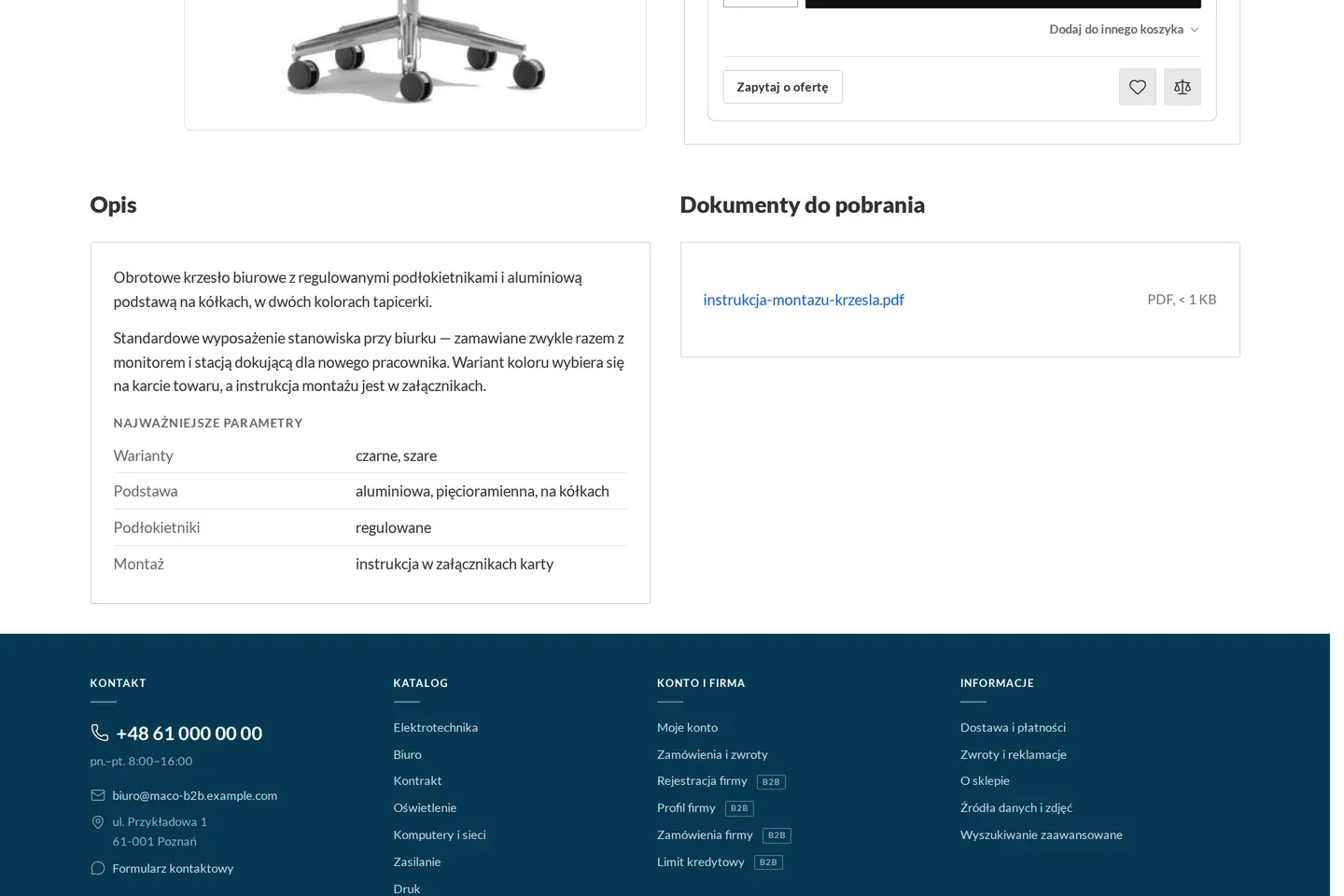
Product page with documents to download 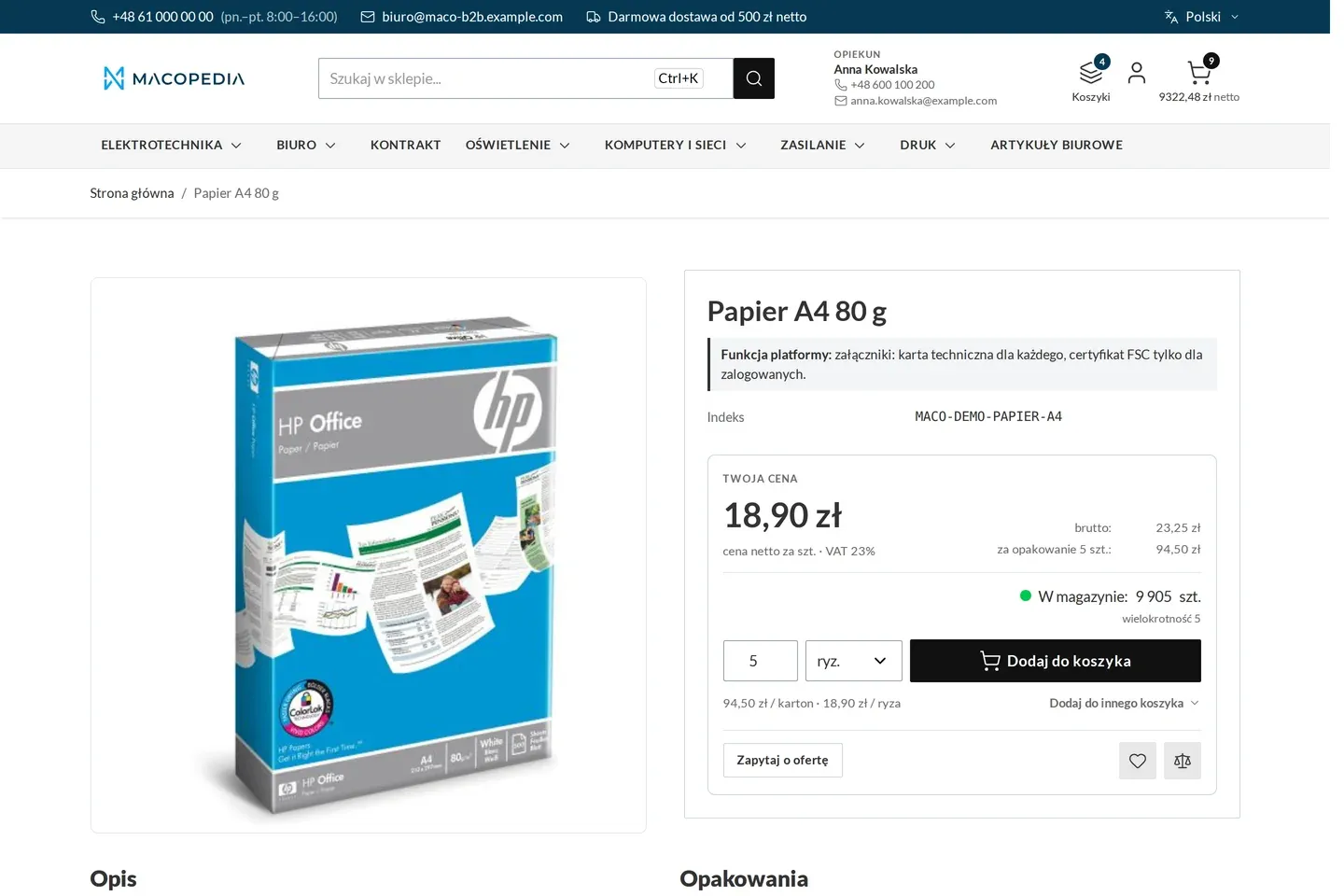
Product page of an item sold in reams, cartons and pallets, with a unit converter
01 / 02
Who uses it
Every role gets what it needs at work
Buyer
Downloads the datasheet before buying and the certificate after, without asking for them by e-mail. Every employee of the company sees the same documents as their company.
Account manager
Does not look for files on a disk and does not send PDFs. Points the customer to the product page or to the order.
Customer service
Uploads a file once in the panel and attaches it to many products. Sets who sees a given document and whether it goes into the order e-mail.
A worked example
A declaration of conformity for a Termo-Bud site
01 A new file from the manufacturer
Delta Hurt gets a declaration of conformity for a series of valves from the manufacturer. The PIM sends the file to the store and attaches it to every item in the series.
02 Who sees what
The declaration is visible to everyone signed in, and the installation documentation only to the “Installers” group.
03 An order with a link
Marek from Termo-Bud orders the valves. In the confirmation e-mail he has a link to the declaration at the line.
04 Documents for acceptance
The site manager asks for the acceptance documents. Marek opens the order in his account and downloads the declaration at the line, without calling Anna.
For the IT team
Where the data comes from and how to integrate it
Files and their product attachments come from the panel, from the ERP or from the PIM through the REST API, idempotently by attachment code, also in batches. Which system owns the product data is decided by the integration in Maconnector.
The file is served by a store service by identifier, with access control on every download. A buyer reads a product’s attachments through their own REST API route (me/products/:sku/attachments), and the native product read returns them only to an integration with the right to manage or import attachments.
The document list on the product page depends only on the group and the signed-in state, so the page stays in the cache. The documents block is a Hyvä component.
FAQ
Questions: product attachments
What happens when the manufacturer sends a new datasheet?
Which files can be uploaded?
What does a customer without an account see?
Does Adobe Commerce B2B have product attachments?
We will show you this on your company’s data
The demo runs on a scenario from your sales: your customers, your price lists, your ERP. After an hour you know what you get at once and what we set up in the rollout.